brentm46808071
Participating Frequently
November 29, 2017
Answered

Dreamweaver CC 2018 is a nightmare - HELP

  • November 29, 2017
  • 2 replies
  • 965 views

Why is DW CC 2018 trying to do everything in its power to stop me from writing my own code?! In Dreamweaver CC2017 we had quite a few of these annoying options (like auto finish tags) turned off to make it more of a raw editor, but after updating to CC2018, I can't figure out for the life of me how to turn off most of the new wizzywig features, and it's seriously preventing us from efficiently developing new sites - we just updated today and development grinded to a stop.

For example, how do I turn off the following?

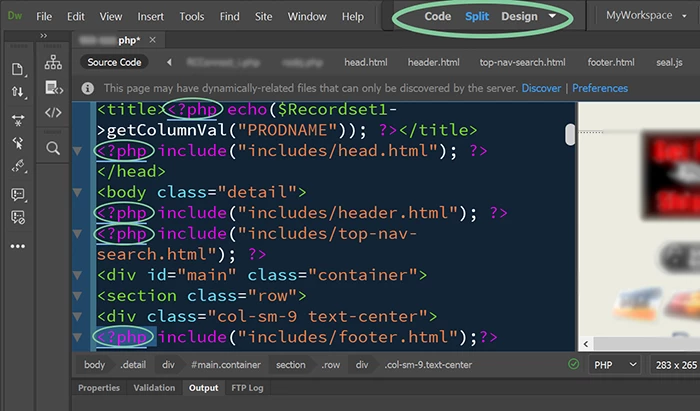
1. As code is being typed, DW keeps highlighting sections / chunks of code with orange highlight. What is this?

2. When I manually highlight a tag (to copy and paste for example), DW highlights all of those tags on the page.

Any help to turn things off (to start) would be MUCH appreciated. It's driving us crazy.

This topic has been closed for replies.
Correct answer Nancy OShea

1. you can edit your Code Theme's LESS file to change code colors and backgrounds.

.CodeMirror-selected { background: #FFF}

By 2, I assume you mean the matching tags feature.  My colors might be different because I use a custom Code Color Theme called RubyBlue from Github.  GitHub - Brackets-Themes/RubyBlue: Dark, high contrast theme for Adobe Brackets.

To answer your question, I don't know of any way to turn off the underline on matching tags.  It might be in a JSON file but I haven't looked for it because this feature hasn't created problems for me so far.

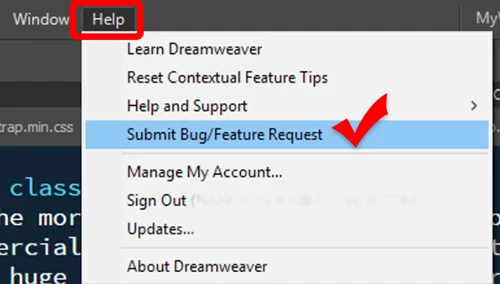
If you find anything else that bugs you, be sure to file a Bug/Feature Request  from your HELP menu.

2 replies

Nancy OShea
Community Expert
Nancy OSheaCommunity ExpertCorrect answer
Community Expert
November 30, 2017

1. you can edit your Code Theme's LESS file to change code colors and backgrounds.

.CodeMirror-selected { background: #FFF}

By 2, I assume you mean the matching tags feature.  My colors might be different because I use a custom Code Color Theme called RubyBlue from Github.  GitHub - Brackets-Themes/RubyBlue: Dark, high contrast theme for Adobe Brackets.

To answer your question, I don't know of any way to turn off the underline on matching tags.  It might be in a JSON file but I haven't looked for it because this feature hasn't created problems for me so far.

If you find anything else that bugs you, be sure to file a Bug/Feature Request  from your HELP menu.

Nancy O'Shea— Product User & Community Expert
brentm46808071
Participating Frequently
November 30, 2017

Thanks everyone for your input.

brentm46808071
Participating Frequently
November 29, 2017

FYI: The issue with #2 is that once something is "auto underlined" in the code you can't immediately then highlight your a section of code to copy and paste because once you click on an underlined section of the code, the entire line is now dragable so it's actually SCREWING UP our code... along with the idiotic brown / orange highlight feature, CC2018 is becoming unusable for the way we need to code (from scratch). I've looked everywhere and I can't fond where to turn these 2 things OFF.

BenPleysier
Community Expert
Community Expert
November 29, 2017
Wappler is the DMXzone-made Dreamweaver replacement and includes the best of their powerful extensions, as well as much more!
brentm46808071
Participating Frequently
November 29, 2017

Thank you very much for the link . It looks like the only way to make Dreamweaver 2018 usable is to change the script ourselves in various program files. Wow. Keep up the good work Adobe. Your After Effects and Premiere teams are A+ but what the heck is going on with your Dreamweaver staff? Seems like there's a needed changing of the guard.