
Participant
August 30, 2018
Question

Dreamweaver cc kind of refreshes/glitches or something

  • August 30, 2018
  • 2 replies
  • 743 views

Yeah... I'm sorry for the vague title, but I have a vague problem.

I will try to explain it as good as I can, because my English not my native language.

I working on a website with dreamweaver. I set up a extern server and a test server.

But Dreamweaver is kind of refreshing every 15-20 seconds. It's very annoying.

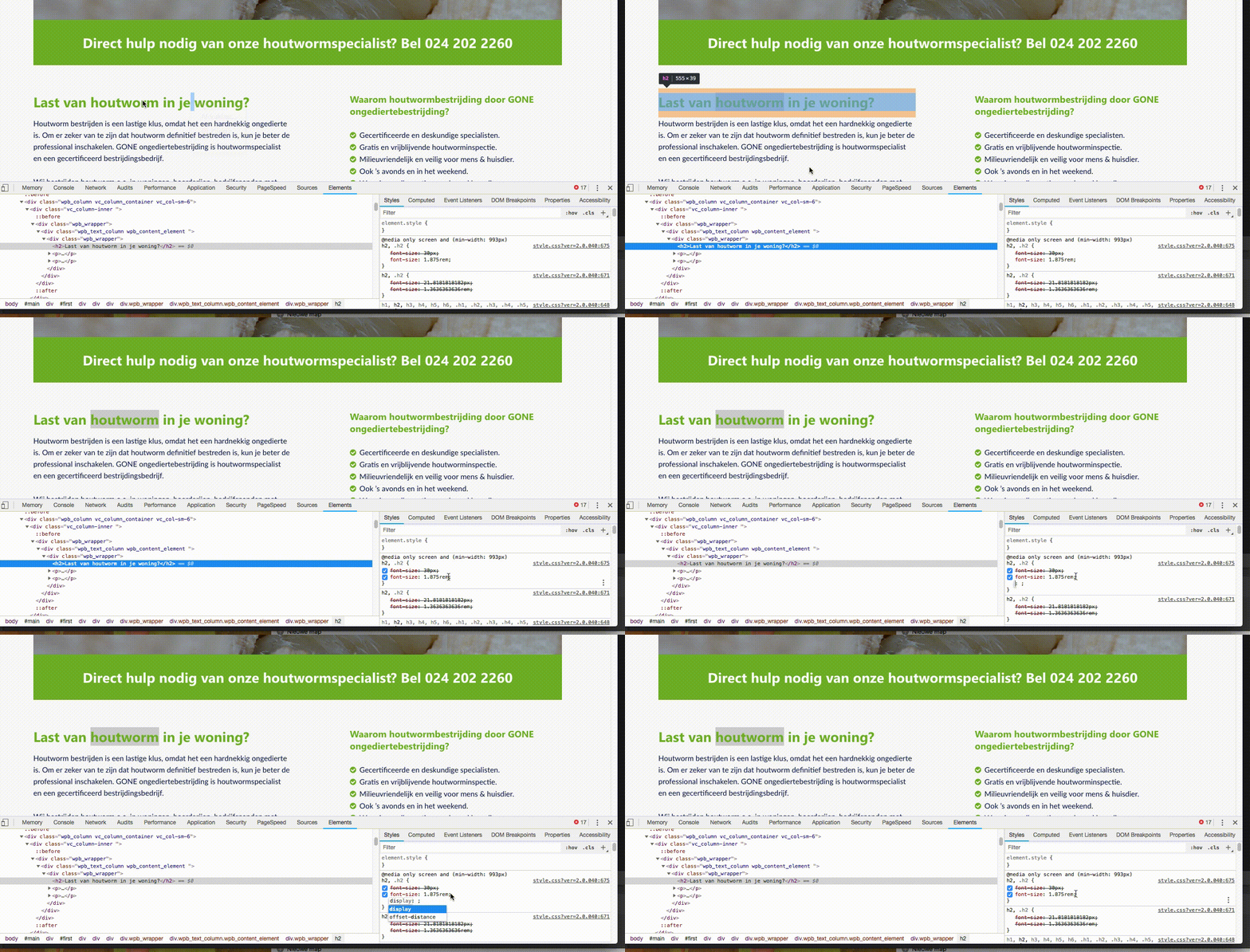
For example: When I open files on my right sidebar it collapses every 15-20 seconds. And the dreamweaver window glitches for a second.

And it is not only in dreamweaver. For example, when I want to test a quick CSS thing in Chrome, the browser also glitch sometimes. And when I'm in de the middle of typing a CSS rule it disappears. So I can start over. But I have to be quick. Because in 20 sec's the glitch/refreshing is happening again.

This thing only happens when I have Dreamweaver active. When I close Dreamweaver, everything is oke.

I use Dreamweaver CC (18.2) on a Macbook (late 2013) with macOS High Sierra (v10.13.6).

And I made to movies of the examples I described before.

Can anyone help me?
This topic has been closed for replies.

2 replies

pziecina
Legend
August 30, 2018

You will probably find that the problems are being caused because you are using dropbox to store your files.

Dw does have problems when files are not stored directly on your local drive.

B i r n o u
Legend
August 31, 2018

but dropbox files on a computer are stored on local drive ...

pziecina
Legend
August 31, 2018

https://forums.adobe.com/people/B+i+r+n+o+u  wrote

but dropbox files on a computer are stored on local drive ...

Yes, but when you are working with them the files are being transfered to the dropbox server also, which means that Dw is constantly updating and checking those files for updates.

Community Expert
August 30, 2018

The Chrome one I cannot explain at the moment. For the DW one since we only see the part of the window with the files panel, can you confirm you are not working ont he page in question out of view. The default behavior of that pop out menu is to hide if you are working on a page or other content. If you want it to show the entire time you are working you need to click the double arrow above "bestanden" to expand the menu.

Also, I say this next because you have an older computer that has been through some Mac OS updates, have you tried creating a new user account on the OS and try both Chrome and DW to see if the behaviors continue. As a Mac user myself, I have seen OS User accounts become corrupted via updates causing erratic behavior like you describe. If you create another user account and the issue is not repeatable, you may need to migrate from the old user account to the new one to correct the issue.