Participating Frequently
May 2, 2018
Answered

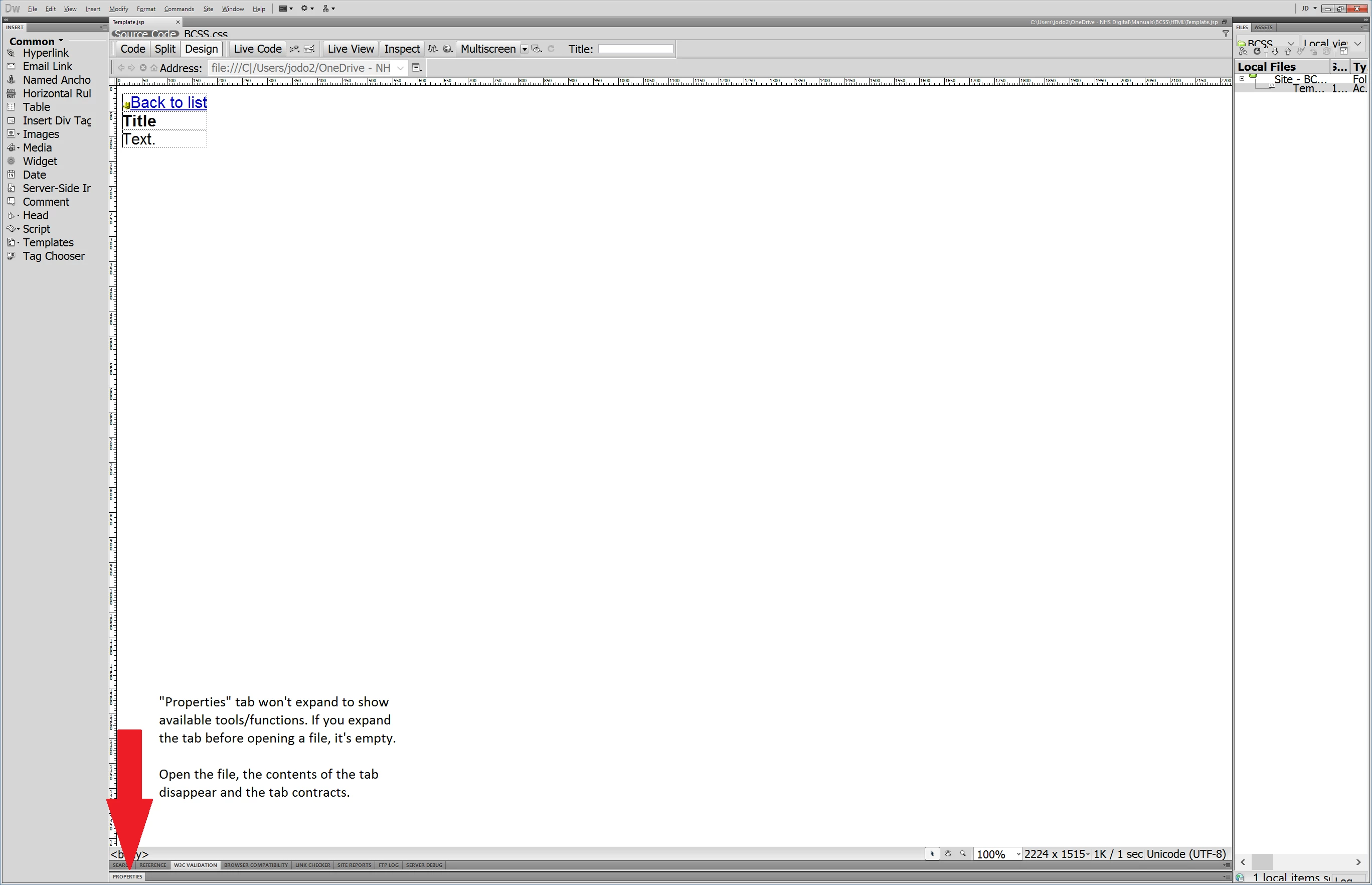
Dreamweaver CS5.5 The 'Properties' tab within Dreamweaver don't display

  • May 2, 2018
  • 6 replies
  • 1299 views

    This topic has been closed for replies.
    Correct answer pziecina

    No.  Design/Live/Split/Code view have no effect on Properties

    I suspect the OP doesn't have the application frame moved far enough left to see a triangle which opens the panel up to reveal more options..


    I suspect that the OP is trying to use CS5.5 with a hi-dpi monitor. Look at the image in the original post and all the UI items are cut off, also the width of the document window alone is over 2200px. So the monitor display is at least 2800px.

    If it is not a hi-dpi display then the monitor is using more than a hd dispay. Both of which would cause problems with all panels.

    6 replies

    MaxGiuAuthor
    Participating Frequently
    May 16, 2018

    Awesome thank you all, buying the latest version as we're using 4K monitors with Surface pro 4's.

    pziecina
    Legend
    May 16, 2018

    MaxGiu  wrote

    Awesome thank you all, buying the latest version as we're using 4K monitors with Surface pro 4's.

    MaxGiu

    Looking at your file extension I have noticed that you are using .jsp.

    I would seriously advise you to download the 7 day trial version of Dreamweaver before purchasing. The latest version is hi-dpi aware, but support for jsp files is terrible at best, and amateurish at worst. JSP support was removed from Dw some versions ago, and it may be that Dw can no longer match your requirerments.

    There has been a vast change in what Dw supports, and how it works, especially with the last two versions. Even though it is possible to select the jsp as a file type, working on a site with jsp may prove impossible.

    WolfShade
    Legend
    May 16, 2018

    Are there any extensions that will support jsp in the latest DW?

    For that matter, are there any extensions that support cfm?  We're a ColdFusion shop and will be for quite some time.

    V/r,

    ^ _ ^

    MaxGiuAuthor
    Participating Frequently
    May 15, 2018

    Thanks John Fitz - just tried that but it just drags and as soon as I release the mouse it just goes straight back to the original place it was in. Doesn't float or resize.

    FOR ANY ADOBE REPRESENTATIVE READING THIS....

    YOUR SUPPORT IS TERRIBLE. We are NHS Digital which means we approve software the NHS use. Speaking to our procurement department now as to why we are using products from a company with such a bad history of support for their products.

    Nancy OShea
    Community Expert
    Community Expert
    May 15, 2018

    CS5 is legacy software -- no longer sold or supported.  Why don't you upgrade to Creative Cloud?

    Nancy O'Shea— Product User & Community Expert
    MaxGiuAuthor
    Participating Frequently
    May 15, 2018

    Hi All, I'm still sitting with the issue and have tried all fixes as above as well as reinstalling Dreamweaver with clearing out all cache. Does anyone else have any suggestions or could point me in the right direction to get any sort of support from Adobe please

    Jon Fritz
    Community Expert
    Community Expert
    May 15, 2018

    What happens if you click and drag the Properties tab away from the edge of the Application Frame?

    It should become a floating panel that you can resize at that point.

    WolfShade
    Legend
    May 2, 2018

    First thing I would do is click on Window and check to see that the Properties is checked on.

    If it is, then it might be 'minimized'.  See if you can 'grab' it with the cursor and drag it to a larger size.

    HTH,

    ^ _ ^

    MaxGiuAuthor
    Participating Frequently
    May 3, 2018

    Tried the suggestion below from WolfShade, but it
    didn’t work.

    You can only check the Properties
    window and toggle it on and off if no HTML file is open. If you start
    Dreamweaver, you can open the Properties tab (either by double-clicking, taking
    the menu option, or using Ctrl F3), but it’s – rightly – empty. Once you open a
    file for editing, the Properties tab briefly displays its contents, but
    immediately collapses, and cannot be reopened in any way – menus, keystrokes,
    using the mouse. Nothing works.

    I’ve even tried using different
    workspaces in Dreamweaver, but to no avail.

    Jon Fritz
    Community Expert
    Community Expert
    May 2, 2018

    Double click the darker gray bar, just to the right of the Properties tab, to expand the window.

    MaxGiuAuthor
    Participating Frequently
    May 3, 2018

    Tried the suggestion, but it didn’t work. But thanks for the suggestion Jon Fritz

    Jon Fritz
    Community Expert
    Community Expert
    May 3, 2018

    Sounds like in installation issue then.

    When DW "just starts doing..." I will try clearing the program cache as a first step...

    Deleting a corrupted cache file

    If that doesn't fix it, restoring preferences usually does the trick...

    Restore preferences in Dreamweaver CS4, CS5, and CS5.5

    And if all else fails, nuking the entire thing from orbit with a Cleaner Tool Reinstall will bring it back to factory fresh (I know it says CC but works for CS as well)...

    Use the Creative Cloud Cleaner Tool to solve installation problems

    kglad
    Community Expert
    Community Expert
    May 2, 2018