sami zinni
Participant
December 31, 2016
Answered

Dreamweaver is not uploading my site to the right folder. [Was: Can you help me please? ]

  • December 31, 2016
  • 2 replies
  • 495 views

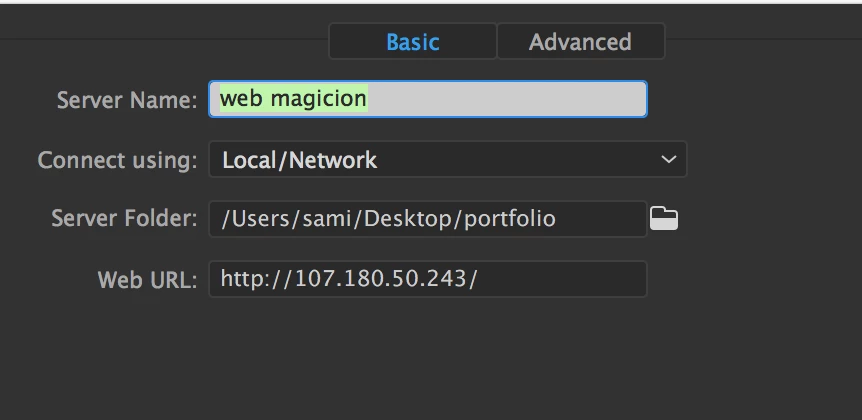
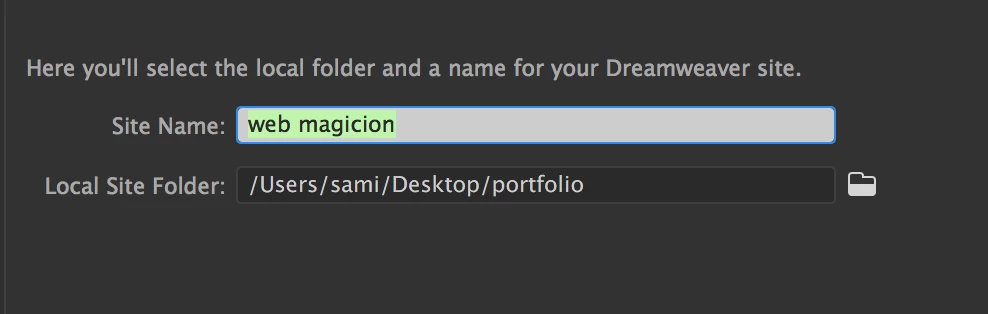
Dreamweaver is not uploading my site to the right folder. on site management I have the right server folder. But every time I upload it on go daddy it isn't the right

folder. Go daddy told me to contact Adobe. I am angry and frustrated because I can't get a hold of you. You disabled online chat tech support. When i try to phone call I get hung up.
This topic has been closed for replies.
Correct answer Nancy OShea

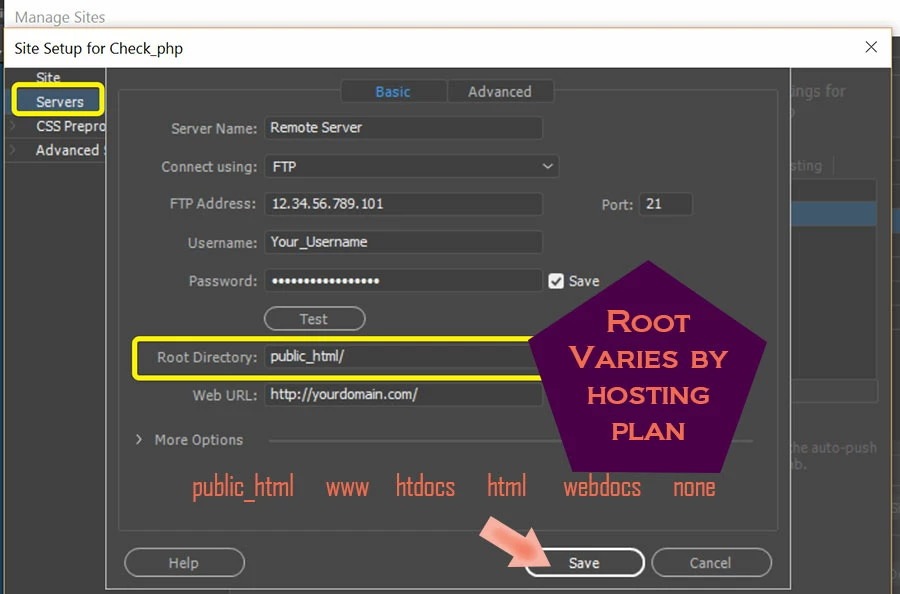
No.  What you have now is not a correct server Root Directory.   See screenshot below.

If your GoDaddy hosting plan is on a Linux server, your folder should probably be  public_html.  If unsure, check with GoDaddy.

2 replies

Nancy OShea
Community Expert
Community Expert
December 31, 2016

GoDaddy Help for Linux Hosting (cPanel) Plan  = public_html/

What is my website's root directory? | Linux Hosting (cPanel) - GoDaddy Help US

GoDaddy Help for Web & Classic Hosting Plan = /

What is my website's root directory? | Web & Classic Hosting - GoDaddy Help US

GoDaddy Help for Windows (Plesk) Hosting Plan = httpdocs/

What is my website's root directory? | Windows Hosting (Plesk) - GoDaddy Help US

Nancy

Nancy O'Shea— Product User & Community Expert
Nancy OShea
Community Expert
Nancy OSheaCommunity ExpertCorrect answer
Community Expert
December 31, 2016

No.  What you have now is not a correct server Root Directory.   See screenshot below.

If your GoDaddy hosting plan is on a Linux server, your folder should probably be  public_html.  If unsure, check with GoDaddy.

Nancy O'Shea— Product User & Community Expert