
Answered
Dreamweaver is unbelievably laggy and slow
I use the 2019 version. A few days ago, whenever I tabbed back into Dreamweaver or did or typed anything inside of it, it would lag and stutter for around 10 seconds.

I use the 2019 version. A few days ago, whenever I tabbed back into Dreamweaver or did or typed anything inside of it, it would lag and stutter for around 10 seconds.
Ok that's helpful. I also use WAMP server  . Can we assume Wamp server is launched & all Apache processes are running with a green icon in your taskbar?
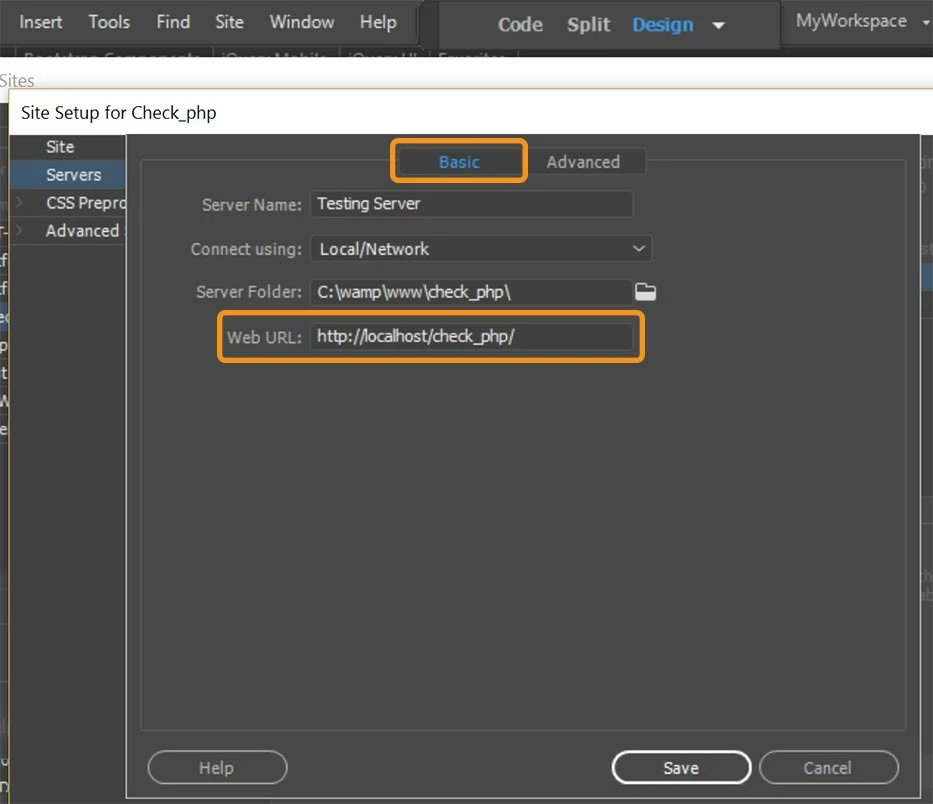
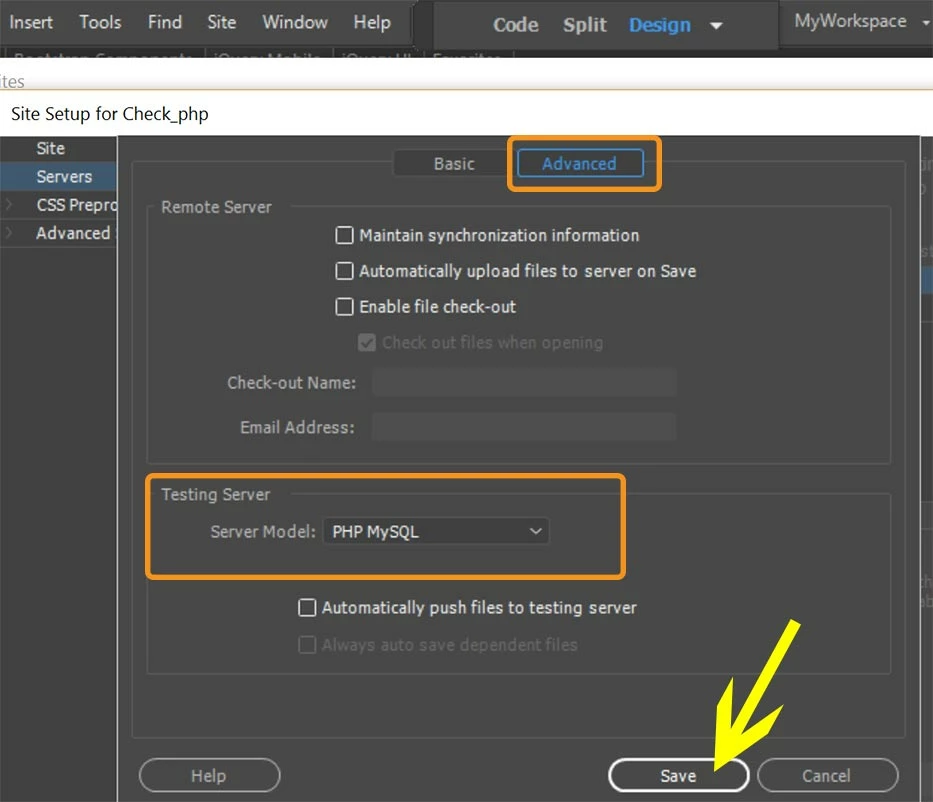
Have you defined the local testing server in DW and specified the server model as PHP/MySQL? See screenshots.
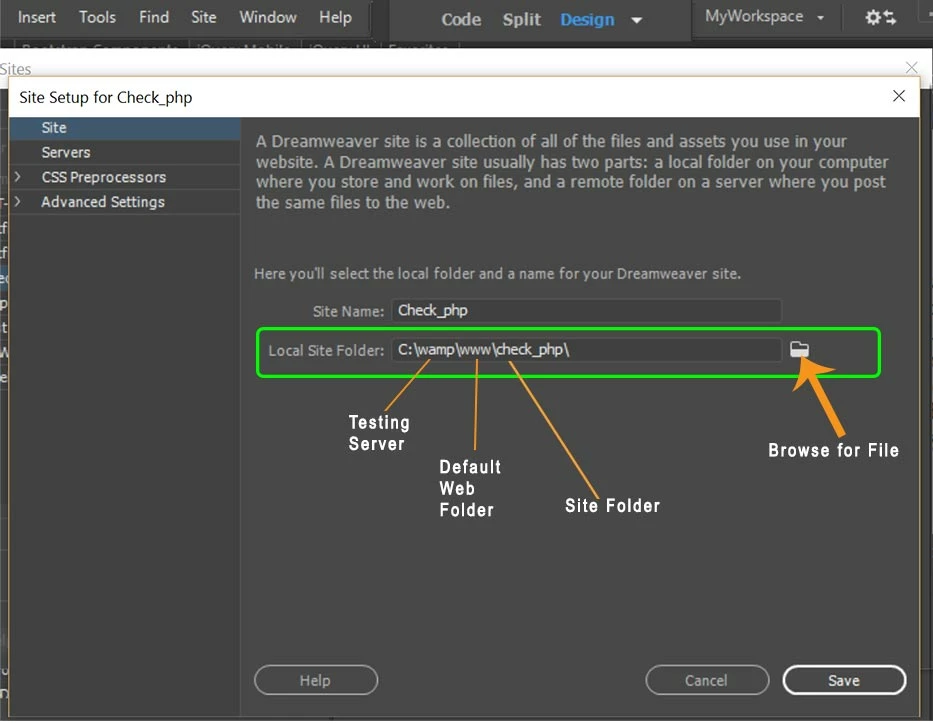
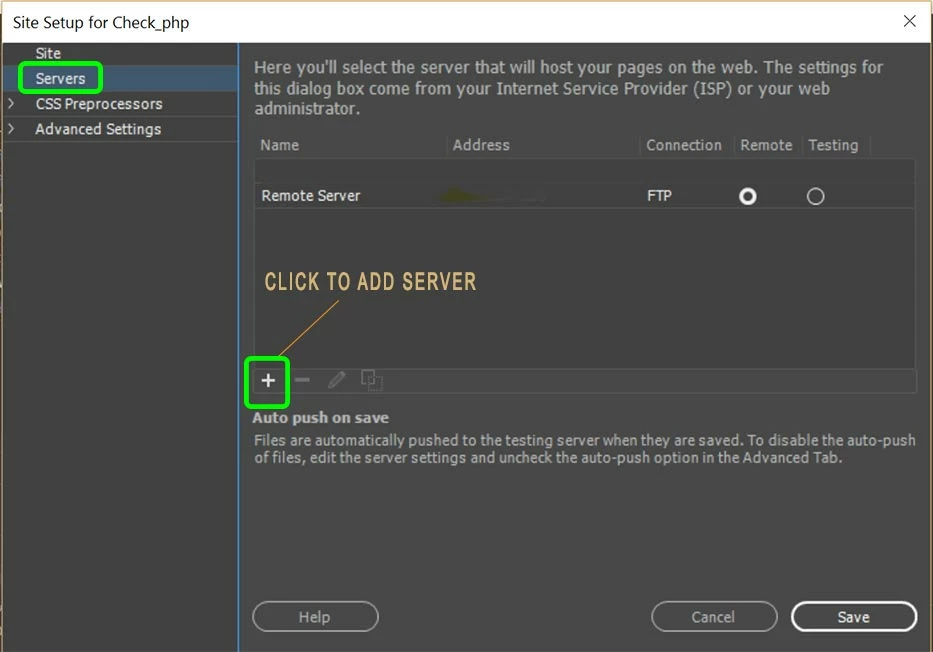
Basic tab:
Advanced tab:
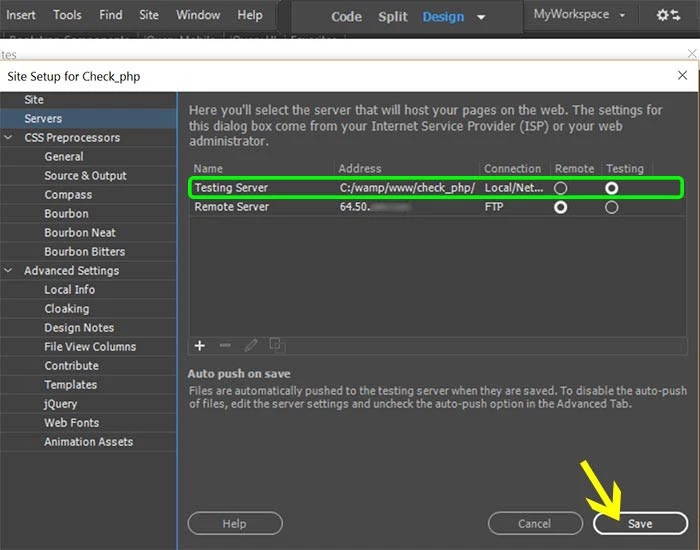
Finally, I highly recommend going into Preferences and turning off Real-Time Preview. You don't need it with a localhost.

Already have an account? Login
No account yet? Create an account
Enter your E-mail address. We'll send you an e-mail with instructions to reset your password.


 AdChoices