Participating Frequently
July 20, 2017
Answered

Dreamweaver Live Preview stopped working - local host refused connection (WAMP solved)

  • July 20, 2017
  • 2 replies
  • 696 views

My Dreamweaver Live Preview stopped connecting to every browser I have. I kept getting a local host refused connection. I tried changing server info under site manager & a few other things. For me the issue seems to have resolved when I simply opened WAMP; it seems since I installed WAMPServer64 it had to be activated/started. Once I opened it, Dreamweaver's Live Preview started working again. Watched this video & my problem was solved; while video not that informative, it put me on the right track for my issue.

Hope this helps someone else too.

This topic has been closed for replies.
Correct answer Nancy OShea

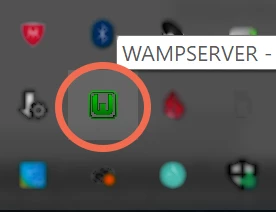
Always check your Taskbar to ensure Wamp Server's icon is green for all is good.   If it's orange or red, your localhost won't work as expected.  I do this before opening Dreamweaver.

2 replies

Preran
Community Manager
Community Manager
July 24, 2017

Thank you and Nancy for sharing your solutions here. Much appreciated.

Nancy OShea
Community Expert
Nancy OSheaCommunity ExpertCorrect answer
Community Expert
July 21, 2017

Always check your Taskbar to ensure Wamp Server's icon is green for all is good.   If it's orange or red, your localhost won't work as expected.  I do this before opening Dreamweaver.

Nancy O'Shea— Product User & Community Expert