Participant
February 11, 2017
Answered

Dreamweaver program print is too small to read, can it be increased?

  • February 11, 2017
  • 1 reply
  • 2223 views

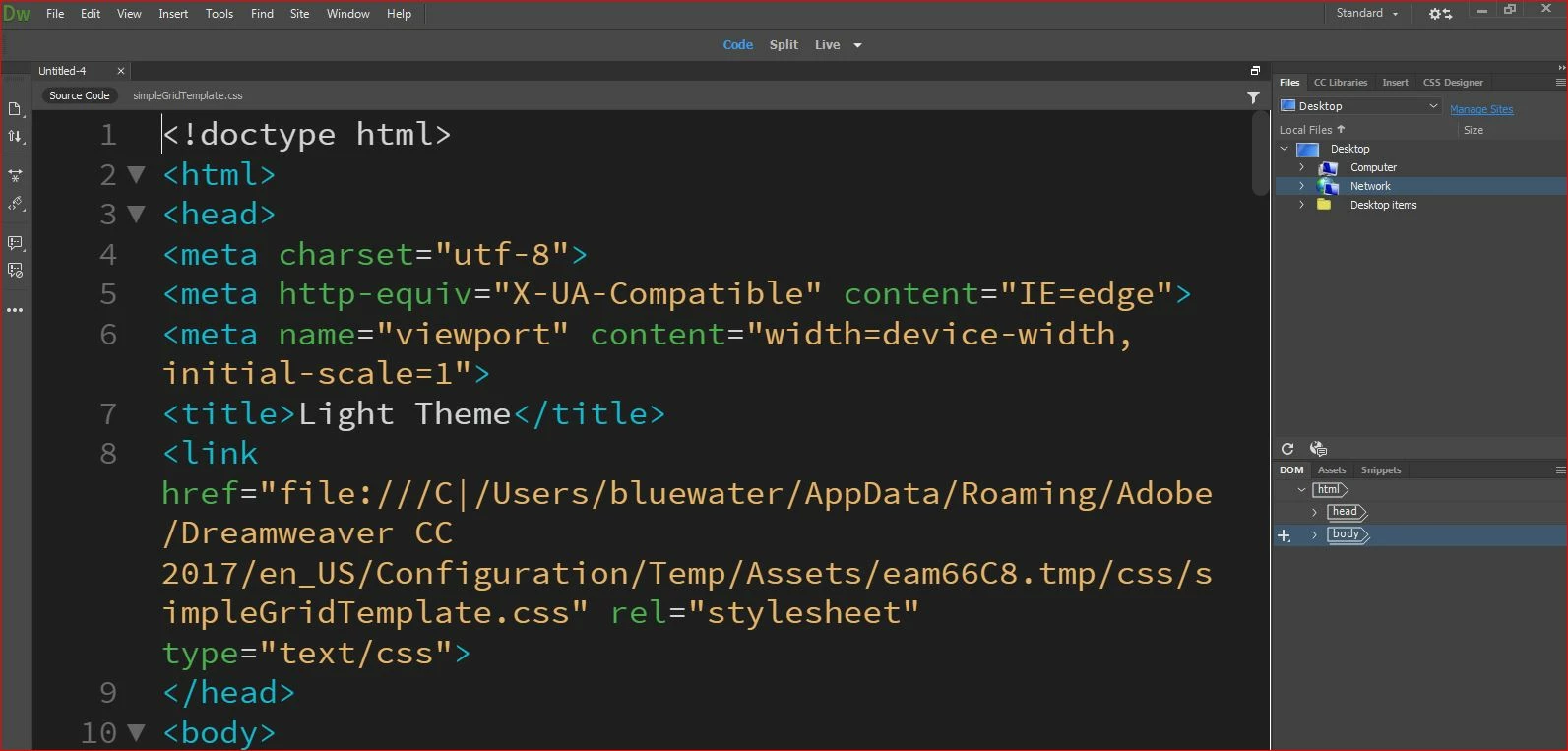
I have downloaded the trial DW and I can hardly see the various print sections on the program panel itself - view, file, etc.  I can see the coding (it is too big actually).  I have never seen a program with such tiny print in the menus and bars.  Can this be increased?   Can the font size in the display code section be decreased?  How please?   I am finding the size difference very difficult to work with.  I have six days left to see if I can work this and make it worth subscribing to.  Such a minor thing but with dyslexia it is proving to be something slowing things down considerably.  Attaching a screen shot I hope will illustrate the problem.  Thank you
    This topic has been closed for replies.
    Correct answer Nancy OShea

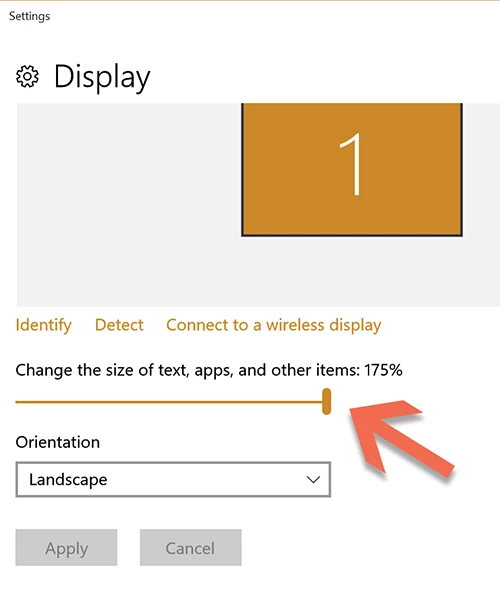
    On Win10, Display Settings.  I have my slider moved to the right.   I should warn you though, this may truncate some panels. 


    1 reply

    BenPleysier
    Community Expert
    Community Expert
    February 11, 2017
    Wappler is the DMXzone-made Dreamweaver replacement and includes the best of their powerful extensions, as well as much more!
    Participant
    February 11, 2017

    Thank you for the link.  Followed the directions and attaching the result.  The working window is improved.  The other areas - menu, tool bars etc. - on the program itself remain far too small to comfortably work for long.  Maybe there is another issue or work around that would solve this.  

    Nancy OShea
    Community Expert
    Nancy OSheaCommunity ExpertCorrect answer
    Community Expert
    February 12, 2017

    On Win10, Display Settings.  I have my slider moved to the right.   I should warn you though, this may truncate some panels. 


    Nancy O'Shea— Product User & Community Expert