


Dreamweaver - Simple Actions
I've been using Dreamweaver since its origin as a tool to build my studio journal. I merely use the basics (no html). I construct a large divided table as a template and use it daily to input text and images in a sequential manner throughout the day. I've kept this journal active for 15 years. Until recently, I've been using Dreamweaver 3 on an old Macbook. I resisted using newer versions as they became more complex and difficult to use for my simple purposes. I've had to replace my old Macbook recently, and, unfortunately, it won't play legacy software. I've been forced to use the current version of Dreamweaver (21.4) for my journaling activities. This has brought some difficulties. I seem unable to perform very simple tasks using the same procedures used in the early versions. I used to be able to select a table, copy it, and then paste it anywhere in the document. I used to be able to copy a table from one document over to another document. I used to be able to simply select a table and delete it. I don't seem to be able to do any of these things in the new version. I've worn myself out looking for answers online. Have I lost my mind?
I offer a screenshot of a blank journal page constructed in Dreamweaver 3, with several of the tables I'm referring to.
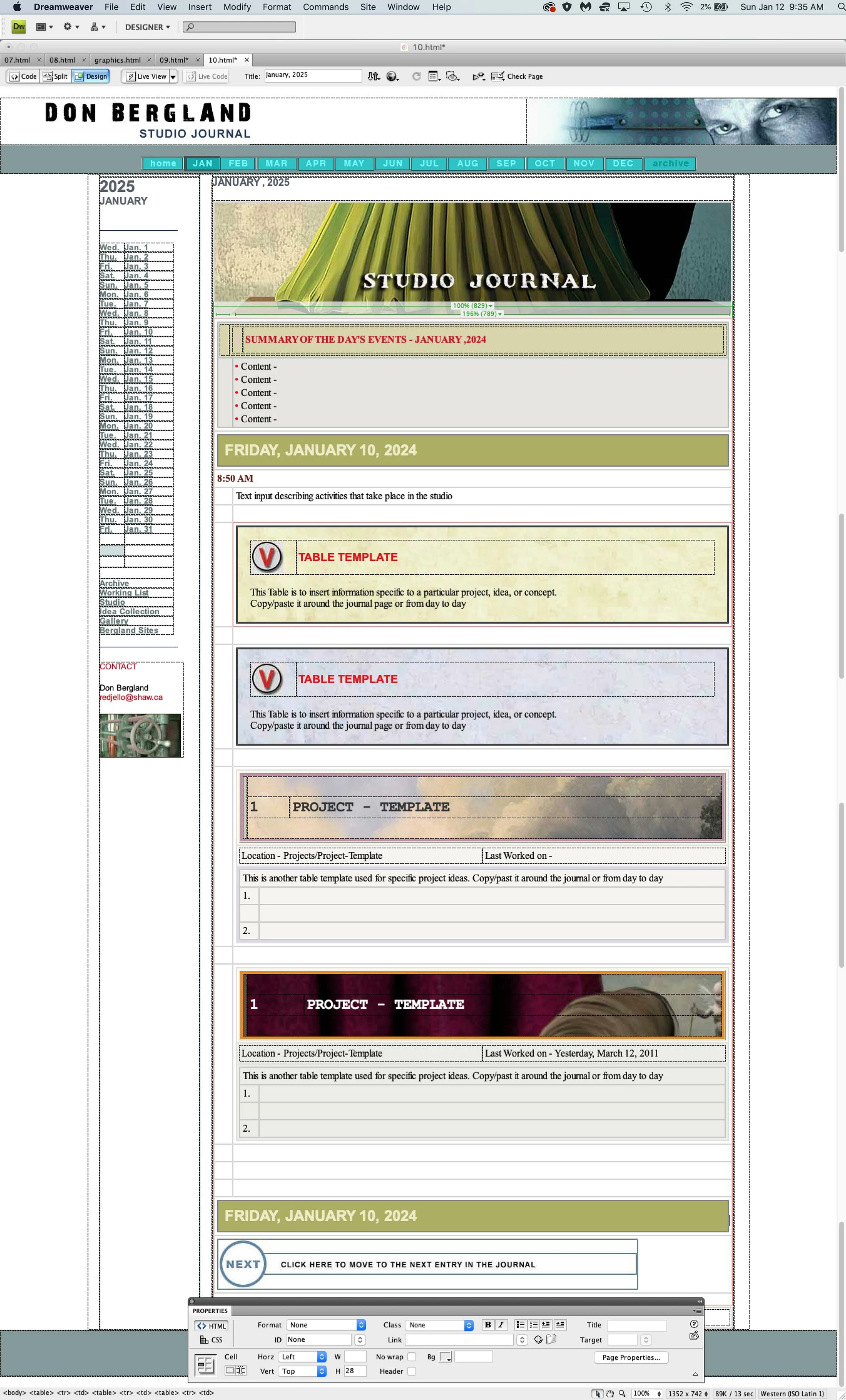
So, here are some really siimple Dreamweaver questions:
1. How do you select an existing table
2. How do you select an existing table and delete it?
2. How do you select a table in another Dreamweaver document, copy and paste it to another document?
3. How do you select a table in a document and copy/paste it to another place in the document?
I appreciate any solutions to this rather frustrating issue.
Thanks, Don...
 AdChoices