
Participant
February 19, 2020
Answered

Dreamweaver still not opening on Mac

  • February 19, 2020
  • 2 replies
  • 1012 views

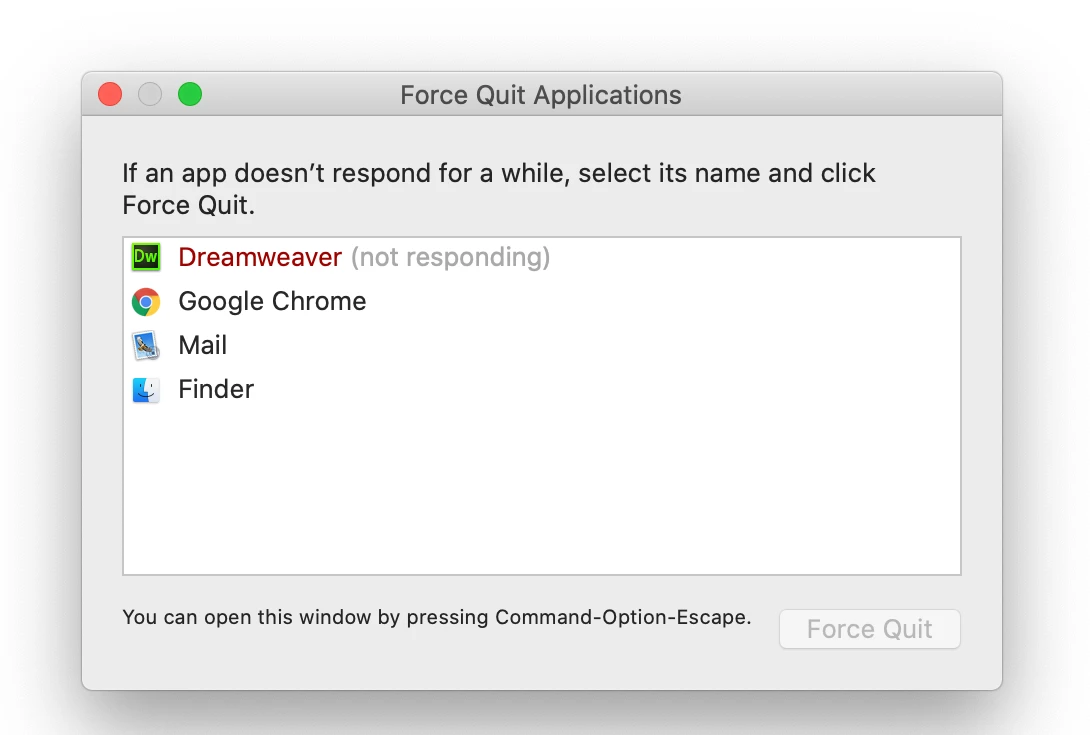
Just downloaded Dreamweaver 2020 as part of Creative Cloud. On a MacBook running 10.15.3. Using ClamX virus scanning. Any insight into why it won't load. As per previous comments, the icon bounces, then stops bouncing. 

Then I get this:
 

This topic has been closed for replies.
Correct answer jimg10063789

I actually downgraded to an earlier version of Dreamweaver via Creative Cloud, deleted the newest version. Then, when I launched the slightly outdated version, I updated it. That worked.

2 replies

Participating Frequently
May 13, 2020

This is happening to me as well. I've deleted all older versions, including preference files. I'm on Mac OS 10.13.6, there is no anti-virus running. I cannot install anything except the one version offered in Creative Cloud, version 20.1. I've uninstalled and reinstalled, tired re-starts and shut-downs, nothing is working. HELP! I need this app to work! (We're paying for the complete suite, hence, we should have access to the complete suite...)

Nancy OShea
Community Expert
Community Expert
May 13, 2020

"I cannot install anything except the one version offered in Creative Cloud, version 20.1"

Dreamweaver 20.1 is the current release version.  Which version are you looking for?


Owing to a policy change last year, Adobe no longer offers pre-2019 versions from the CC Desktop App.  If you didn't keep older versions on your system, they are no longer accessible.  


Enterprise/Teams plan holders can request older versions from their IT dept admins, providing it doesn't violate internal policies.

https://appleinsider.com/articles/19/05/13/adobe-warning-of-legal-problems-if-users-keep-using-old-versions-of-creative-cloud-apps


Nancy O'Shea— Product User & Community Expert
Nancy OShea
Community Expert
Community Expert
February 19, 2020

DW 2020 is indeed compatible with Catalina with these known issues.

https://helpx.adobe.com/dreamweaver/kb/known-issues-macos-Catalina.html


  • Did you restart your computer after installing DW?
  • Does your computer user profile have administrative level permissions?
  • Do you need to create an exception for DW in your anti-virus app?


Nancy O'Shea— Product User & Community Expert
jimg10063789AuthorCorrect answer
Participant
February 21, 2020

I actually downgraded to an earlier version of Dreamweaver via Creative Cloud, deleted the newest version. Then, when I launched the slightly outdated version, I updated it. That worked.