

dougcomz7476595
Known Participant
June 3, 2018
Answered

DW 18.2 Code View Blank

  • June 3, 2018
  • 2 replies
  • 2071 views

I just download the latest update (10165 Build) in DW 18.2 in hopes that the code view would appear faster, but now it is completely blank, and not just slow, but no text available. (I've been waiting 15 minutes).  I am on Mac High Sierra 10.13.3. Is there a way I can see the code? I need to update the website, but can't figure out how to do it without some text.
This topic has been closed for replies.
Correct answer Sc00p3r

Hi

Thanks for sharing the system configuration.

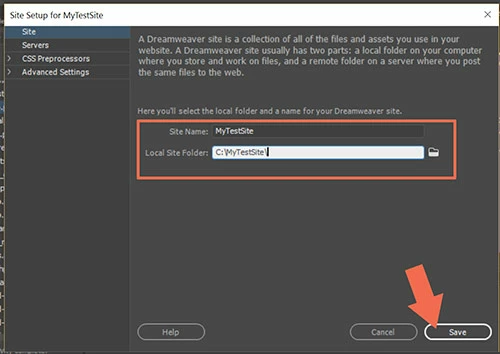
Did you define a site with local site root folder or you defined a remote server while creating a site, under site menu->new site

Thanks

Kratika


No. Just opening individual files at a time or creating new files.

We reinstalled DW2018.2 and everything seems to be working OK again now.

2 replies

Participating Frequently
June 4, 2018

Hi,

Apologies that you are facing issues with DW.

We had addressed the Code view blank issue in the last update for DW. Since you are still seeing this issue in the latest update of DW, can you please help us recreate this issue at our end by providing the below information

  • Were you seeing this issue before updating to the latest DW version? if not, which version were you on prior to the update?
  • Are you seeing this issue on all files or some specific files?
  • Can you give us the exact steps to recreate this issue?
  • Is it possible to share a video capture or a gif of the issue?

Thank you for your cooperation

Divya B C

Adobe Dreamweaver Team

Inspiring
August 7, 2018

I have the same issue (see #10545792 with things I have tried).

I was seeing the issue every now and then on CC2017, CC2018 and 18.1. But now in 18.2 I am unable to view source code at all, in any view, when opening many files and file types or even creating new files.

The steps are:

Open DW and open a file OR open a file into DW without DW open initially OR open DW and create a new file.

Screen capture video, showing the various steps above:

https://media.caw.ac.uk/View.aspx?id=9892~4C~FepKz8xr

Community Manager
August 9, 2018

Hi,

Thanks for sharing the video. The video you shared is of windows OS.

Could you please share the system configuration. In run type dxdiag , when a dialog comes save the information. Share the dxdiag.txt file with us.

Also, could you please try uninstalling DW using the CC cleaner and then reinstalling it. Please let us know if it helps.

Use the Creative Cloud Cleaner Tool to solve installation problems

Thanks

BenPleysier
Community Expert
Community Expert
June 3, 2018

Please have a look at this discussion Code View Blank in DW 2017

Wappler is the DMXzone-made Dreamweaver replacement and includes the best of their powerful extensions, as well as much more!