
Impressive_play01AC
Inspiring
October 19, 2018
Answered

DW 2019: problems with "close tags" after typing "</"

  • October 19, 2018
  • 2 replies
  • 1657 views

If I type...

<p></

... Dreamweaver close correctly the tag, but if I type...

<script></

... nothing happen.

These are my settings:
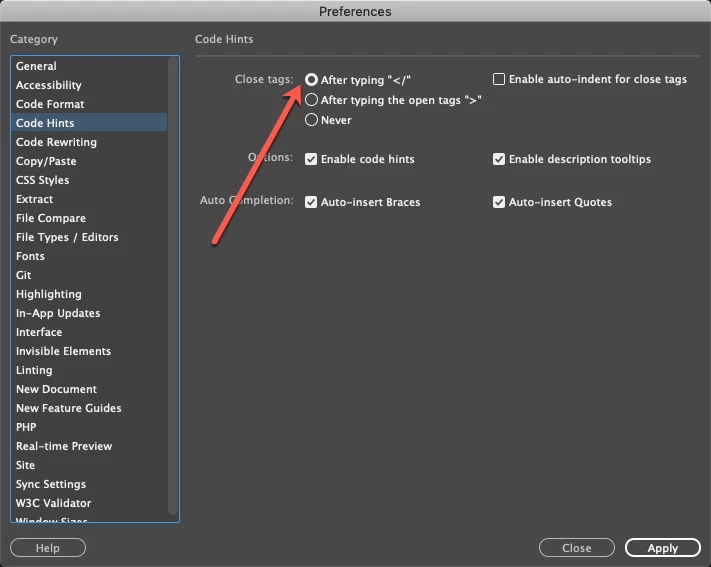
Instead on Dreamweaver 2015 works good:
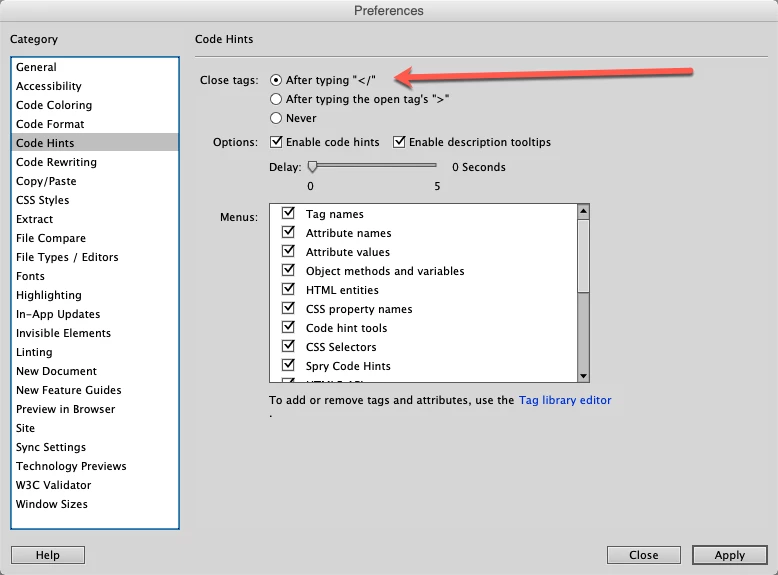
Is a bug or is necessary to enable something else in the control panel?

Thanks

    This topic has been closed for replies.
    Correct answer Kratika Agarwal

    same bug here on windows 10


    Hi,

    We are sorry that you are facing issues.

    We will be prioritising this issue to take up for fixing and will keep you updated once it is fixed.

    Thanks for your patience!

    Regards

    Dreamweaver Team

    2 replies

    Eric Bintner
    Inspiring
    October 19, 2018

    Same problem. This has always never worked. I assumed it was not suppose to work, but Adobe claiming they cannot replicate the problem is a little odd. I have always had to type </script> in full but other basic XML syntax typically works. SVG does not work either, but I also suspect Adobe has no intention to make using SVG a easy experience with their software both on the design side and also dev side.

    ALsp
    Legend
    October 19, 2018

    Carefully read the "Warning" thread from yesterday and you should get an idea for the capabilities of the Dreamweaver team.

    Community Manager
    October 19, 2018

    Hi,

    Thanks for reporting.

    We are not seeing this issue at our end.

    What is the OS you are using.

    Please try clearing preferences Unusual behavior in Dreamweaver? Try restoring preferences. and see if the issue is resolved.

    Thanks

    Dreamweaver Team

    Impressive_play01AC
    Inspiring
    October 19, 2018

    I'm using a MacOS 10.14 with the latest version of Creative Cloud (DW 2019) but I've the same problem with a MacOS 10.13 and DW 2018.

    The issue is reproducible with the .php pages, instead with .html works good.

    It seems to me very similar with the "Apply source formatting" bug in the php pages:

    Apply source formatting not works good in the last version (2018)

    Honestly, I don't know what to think, every time you write me "we are not seeing this issue at our end" but this and other bugs are there from several years (at least since you launched 2017 version).

    So now kindly not ask me for a meeting to investigate about it, I'm a paying user and not an ACP and I think is necessary urgently for the Indian Office of Dreamweaver to have a working area with different pc/mac in order to be able to test all the conditions before releasing a product to the public (or at least release a beta on the prerelease forum before to lunch the final version).

    Now I already know what you will reply to me:
    "we will find a fix in a future update"
    ... and next year I'll reopen this post for the 2020 version

    B i r n o u
    Legend
    October 19, 2018

    same bug here on windows 10