Participating Frequently
May 2, 2017
Answered

DW 5.5 images not loading

  • May 2, 2017
  • 1 reply
  • 341 views

DW 5.5.  Website:  LetBamaVote.org    My images show well in Design view,  as well as upon tapping F12, however, consistently not so on the web.  My images in DW are stored in "images," as well on my host's server.  Double checked both folders were "images."  Spent all morning to get the images to load.  Help will be greatly appreciated.

[Moved from non-technical Lounge Forum to specific Program forum... Mod]

[Here is the list of all Adobe forums... https://forums.adobe.com/welcome]

This topic has been closed for replies.
Correct answer Nancy OShea

All of your Assets (CSS, JS, Images, etc...) are NOT FOUND on server.  This can mean only one thing. 

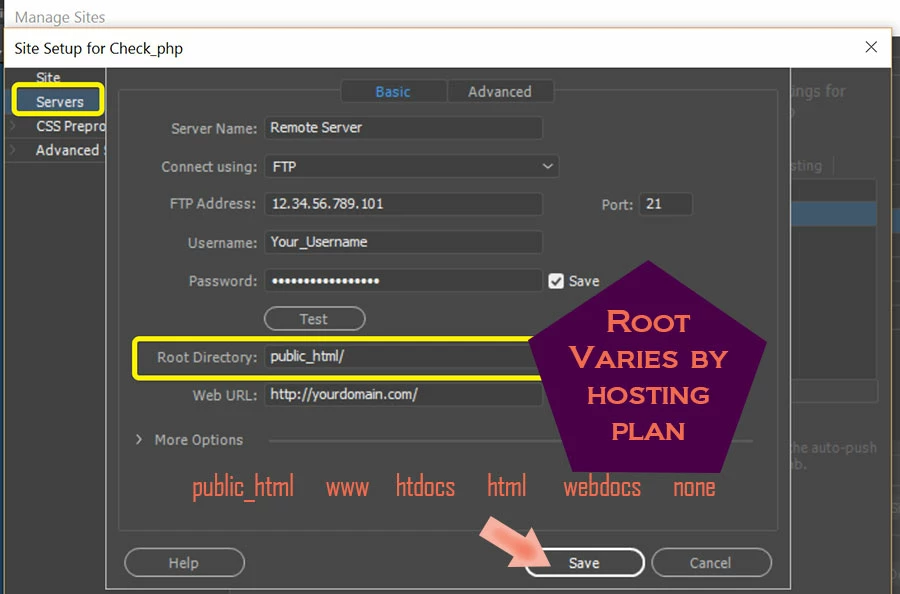
Either you're not uploading them or they are not uploaded to the correct root folder as designated by your web host.

See image below.

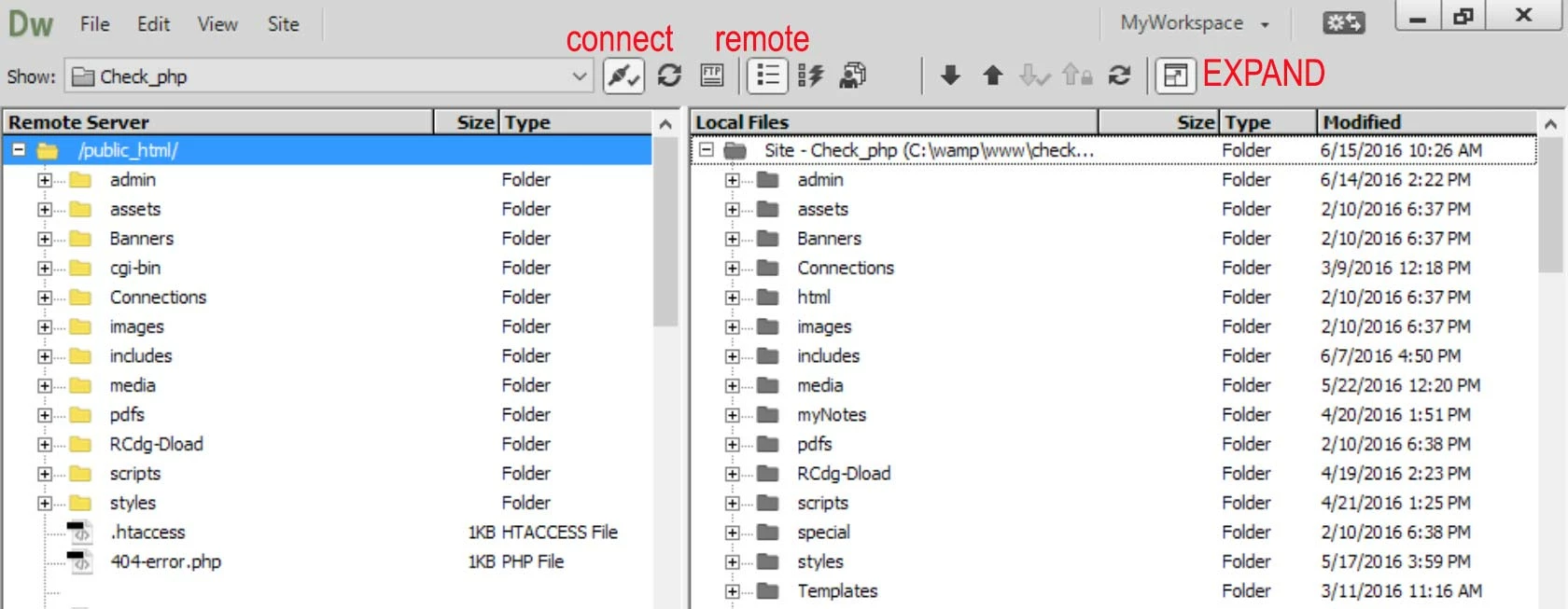
If you're working in a defined local site folder,  the file paths on your local side should be identical to your remote server's.

Try uploading your Assets again.  Expand your Files panel to compare your local and remote files.  Also check the modified dates & time stamps to ensure they are the current ones.

1 reply

Nancy OShea
Community Expert
Nancy OSheaCommunity ExpertCorrect answer
Community Expert
May 2, 2017

All of your Assets (CSS, JS, Images, etc...) are NOT FOUND on server.  This can mean only one thing. 

Either you're not uploading them or they are not uploaded to the correct root folder as designated by your web host.

See image below.

If you're working in a defined local site folder,  the file paths on your local side should be identical to your remote server's.

Try uploading your Assets again.  Expand your Files panel to compare your local and remote files.  Also check the modified dates & time stamps to ensure they are the current ones.

Nancy O'Shea— Product User & Community Expert
Participating Frequently
May 2, 2017

As always Nancy thank you very much. You always seem to be the one on the white horse helping me. Thought I was uploading files correctly. Will pay more attention to your suggestions.

Frank

Participating Frequently
May 2, 2017

Nancy O, here is a big virtual hug!  I had the files uploaded but to folders outside the root directory.  All morning and then some you fixed it for me in literally seconds.   Thank you, thank you.  You have continuously come to my aid.  Cant thank you enough.