Inspiring
October 22, 2022
Answered

DW continually fails to open, attempt after attempt

  • October 22, 2022
  • 2 replies
  • 1221 views

It's Saturday afternoon, October 22.


No matter what I try to do on numerous attempts, Dreamweaver (the latest version) fails to open on my iMac (the latest OS version). I continue to get a spinning beachball every time.


Is there a maintenance effort underway? I received no advisory about it.

What can I do next to open DW?


Warren


    This topic has been closed for replies.
    Correct answer wcamp

    Thanks for your latest e-reply, Ben:

    Following your suggestion, I open my user-library folder's Launch Agents folder. In it is one Adobe "list" file that I don't recognize, as follows:
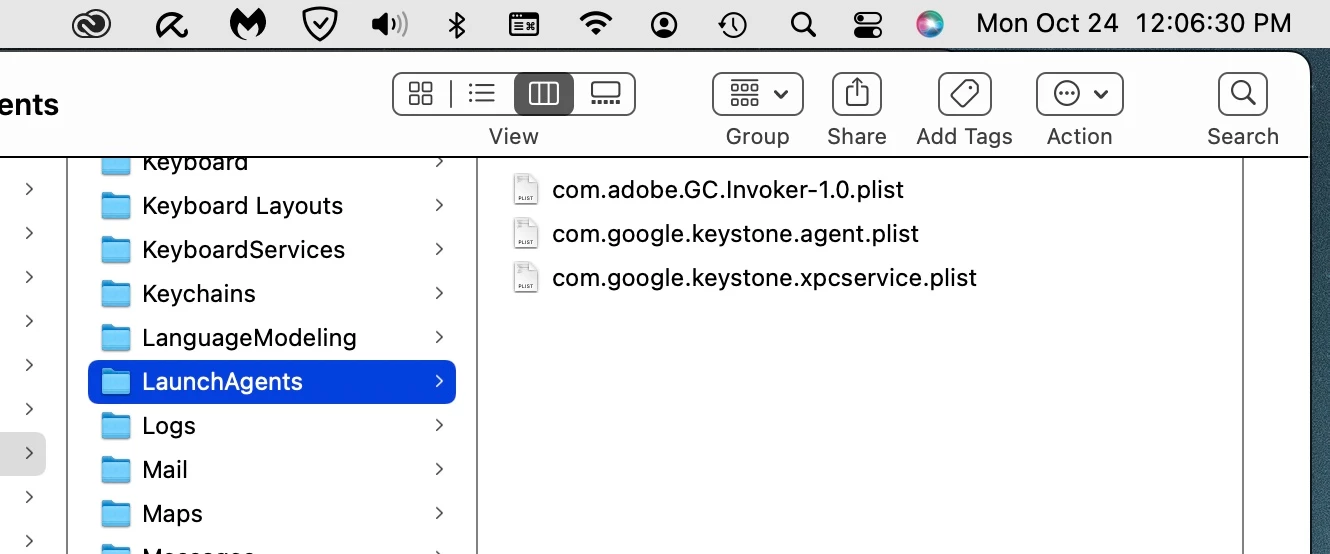


    Should I be concerned with it (or the other two Google "list" files)?

    . . .

    Regarding your latest concern regarding the Western Digital entry, only my daily OS backups were copied onto the external hard drives. I did not access any applications or files from the two external hard drives. Incidentally, I deleted that entry from the automatic login pane; the pane is now completely empty.


    I requested tech support yesterday but have yet to receive a response. I prefer to wait until I connect personally with a technician before I attempt a workaround that sets up an alternate user from which to access Adobe DW and its files.


    Before I click "Post," may I ask if you, Nancy, or another has forwarded the .zxp file (linked above) that Nancy asked me to create? Might I need to do something more, Ben or Nancy, regarding that request?


    Thanks, again, Ben!


    Wondering Warren


    Update:


    Adobe technician, Nayan, was unable to solve the problem. He didn't feel that it was an Adobe CC problem.


    I learned, last night, from my host/server that this was a server-side problem needing to be corrected. He told me, "We have tried to configure the passive FTP port range on the server end and found that it is not working as expected."


    No correction as yet. Been unable to access and/or upload modified files for seven days.


    I thank you — Nancy and Ben — for the attention and assistance you provided (as you usually do).


    Warren

    2 replies

    Community Expert
    October 30, 2022

    Try deleting the Dw prerences in the ~user Library folder and then uninstall Dw, then reinstall it and see if it makes a difference.

    Nancy OShea
    Community Expert
    Community Expert
    October 30, 2022
    quote

    Try deleting the Dw prerences...


    By @Daniel Kramer

    ========

    👎   Been there, done that 8 days ago.


    Nancy O'Shea— Product User & Community Expert
    Nancy OShea
    Community Expert
    Community Expert
    October 22, 2022

    Close Dreamweaver and Restore Preferences.

    https://helpx.adobe.com/dreamweaver/kb/restore-preferences-dreamweaver.html


    Update your Creative Cloud desktop app if you haven't already.


    Nancy O'Shea— Product User & Community Expert
    wcampAuthor
    Inspiring
    October 22, 2022

    Thanks, Nancy.


    You suggested this a few years ago and it worked. This time, nothing happens when attempting to open DW while holding down Comand, and Shift, and Option on my iMac.


    Instead, I got this error message that I haven't seen before. . .


     Might you have something else to suggest?  Hope so.


    Thanks, Nancy.


    Warren

    wcampAuthor
    Inspiring
    October 22, 2022

    . . . I also updated the Creative Cloud update earlier today after experiencing the initial failures to open DW.


    Warren

