
jamieh2os
Known Participant
November 6, 2019
Answered

DW preferences Code preferences changed completely 'font, carrot locaction, line spacing ect.

  • November 6, 2019
  • 1 reply
  • 599 views

DW experts Please Help

I went into to Code Preferences to turn off auto bracket close so I couuld use Emmett in a certain location.

One click on un-highlighting that option in 'Code' preference then apply.

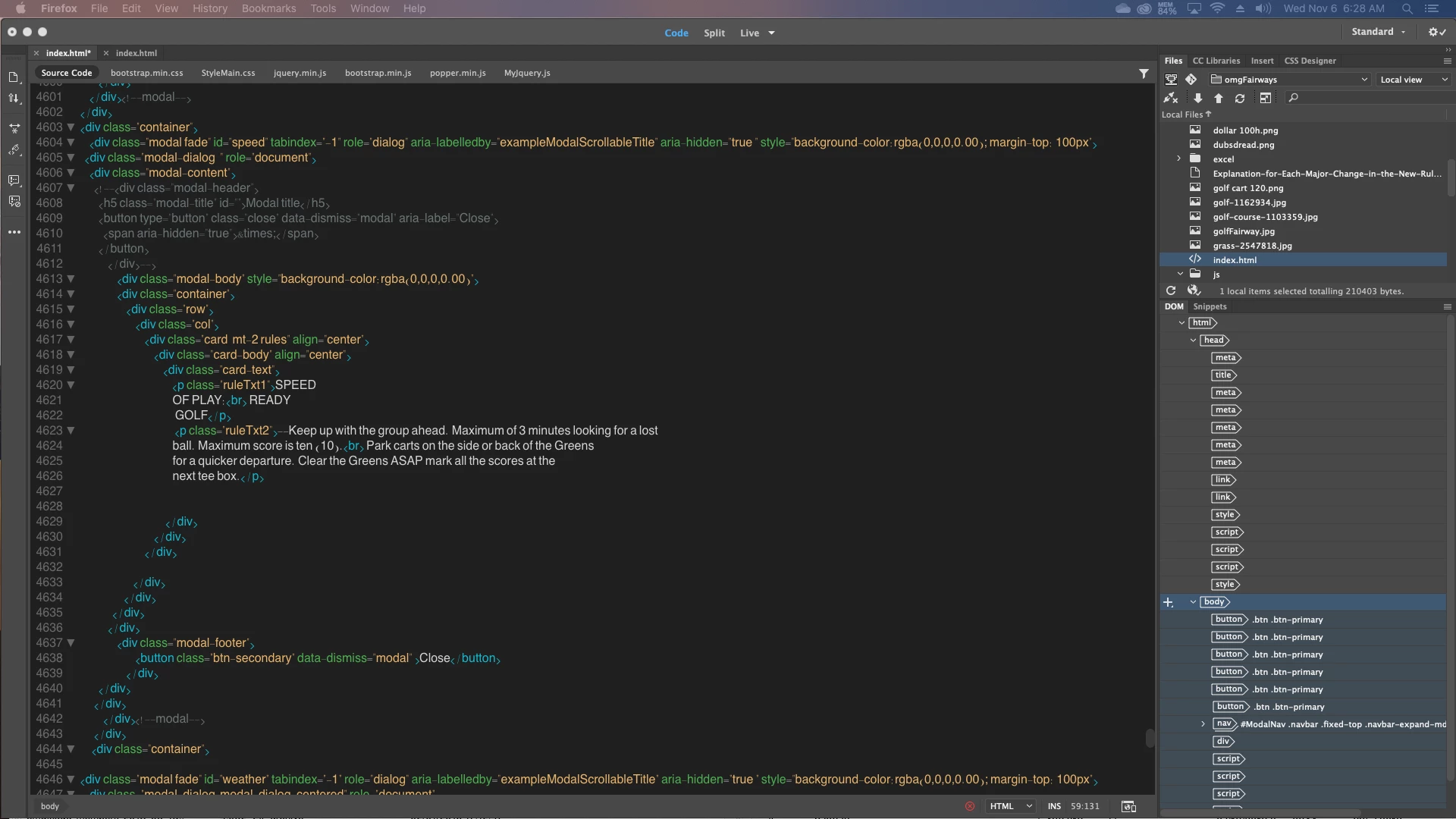
Go back to my document and it is completely different:  font-size, font-style, tag carrots are in the middle of lines.

I could not:  edit > undo changes.

l have 5000 lines of code that is very hard for me to read.   Please Help  file attached
This topic has been closed for replies.
Correct answer Nancy OShea

Preferences > Interface > 


1 reply

Nancy OShea
Community Expert
Community Expert
November 6, 2019

Click in code view. Use Ctrl /Cmd + + to zoom in. 

Preferences > Interface, which code theme are you using now and which one were you using before?


Nancy O'Shea— Product User & Community Expert
jamieh2os
jamieh2osAuthor
Known Participant
November 6, 2019

Thanks for your reply Nancy,

under Preferences

I'm finding: Code Format, Cod Hints, and Code Rewriting; but not Code Theme ?

Under Preferences > Fonts, I selected 'American Typewriter' for 'Code View' option and Times New Roman for font.

Those choices got me back to having the '<></> appear at the same line as code, but the "" are very small and light.

At one time, several updates ago,  I kind of remember selecting a code theme.  But, I just cannot find that option now in Preferences or anywhere else.

Your help is most appreciated......jw


Nancy OShea
Community Expert
Nancy OSheaCommunity ExpertCorrect answer
Community Expert
November 6, 2019

Preferences > Interface > 


Nancy O'Shea— Product User & Community Expert