


Inspiring
October 6, 2022
Question

DW v.21.3: restore my preferences after resetting DW

  • October 6, 2022
  • 1 reply
  • 402 views

Hi,

resetting Dreamweaver (»Hold down the Windows key + Ctrl + Shift and double-click Dreamweaver.exe.«) means, that all my personal preferences, e.g. shortcuts, will be deleted and therefore I have to restore them by hand – or by the synchronization settings?
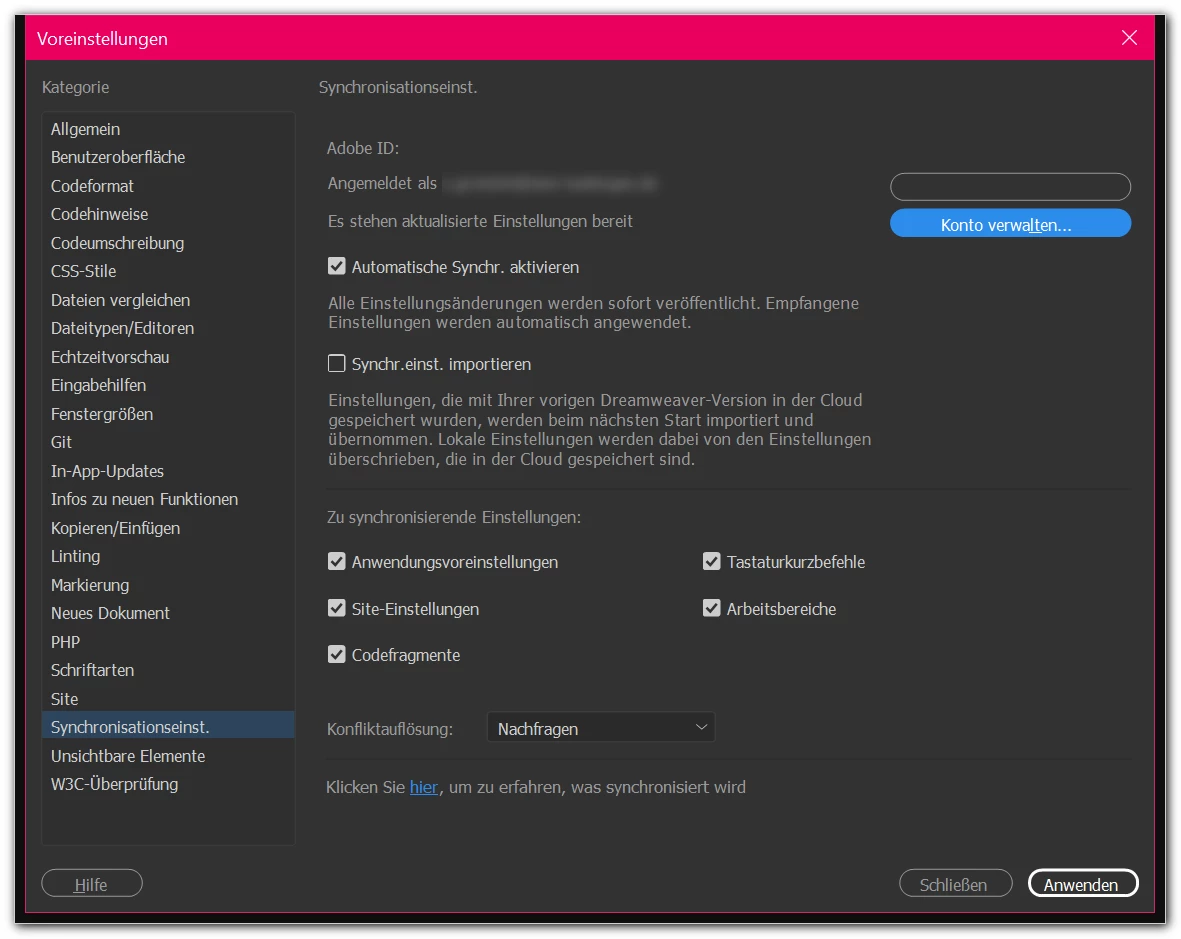


Background:  DW (and other programs of CC 2021) starts and responds very slowly.

And (not only) in this article there is no hint how to restore the personal settings: https://helpx.adobe.com/dreamweaver/kb/restore-preferences-dreamweaver.html


Thanks,

mycc


This topic has been closed for replies.

1 reply

Jon Fritz
Community Expert
Community Expert
October 6, 2022

"Restore Preferences" specifically when working with DW, means bringing the preferences back to factory defaults of a new installation. 

If they were synced with the Cloud, use the info here to bring back your personal settings: 


https://helpx.adobe.com/dreamweaver/using/synchronizing-dreamweaver-settings-creative-cloud.html#:~:text=Edit%20preferences%20for%20sync%20settings&text=Select%20Edit%20%3E%20Preferences%20(Windows),setting%20you%20want%20to%20synchronize

If you never synchronized them previously, you'll need to manually adjust them to suit your needs. 

myccAuthor
Inspiring
October 6, 2022

Okay, then all personal/individual settings will be removed (hm, this hint should be inserted on all the Adobe help pages about resetting a program of CC). And, yes, I have enabled the synchronization (working on more than one device).

Now I will try it out - hopefully all my Adobe programs will get back their former speed ...


THANKS!

Nancy OShea
Community Expert
Community Expert
October 7, 2022

I export my site definitions to STE files immediately after creation/updates so I can keep them in a safe place if needed later. 


Do you have an older version of DW CC installed?  If yes, you can copy your workspaces, custom snippets, etc.. from the Configuration folder in old version to new version.


WIN:  C:\Users [your_name]\App Data\Roaming\Adobe\Dreamweaver[2020]\[en_US]\Configuration\


For best results, enable hidden items from VIEW options in your Windows File Explorer.


Hope that helps.


Nancy O'Shea— Product User & Community Expert