


DW2017: Files panel filename changes not updating links in all files
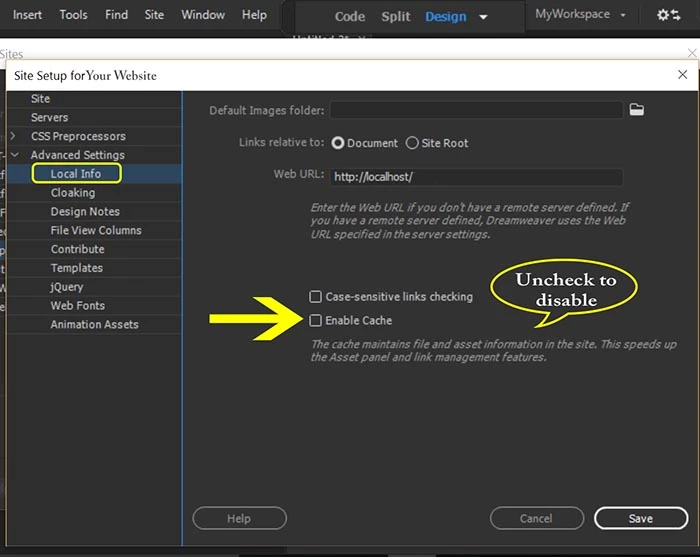
It used to be that if I made any change to a filename in the files panel, DW had already cataloged all the files in the site that link tot he previous name, and it would ask me if I wanted to change all those links to the new filename. Suddenly, with a site that I have just imported from a client's files, this is not working. What do I need to change/set for this assistance?
You know how it is: a client hands over all the files to you for an upgrade, and you discover all the filenames have inconsistencies, horrible names, illegal characters, scattered in various folders, or all dumped in the root folder... you want to tidy up. It used to be that if I dragged a file to a folder in the files panel, DW would warn me and ask if I wanted to update all the files that link to it. Pressing Okay would solve it near-instantly. Same for editing a filename (renaming), or appending "l" to ".htm" files and the like. !
Somehow I have "turned off" this feature. Can anyone tell me how to get it back? Must be simple — but then again, so am I today.
Thanks.

 AdChoices