
Known Participant
April 1, 2020
Question

Enable code formatting for custom file extensions

  • April 1, 2020
  • 2 replies
  • 605 views

I work with a custom extension but the contents are just JavaScript.


I have managed to add the extension to Dreamweaver by eding the MM XML file and I've managed to instruct Dreamweaver to treat the file as JavaScript, and color it so (just makes everything easier as I'm sure you all know). 


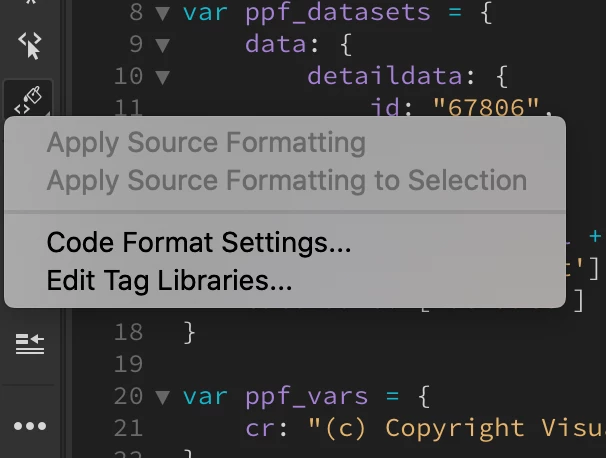
The final step I want to achieve is using the "Apply Source Formatting" feature with my custom extension. As you can see below they are greyed out even though the file is JavaScript, and associated so within Dreamweaver.


Any ideas?!
 

This topic has been closed for replies.

2 replies

BenPleysier
Community Expert
Community Expert
April 2, 2020

I totally agree with Nancy, JavaScript files (or any file for that matter) should have the correct file extension. What you could do is give it a name like


myJS.myEXT.js

Wappler is the DMXzone-made Dreamweaver replacement and includes the best of their powerful extensions, as well as much more!
Nancy OShea
Community Expert
Community Expert
April 1, 2020

What happens if you rename the file with a .js extension?


Nancy O'Shea— Product User & Community Expert