
Participant
June 30, 2017
Answered

Encountered a sharing violation while accessing

  • June 30, 2017
  • 3 replies
  • 44327 views

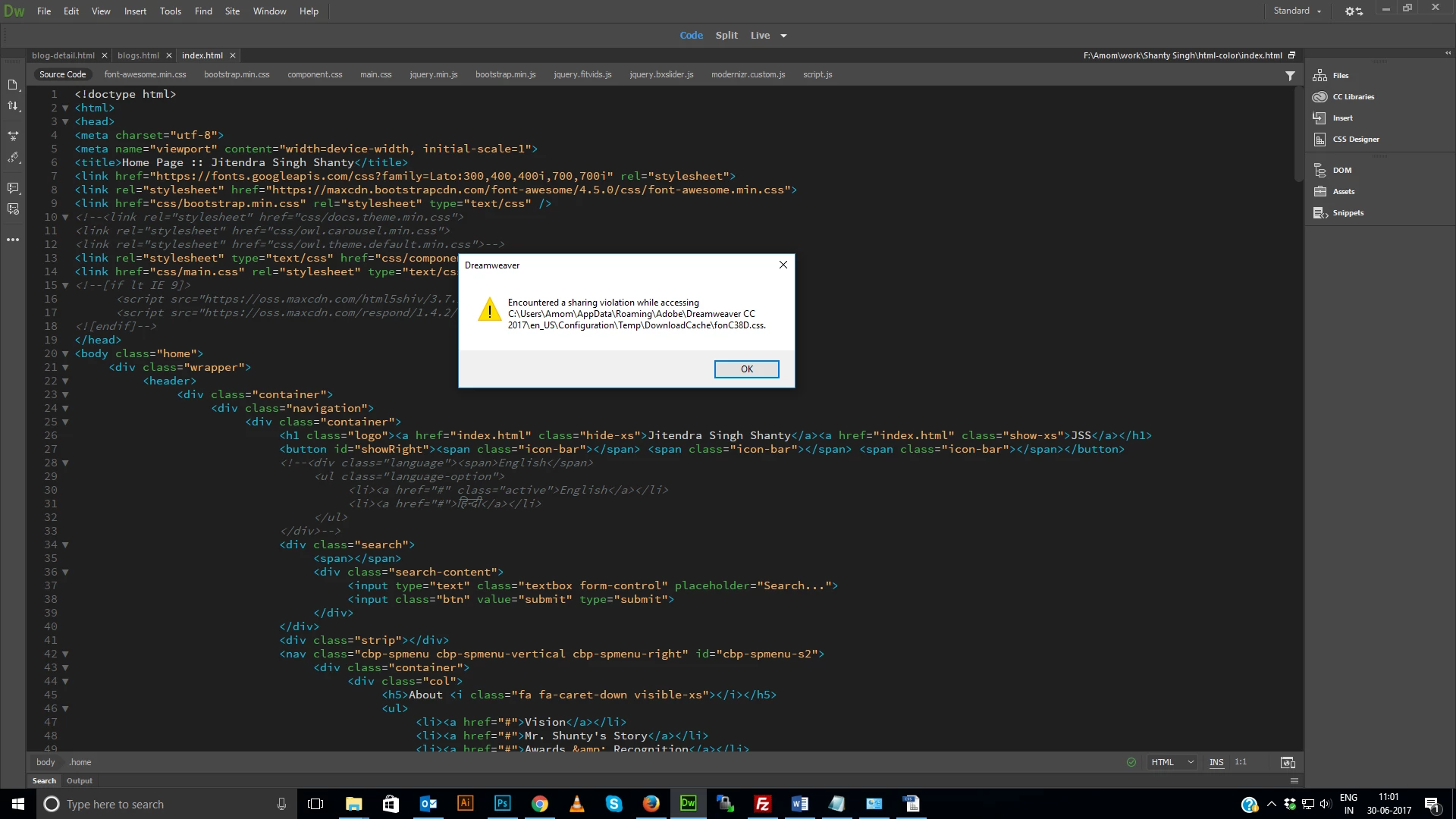
When I tried to switch one file to another it shows below error, Please help

ERROR:

Encountered a sharing violation while accessing

c:\Users\<user>\AppData\Roaming\Adobe\Dreamweaver CC 2017\en_US\Configuration\Temp\DownloadCache\fonC0A.css
This topic has been closed for replies.
Correct answer BenPleysier

Just now, I encountered the same message when re-loading DW on a Windows 10 machine.

My solution was to click the OK button to get rid of the message, close the offending file and reopen. Gone problem!

I am fairly sure that the problem is caused by the operating system rather than DW.

3 replies

Community Manager
April 15, 2018

Hi,

We have some post on this issue Dreamweaver 2017 Sharing Violation 

  sharing violation (font) – Adobe Dreamweaver CC: Feature Ideas

We have a bug logged for this issue, we will update you once it is fixed.

Thanks

Participant
May 19, 2018

I posted this on a comment on that issue you linked. But figured it would be good to share it here to.

Some Extra info on this error. I am using Latest updated Dreamweaver and Win 10 x64. I get this problem randomly when I Ctrl+S. So when I go to File->safe the file is gone and I save the file where it was. And while this is all happening Adobe CC cloud sync is saying "Unable to sync '_notes'".

Another piece of info is that I am getting lots of random .tmp files, either ones starting with the name of the file or with names like MFCEB9F.tmp.

Also I'm not running a localhost "directly" on this machine. But in a VM using linux on the same machine. So I doubt it has anything to do with a server as I've seen some say (in different forum) in the past with .tmp file.

By the way its March 19, 2018 and some of these problems started around a week ago. The Unable to sync has been happening for months with all different kinds of files. No Clue if any of these problems relate to each other.

BenPleysier
Community Expert
BenPleysierCommunity ExpertCorrect answer
Community Expert
July 1, 2017

Just now, I encountered the same message when re-loading DW on a Windows 10 machine.

My solution was to click the OK button to get rid of the message, close the offending file and reopen. Gone problem!

I am fairly sure that the problem is caused by the operating system rather than DW.

Wappler is the DMXzone-made Dreamweaver replacement and includes the best of their powerful extensions, as well as much more!
Participant
October 4, 2017

The only way I could solve this issue was to disable "Reopen documents on startup" (Preferences/General).

Inspiring
February 21, 2018

The disable "Reopen documents on startup" also appears to resolve the issue for me also.

However, this is a Windows issues. There are many other programs that are getting the same error.

Preran
Community Manager
Community Manager
June 30, 2017

Can you try the solution in Sharing violation when saving in Windows 7  and let us know if it helped?

Thanks,

Preran