
Question
Ensure List/Menu populate my update form with the correct data before update
Hello,
Please how do I ensure my update form is populated with the correct data before update?
On my update page I have text fields and select fields (dynamic list/menu). When I open my profile page to make updates, I see the field well positioned in the text fields but in the select list/menu fields, I see "Select from list" instead of the value that was initiated selected
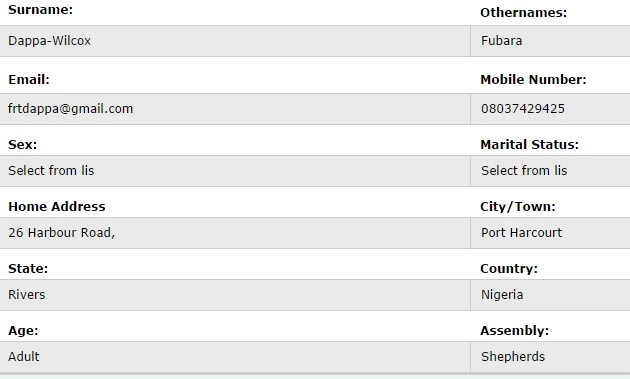
Correct Values before update
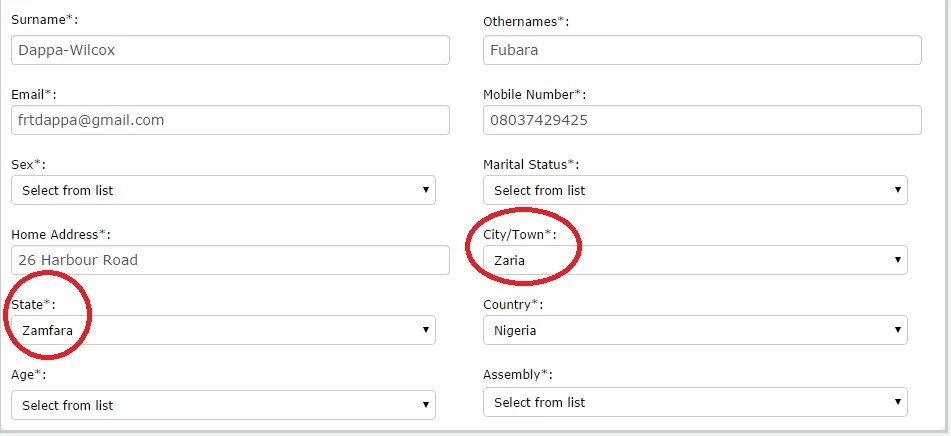
Wrong values during update
As you can see from the images below, when I open the update page, the list automatically populate the select fields with the last values in the list instead of the Initial values that where selected by the user before the update.
Can anyone please review and let me know where I have gone wrong.
Thank you
Mike


 AdChoices