

File transfer and page jump issue!
Hello friends!
I just recently moved my site: unitybaptistfulton.org from Microsoft Expression Web 4 to Dreamweaver CC 2019. Along with the obvious learning curve, I have encountered a few errors have yet to discover the fix for.
1. Whenever I put files to my hosting server in order to update my website, I get the error message on many files saying same - not transferred.
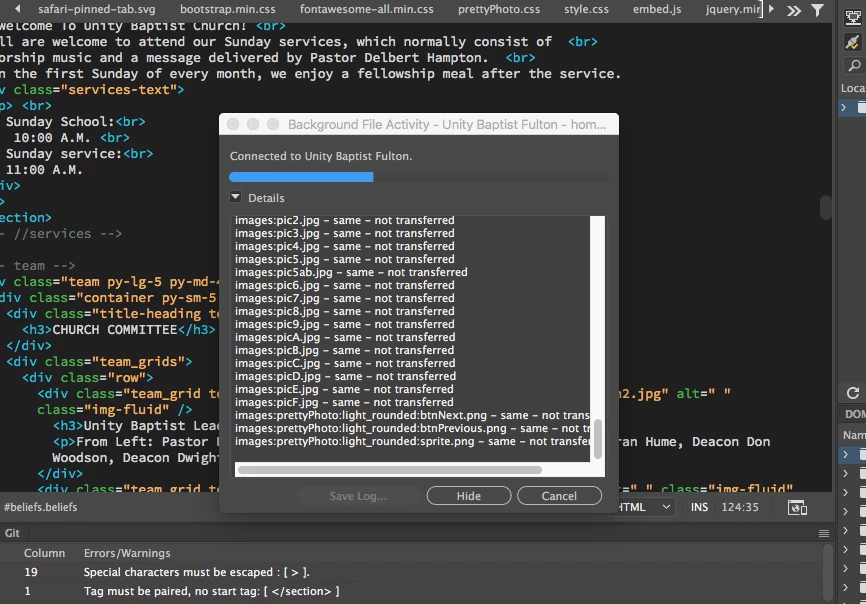
I looked up the error and came across this forum:
DW CC will not Put files to remote
The person asking the question was told to look at his root directory and make sure it was correct. I did and my root directory wasn't specified, so I changed it to what my hosting server said it was --- /. After doing that, all of the files I wanted were not updated and transferred, but a good majority actually transferred. However, after working on the site a bit more and refreshing it to keep up with the updates, it started giving me the same - not transferred error again for a bulk of the files. So I went back into my Manage Sites settings and saw that my root directory name was changed to /./
The strangest thing is that the site works except for two new pages I created, contact.html and calendar.html because when I put the site to the server, those files are not transferred. I am so frustrated. Any help would be appreciated. Dreamweaver does show that I am connected to the server, so I can't understand why certain files aren't transferring.
2. Anyone else have trouble with placing third-party scripts in their website? I had a contact form script from 123ContactForms I put in my site, but every time I add it to my website, the website automatically scrolls down to the contact form as soon as I open the page! Is there any hack for this or would the best solution be to just make my own?
Contact Form Code:
<script type="text/javascript" defer src="//www.123formbuilder.com/embed/3063475.js" data-role="form" data-default-width="650px"></script>
Again, thank you all so much! Plus, any Youtube channels or sites you recommend for learning Dreamweaver would be awesome. I don't mind Adobe tutorials but they aren't exactly comprehensive.


 AdChoices