Files window question
If you've successfully connected to your server, what does the tiny plug/unplug icon, located on the top of the Files window, do? Can it be affected by the Site > Manage Sites path at all?
Matthew

If you've successfully connected to your server, what does the tiny plug/unplug icon, located on the top of the Files window, do? Can it be affected by the Site > Manage Sites path at all?
Matthew
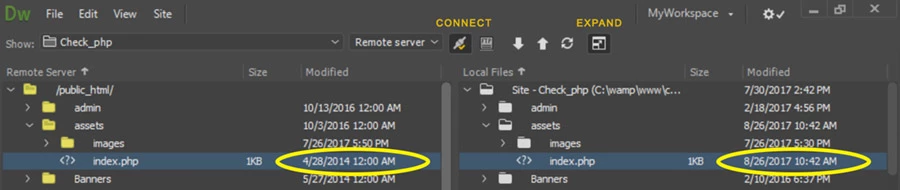
The plug icon denotes you are Connected or Disconnected from your remote server.
For web security reasons, it's a good idea to disable remote server connections between data transfers. See screenshot

If you forget, some servers time out automatically to keep would-be hackers from hijacking an active connection and potentially compromising the server's data. But this varies by hosting provider & their security policies. Always use safe web practices on your end.
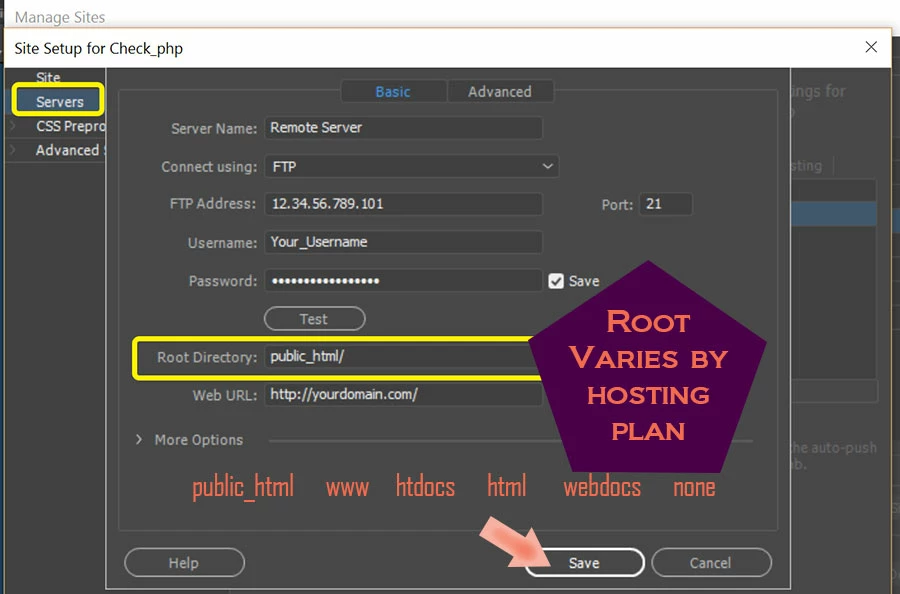
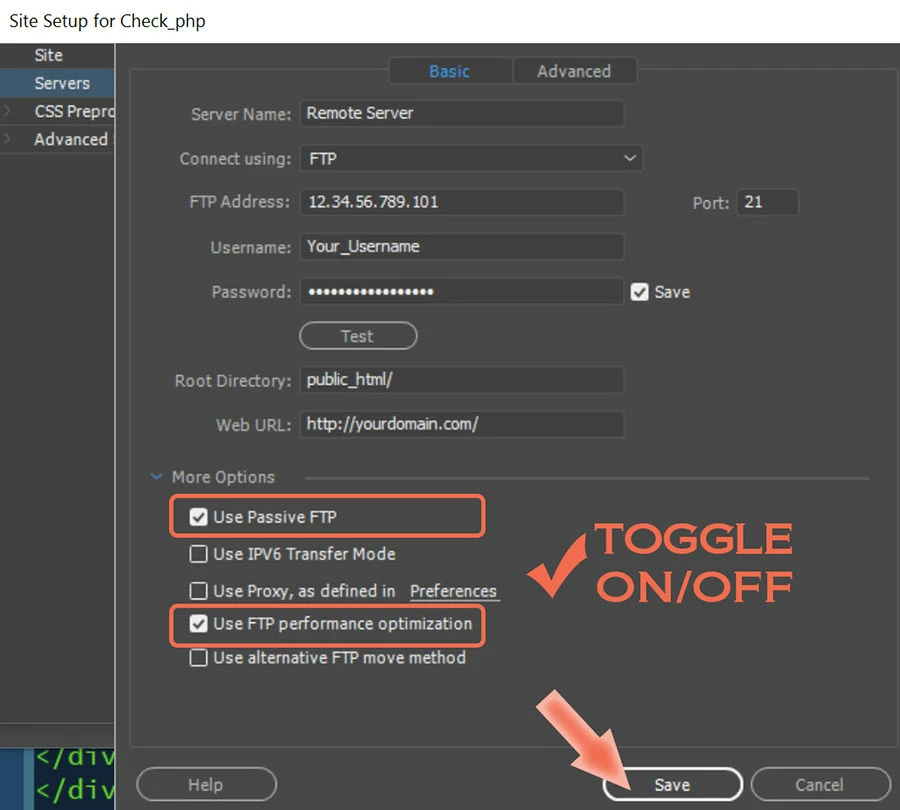
As to your second question, your site must be properly defined. And your server's log-in credentials and root folder must jive with what your hosting provider told you to use. When in doubt, ask your host. See screenshots.
Server Log-in Credentials:

More Options:

Hope that helps.
Already have an account? Login
Enter your E-mail address. We'll send you an e-mail with instructions to reset your password.