
Community Expert
October 1, 2021
Answered

Find and Replace Cannot be Closed?

  • October 1, 2021
  • 1 reply
  • 330 views

So I had the find and replace up and noticed that the close button on the window has been disabled on the Mac version (should be in the top left).  I'm not sure if my version that needs to be reset, or whether this is a bug either in the Mac version of DW, or something that has recently come up in Big Sur that I've overlooked. Can anyone confirm that this window's close button is disabled on Mac for them as well?
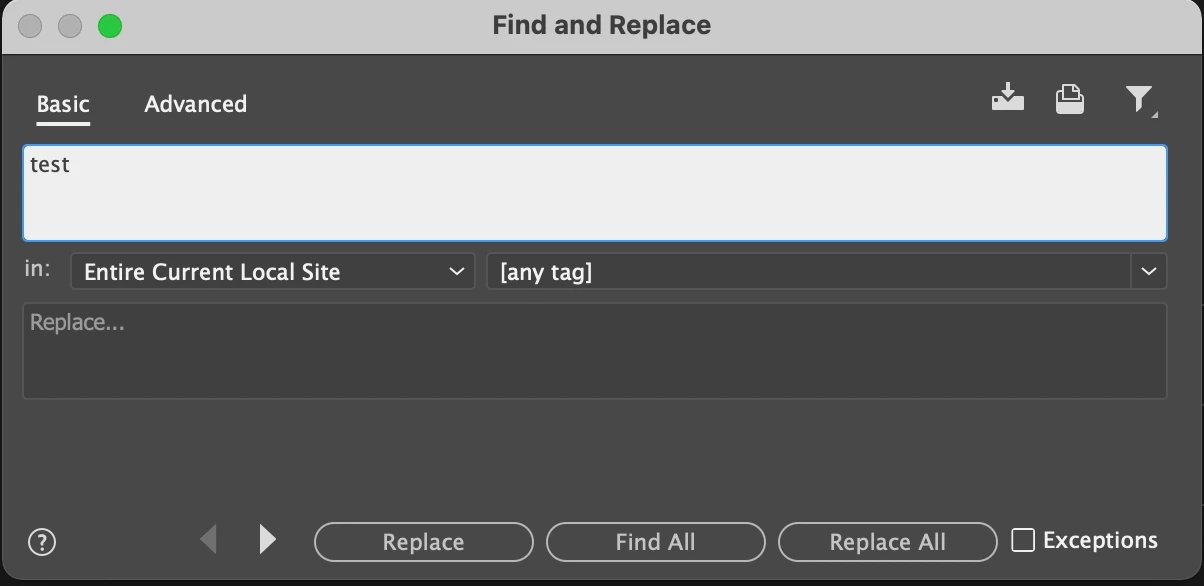
 

    This topic has been closed for replies.
    Correct answer Nayan_Kankariya

    Hi Ben,


    Thanks for raising this issue. We are aware of this behavior and is currently being investigated internally. We see the close button for the Find and replace dialog is not visible on Big Sur and work-around for dismissing the dialog is to press Esc key.


    Please see if pressing Esc key works fine, we will let you know once the behavior of close button is resolved in future updates.


    Have a pleasant day!


    Regards,

    Nayan

    Dreamweaver Team

    1 reply

    Nayan_Kankariya
    Community Manager
    Nayan_KankariyaCommunity ManagerCorrect answer
    Community Manager
    October 1, 2021

    Hi Ben,


    Thanks for raising this issue. We are aware of this behavior and is currently being investigated internally. We see the close button for the Find and replace dialog is not visible on Big Sur and work-around for dismissing the dialog is to press Esc key.


    Please see if pressing Esc key works fine, we will let you know once the behavior of close button is resolved in future updates.


    Have a pleasant day!


    Regards,

    Nayan

    Dreamweaver Team

    Ben MCommunity ExpertAuthor
    Community Expert
    October 1, 2021

    Yes the Esc key works.