R29Matt
Participant
August 30, 2017
Answered

Find and Replace in Dreamweaver - Site Defined Error

  • August 30, 2017
  • 2 replies
  • 525 views

When using find and replace in Dreamweaver I get an error saying the site is not defined.

Anyone know what I'm doing wrong? All I wanted to do was replace URL's in <a> tags.

This topic has been closed for replies.
Correct answer italosan

N

Howdy R29Matt,
this is kind strange. Can you please tell me which version of Dreamweaver are you using?


However setting up a site is always a good idea who can give you, with a very little price, several benefits in the future.

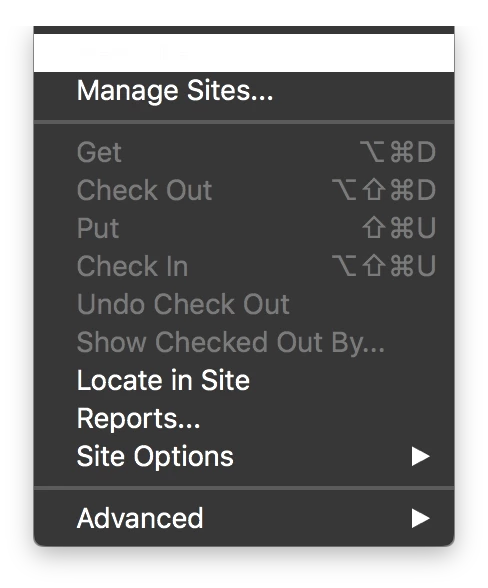
Setting up a new site (or re-define it) is a 1 minute task. From Site menu just choose New site... or Mange site...

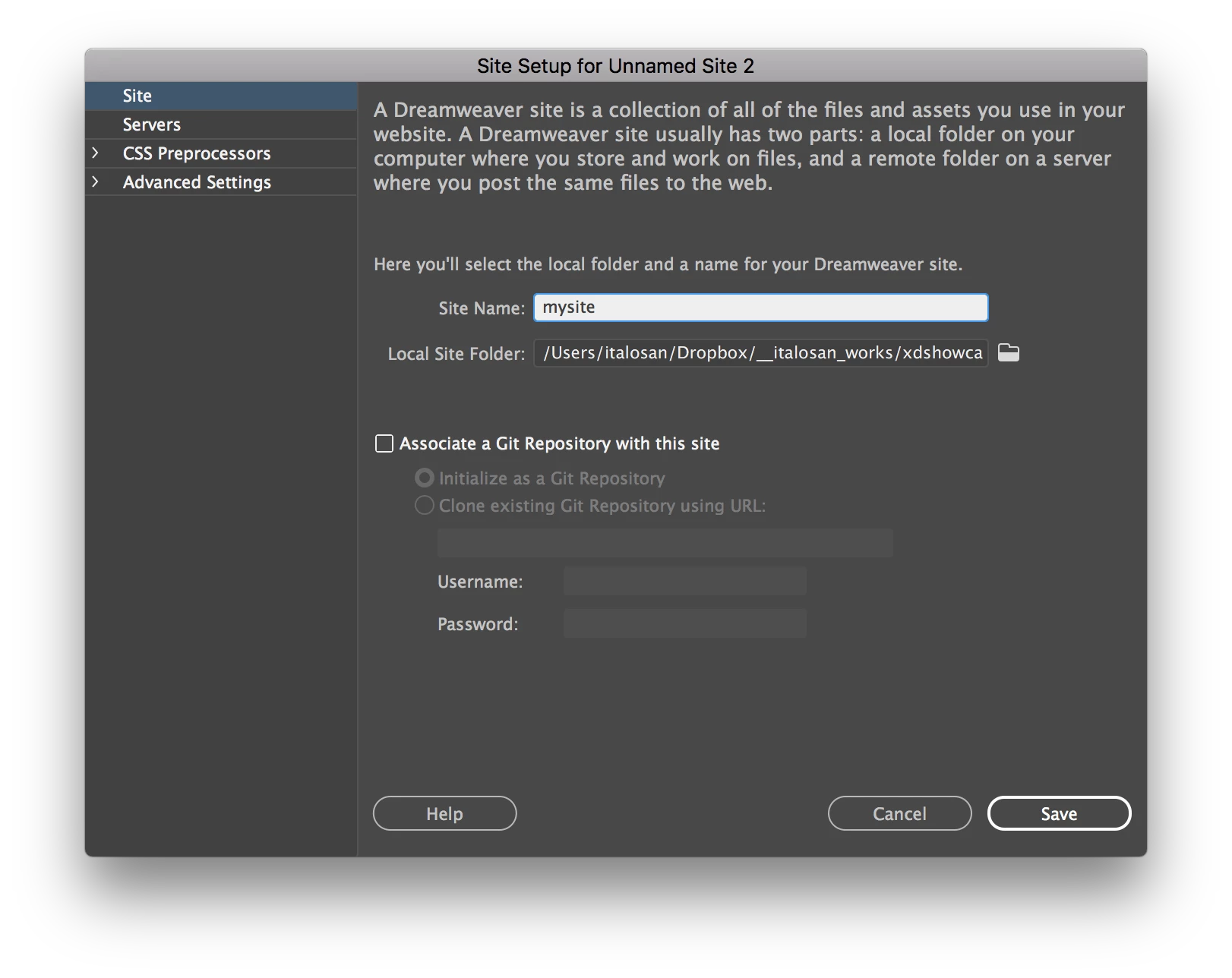
give to your site a Name and target the folder who contain the local files of your site, click save, job done.

hope this helps.

2 replies

Participating Frequently
August 30, 2017

If you just want to replace in current document, you can try quick find instead of Find and Replace advance dialog.

Quick find comes at the bottom of page if you do Ctrl + F.

See if that helps.

italosan
Community Expert
italosanCommunity ExpertCorrect answer
Community Expert
August 30, 2017

N

Howdy R29Matt,
this is kind strange. Can you please tell me which version of Dreamweaver are you using?


However setting up a site is always a good idea who can give you, with a very little price, several benefits in the future.

Setting up a new site (or re-define it) is a 1 minute task. From Site menu just choose New site... or Mange site...

give to your site a Name and target the folder who contain the local files of your site, click save, job done.

hope this helps.