Participant
August 1, 2018
Answered

Fit Website to Dreamweaver View Area

  • August 1, 2018
  • 1 reply
  • 1149 views

Hi, i am working on a 1080p monitor, however I am developing a website for a 4K monitor.

The problem I am having is that the website is so large, in Dreamweaver I can only see 10% of the page at a time in design view.
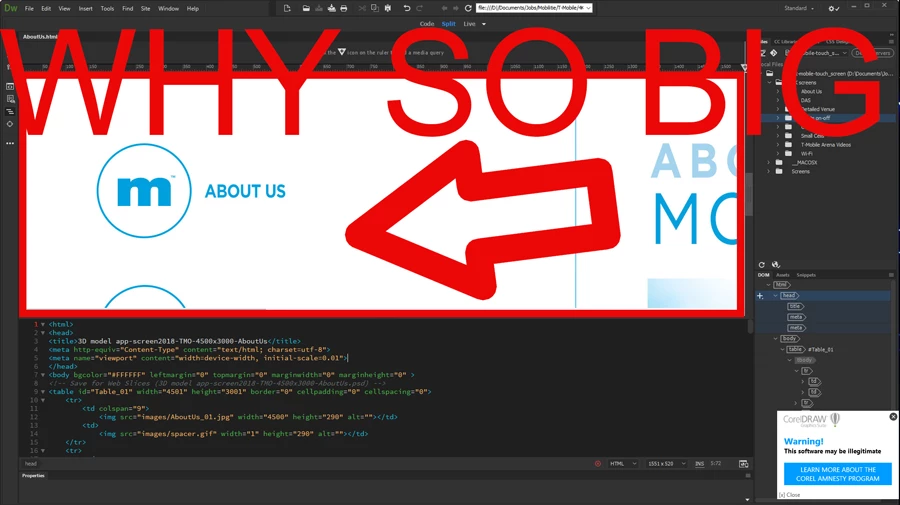
How can I fit the website to the viewing area on Dreamweaver so i can see what im doing?  Viewing only 10% of the website makes design view pretty much worthless.

I want to zoom out or fit to page as they call it in PS so i can see the whole page and program it fast. I have 50 pages to edit and this view just doesn't work!

Thanks.

    This topic has been closed for replies.
    Correct answer Nancy OShea

    Collapse panels & zoom out with Ctrl+ - (minus) a few times.

    1 reply

    pziecina
    Legend
    August 1, 2018

    First question - Is the site to be viewed on other none 4k monitors/devices?

    Second question - Why are you even trying to use Dw's design or live view, (simply will not work, and trying to build for 4k monitors that way is a quick way to insanity)?

    Third question - Do you have any 4k devices to test on, (tablet ot tv)?

    Do not even try using Dw's or your browsers zoom to test the page.

    The main problem you will find is images, and the use of srcset is a must. Browsers will often 'enlarge' text proportionally as required automatically, so unless you know what 4k monitors you are coding for you could run into all kinds of problems. What you should do if the site is to be viewed on other none 4k monitors or 4k devices is code the site as normal then use media-queries (detecting viewport size and resolution) to 'enlarge' the required elements so that they are proportionally correct for the larger 4k monitors or devices.

    Participant
    August 1, 2018
    First question - Is the site to be viewed on other none 4k monitors/devices?


    -No it is to be used for a Kiosk Touch Screen in the Shopping Mall that is 4K.

    Second question - Why are you even trying to use Dw's design or live view, (simply will not work, and trying to build for 4k monitors that way is a quick way to insanity)?

    -The client sent me html pages sliced in PS and I need to add many rollover effects and hyperlinks that were not added in PS.

    Third question - Do you have any 4k devices to test on, (tablet ot tv)?

    -Yes I have the clients 4K monitor here but I can not install design software on it as it belongs to the client , it is only to be used for testing uploading the kiosk site.

    I normally use DW to do this for all my Kiosk Clients, however this is the first time with 4K. Now im not sure how to go about it. DW made it so easy to code slices for my clients. Also the client does not want me to design the gui in 1080p and upscale it. That would defeat the purposed use of a $8,000 4K monitor my client purchased.

    pziecina
    Legend
    August 1, 2018

    O/K.

    Throw out the ps slices the client has sent you, trying to build a 4k site, (or any site these days) using slices is asking for trouble. You need to start with the images as 4k, but nothing else.

    what is the OS the client will use, and what size monitor?

    Is the the clients 4k monitor able to connect to a computer?

    If it is you have 2 options -

    The first is to use Dw 2018, (latest version) then set up Dw to 'send' live view to the clients 4k monitor.

    The second is to set up you computer to a dual monitor system and open the browser in the clients monitor.

    (question - as the clients monitor will probably be touch screen, have you thought about how the touch interface will be implemented?)

    For quick testing, if you have an iPad or similar you should place the iPad at the estimated user distance from you, then use the iPad for quick checks to the layout, (images, text, touch actions, etc).