
Participant
December 21, 2016
Answered

Fonts do not show

  • December 21, 2016
  • 2 replies
  • 448 views

Hi

I wanted to add a new font to my site which works perfectly well on my local computer. When I up-load the font does not show.

www.jacquelinemaillard.ch

I implemented the css and also received the following additional code on my page:

  <!--The following script tag downloads a font from the Adobe Edge Web Fonts server for use within the web page. We recommend that you do not modify it.-->

  <script>var __adobewebfontsappname__="dreamweaver"</script>

  <script src="http://use.edgefonts.net/arizonia:n4:default.js" type="text/javascript"></script>

Do I need to store the font as well where I host the site and if yes where would be the right place.

Thanks for your help

Cat
    This topic has been closed for replies.
    Correct answer Nancy OShea
    Do I need to store the font  where I host the site?

    No.  The font is stored on EdgeFont's servers.

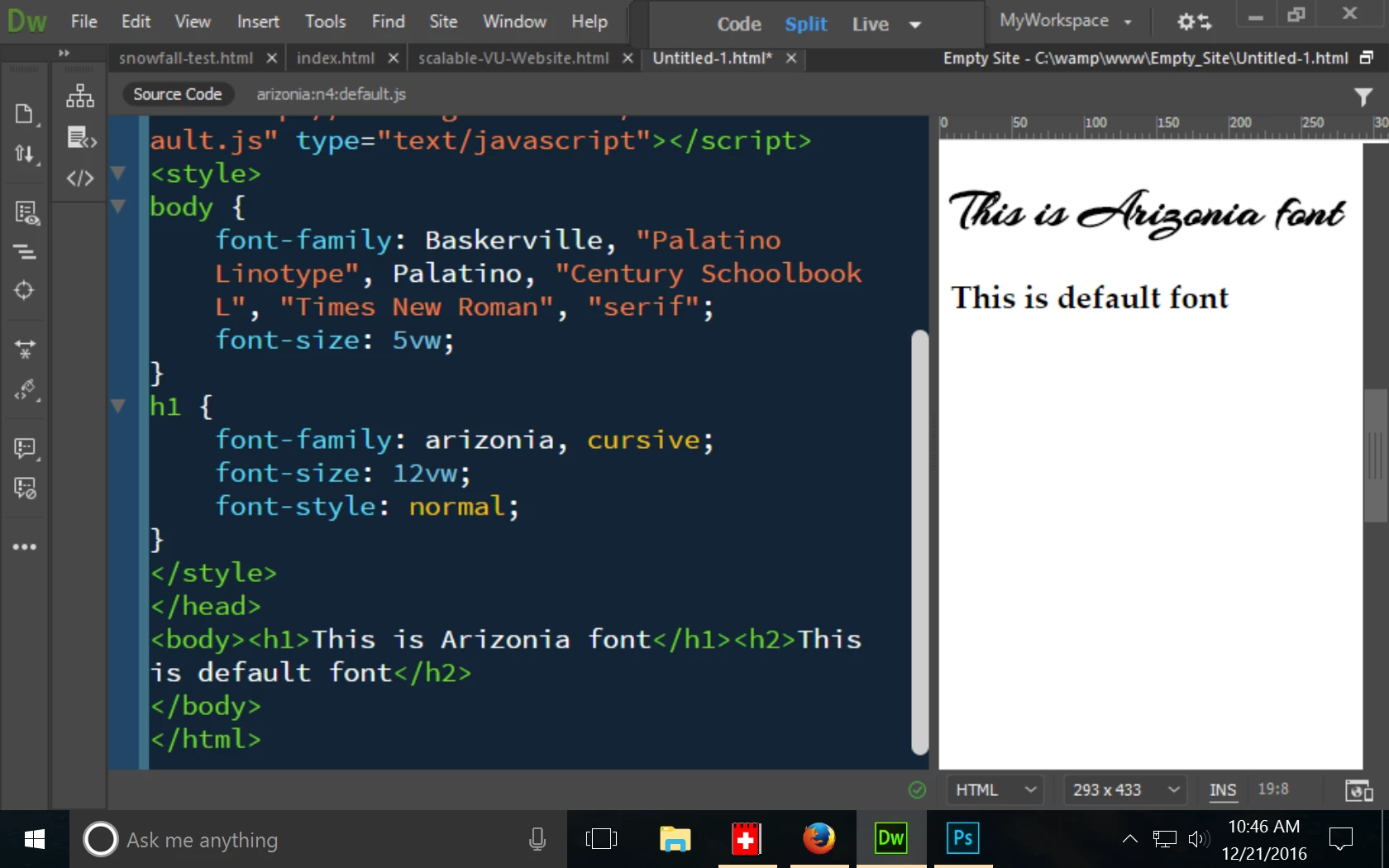
    You should create a separate  stylesheet for your custom styles though.  Don't edit Bootstrap.css unless you know exactly what you're doing.   I can't see any reference to that custom font in your CSS code.  So maybe that's why you can't see it.   See screenshot below.

    Nancy

    2 replies

    Nancy OShea
    Community Expert
    Nancy OSheaCommunity ExpertCorrect answer
    Community Expert
    December 21, 2016
    Do I need to store the font  where I host the site?

    No.  The font is stored on EdgeFont's servers.

    You should create a separate  stylesheet for your custom styles though.  Don't edit Bootstrap.css unless you know exactly what you're doing.   I can't see any reference to that custom font in your CSS code.  So maybe that's why you can't see it.   See screenshot below.

    Nancy

    Nancy O'Shea— Product User & Community Expert
    Legend
    December 21, 2016

    Have you added the typeface family-name to the body css or wherever you want to use it?

    body {

    font-family: arizonia, helvetics, sans-serif;

    font-size: 40px;

    }

    h1 {

    font-family: arizonia, helvetics, sans-serif;

    font-size: 60px;

    }