


Participating Frequently
March 12, 2023
Question

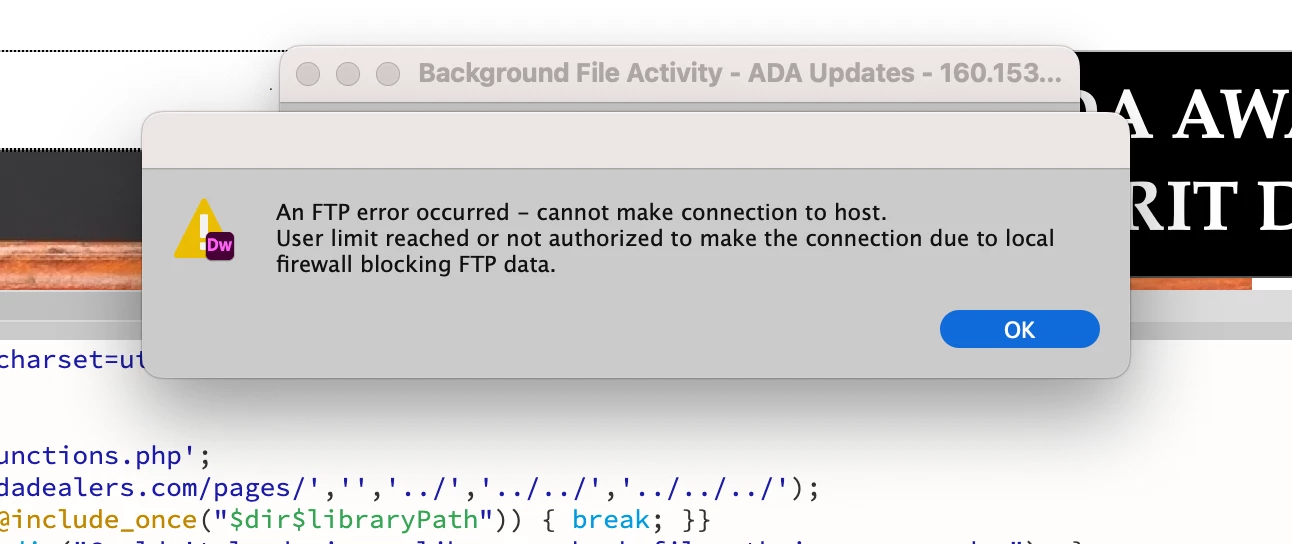
FTP Firewall Blocking Error

  • March 12, 2023
  • 2 replies
  • 978 views

I have been trying to update a client's website and keep getting the error below. I've been using DW for about 3 years now. It's up to date. However, I did just update my Mac OS to the latest in Ventura. Before wasn't having any issues, so I checked my local firewall, and it's inactive. Thought maybe it was the firewall in the router at my Airbnb, but tried a completely different network and haven't had any issues. I do use a VPN (Surfshark), but have it disconnected. I've also had the same VPN for 2 years and have never had an issue. Any ideas?
    This topic has been closed for replies.

    2 replies

    Nancy OShea
    Community Expert
    Community Expert
    March 12, 2023

    Try connecting with a dedicated S/FTP client like FileZilla, Cyberduck or Transmit by Panic.

    One of those should work, if you have correct log-in details and server's root folder.


    Nancy O'Shea— Product User & Community Expert
    Participating Frequently
    March 13, 2023

    I am also not able to access it from Transmit...it logged me in "briefly," all the files pulled up, but then it immediately disconnected me. The login information is correct. What else could this be? I'm a digital nomad and have been living in Airbnb's for the past year but have never had a problem connecting at any location I've been in. Not sure if that matters. I also have in-car wifi through Verizon that I use for Zoom, etc when I'm traveling. Was not able to connect there either.

    Participating Frequently
    March 12, 2023

    TYPO: Tried a different network and received the SAME ERROR. Not that I wasn't having any issues...Good grief.

    Participating Frequently
    March 12, 2023

    I am now getting this error about Confliction Settings, saying that I need to choose one before I continue. This is stopping me from figuring out the FTP issues until I make a selection.


    Community Expert
    March 12, 2023

    I would upload and assume your settings on your PC are correct.


    For the FTP error, can you click on Site --> Advanced --> FTP Log the next time you try to upload and write the code here that is your error. It is usually much more telling than the generic DW errors.