
Participant
September 29, 2019
Answered

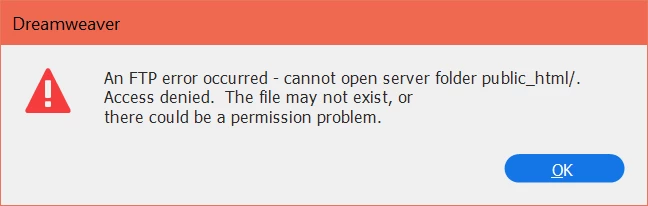
FTP Root Directory error

  • September 29, 2019
  • 2 replies
  • 377 views

Hey everybody!!

For the past couple of weeks, I've been trying to get my root directory to work. I've set it up on the cPanel site, I've set it to public_html and I keep getting the same error message. Please help I have an assignment due tonight. I'm using GoDaddy and I have set up a different log in on the cPanel site.

 

    This topic has been closed for replies.
    Correct answer Nancy OShea

    Your web hosting provider sets up the server's root directory for you based on your hosting plan.  You should not have to do anything.   Linux hosting uses a public_html/ folder.  Windows hosting uses an httpdocs/ folder.   As Ben said, contact your host. 


    2 replies

    Nancy OShea
    Community Expert
    Nancy OSheaCommunity ExpertCorrect answer
    Community Expert
    September 29, 2019

    Your web hosting provider sets up the server's root directory for you based on your hosting plan.  You should not have to do anything.   Linux hosting uses a public_html/ folder.  Windows hosting uses an httpdocs/ folder.   As Ben said, contact your host. 


    Nancy O'Shea— Product User & Community Expert
    BenPleysier
    Community Expert
    Community Expert
    September 29, 2019

    The error message says it all. Are you sure that the folder exists and do you have the correct login details? Get in touch with GoDaddy to find out.

    Wappler is the DMXzone-made Dreamweaver replacement and includes the best of their powerful extensions, as well as much more!