Participating Frequently
February 10, 2018
Answered

FTP uploading and Preview

  • February 10, 2018
  • 3 replies
  • 832 views

Hello,

i would like to upload files to my FTP only when i save it. But i also want to have a real time preview. So as i'm editing, the preview should work, but after i hit ctrl+S it should save and upload all to FTP. Is such thing possible?

    This topic has been closed for replies.
    Correct answer Nancy OShea

    I do not recommend uploading to remote server on Save.  I always fully test locally to ensure everything is working correctly.   With document open, hit Ctrl+S to save and then hit Ctrl+Shift+U to upload to server.

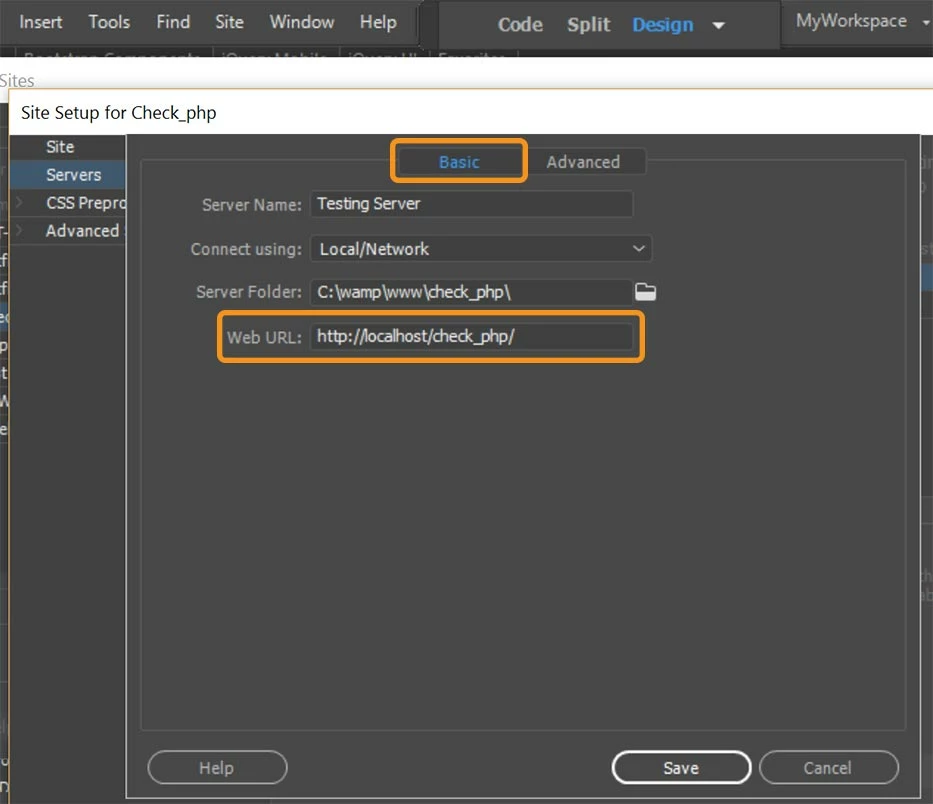
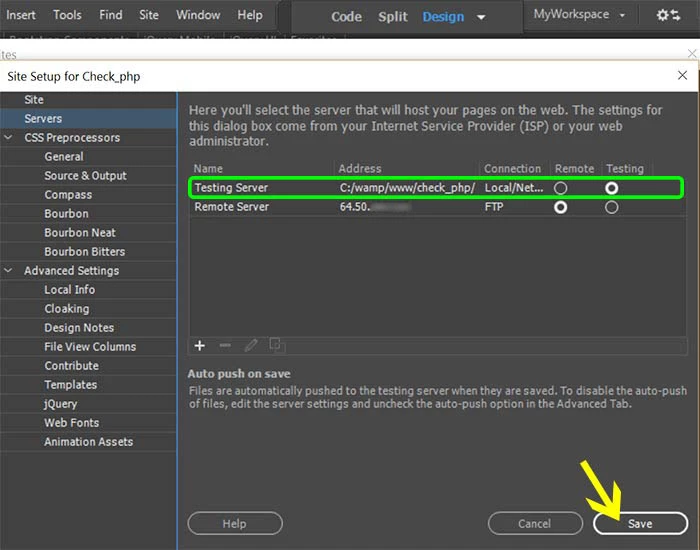
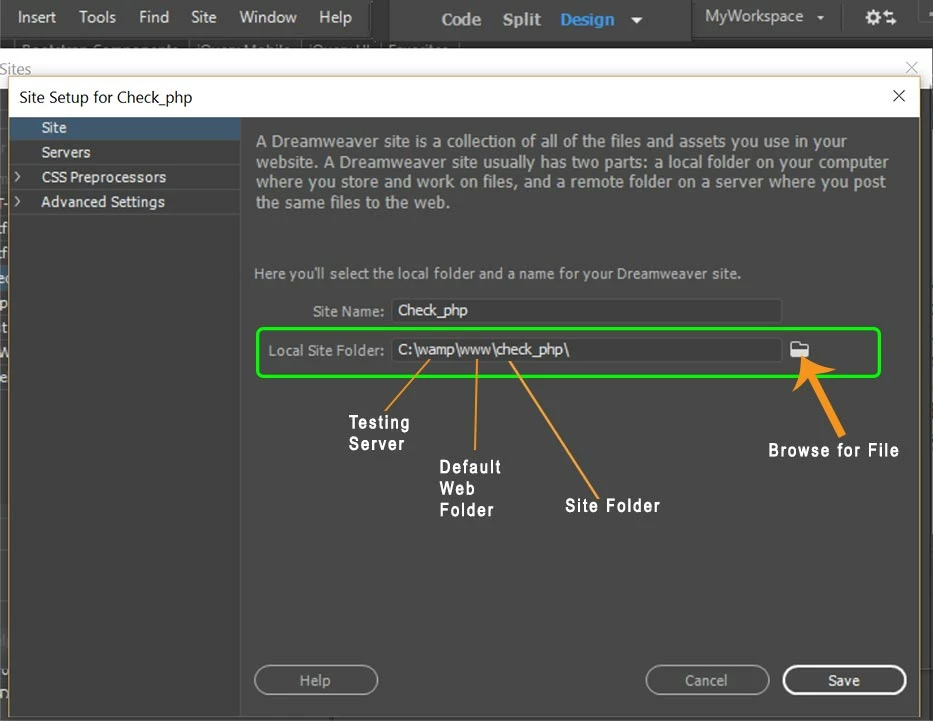
    My local site folder resides in my local testing server's default web directory.  So when I save files, they are automatically saved to my local testing server. This avoids duplicating site folders on the hard drive.

    3 replies

    Nancy OShea
    Community Expert
    Nancy OSheaCommunity ExpertCorrect answer
    Community Expert
    February 10, 2018

    I do not recommend uploading to remote server on Save.  I always fully test locally to ensure everything is working correctly.   With document open, hit Ctrl+S to save and then hit Ctrl+Shift+U to upload to server.

    My local site folder resides in my local testing server's default web directory.  So when I save files, they are automatically saved to my local testing server. This avoids duplicating site folders on the hard drive.

    Nancy O'Shea— Product User & Community Expert
    Community Manager
    February 10, 2018

    Hello Damian,

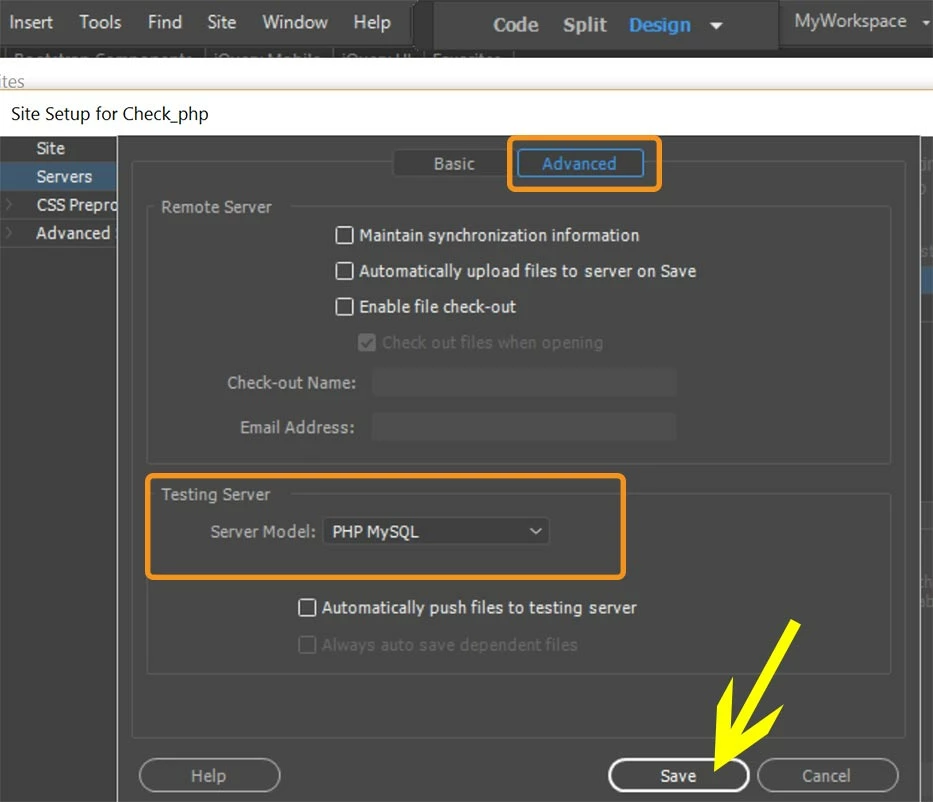
    You can select option "Automatic upload files to server on save" in server setup for your site.

    Go to Site setup dialog > Servers Tab > Double click on server > Switch to "Advance" tab and check the radio box as below

    Hope this helps.

    ~Lalita

    BenPleysier
    Community Expert
    Community Expert
    February 10, 2018

    The best way to use Dreamweaver is to setup your Testing Server locally. Once you have successfully tested the code, you can tell Dreamweaver to upload the files to a live server.

    See How to set up connection between Dreamweaver and the publishing server and How to set up a local version of your web site using Dreamweaver

    Wappler is the DMXzone-made Dreamweaver replacement and includes the best of their powerful extensions, as well as much more!