


Inspiring
January 16, 2023
Question

Genuine Adobe CS6 Dreamweaver and Photoshop - “Invalid Serial Numbers” . . . Help !

  • January 16, 2023
  • 3 replies
  • 6070 views
 

Genuine Adobe CS6 Dreamweaver and Photoshop - “Invalid Serial Numbers” . . . Help !  (please)


I'm trying to get my Adobe Dreamweaver and Photoshop to reinstall and get back to being operational.


Whilst I'm aware that CS6 itself is considered to be on life support - I'm just a pensioner - although thankfully not yet on life support myself - with just a hobby website so it's not really a viable option to go down the subscription route  .  .  .   although never say never.


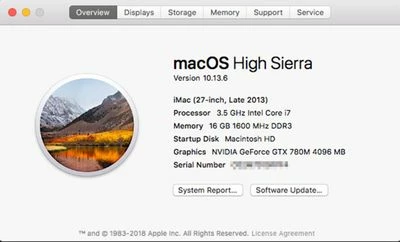
I'm now running OS High Sierra 10.13.6 - it appears not to matter what OS or browser is in operation.


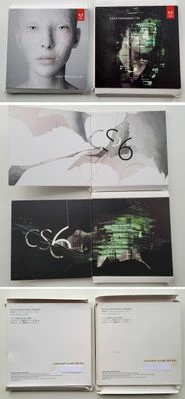
These are my Adobe CS6 box pictures I uploaded earlier, I paid a fortune for these Dreamweaver and Photoshop at the time, circa 2014.


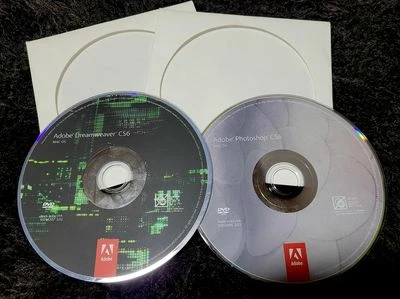
These are the installation disks.


They had been working perfectly until I made the mistake a couple of months ago of upgrading my iMac to OS Mojave. I then discovered that the CS6 applications were not useable with Mojave due to 32 bit / 64 bit compatibility issues.


Having searched online for answers the only real option open to me was to downgrade from OS Mojave to OS High Sierra which I did.


This is when I discovered that it was not a simple matter of inserting my Adobe CS6 disks and re-installing.


If anyone is interested please see my earlier community post entitled -


Error 16 + No Serial Numbers + Not registered with Adobe - HOWEVER programs still on Apple Mac.”


It's a long read and not for the faint hearted.


Because the original problems have been largely overcome - only to be replaced by new "challeges" unfortunately - I've decided to re-post under a different heading.


My heartfelt gratitude goes to “Community Expert” kglad, without who's tireless help and enduring patience I would have given up a long long time ago.


Many many thanks “kglad” !


Firstly, whilst I had both Dreamweaver and Photoshop CS6 installed on my iMac since circa 2014, and they had only ever been installed on this one iMac, I had lost their Serial Numbers, this only coming to light whe I attempted to re-install.


However using the “Mac Product Key Finder” I was able to retrieve them from my iMac.
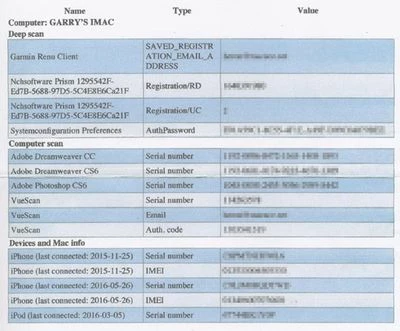
 

I also registered them with Adobe and as soon as I entered the serial numbers they were recognised as being “Mac Platform” and “Versions 13.0 & 12.0 respectively”


Having explored many many options to try and get Adobe to generate the required “REQUEST CODE” . . . both online and offline activation . . . I've discovered that to find this elusive “REQUEST CODE” . . . so that, when combined with the “SERIAL NUMBERS”, Adobe will then generate the “RESPONSE CODE” I must first of all install the full Photoshop application onto my iMac.


I inserted the Photoshop CS6 disk and launched the installer, whereas before I was going down the “INSTALL” route and getting nowhere fast, this time around I opted for the “TRY” option . . . “I want to try Photoshop for a limited time” . . . Adobe Photoshop then proceeded to install onto my iMac.


At this stage I'm aware that I only have a limited time to “trial” Photoshop.


I then clicked on Photoshop and went to the Photoshop “HELP” option along the top of the screen.


Then selected “Product Registration” which opens Adobe “Serial Number Validation” informing me I have 7 days remaining to “validate” or the software will stop working.
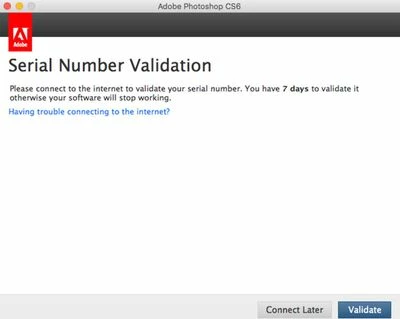


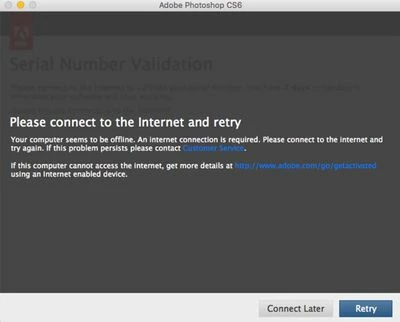
The “CONNECT LATER” option just makes the window disappear. The “VALIDATE” option brings you to the “Please Connect to Internet” window which has never brought me any joy.
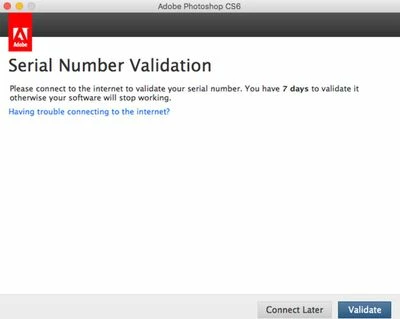


The 3rd option - above - on the Serial Number Validation page is not far below the “Serial Number Validation” heading where in BLUE it says “Having trouble connecting to the internet?”


( Incidentally this entire process is done whilst ONLINE )


Clicking on “Having trouble connecting to the internet ?” led me to this window.
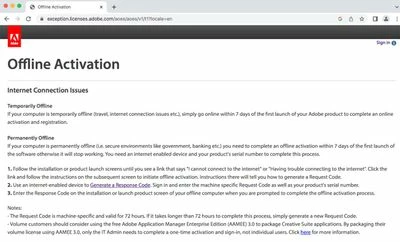
 

This above window is another I had also come across many times before however back then when I clicked on “Generate a Response code” all I got was an EMPTY “Request Code” box alongside an empty “Serial Number” box awaiting my serial numbers input – but during those previous encounters I had NOT installed CS6 onto my iMac – this time with CS6 installed and operational, albeit only in 7 day trial mode, I finally got the elusive “Request Code”
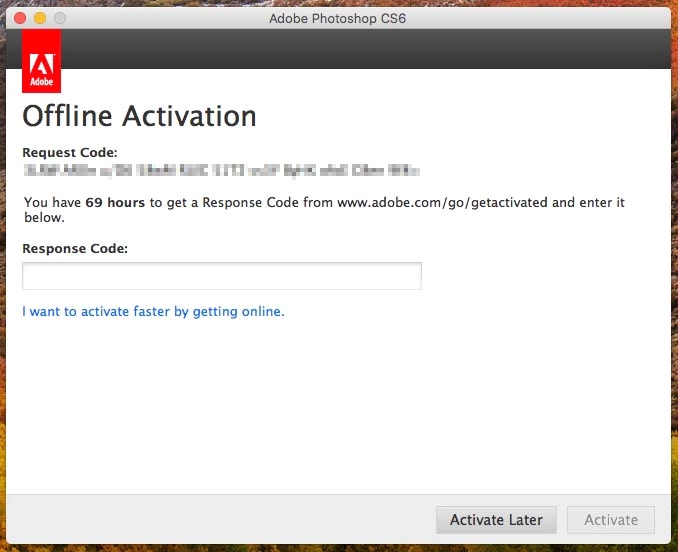


Activate Later” makes the window disappear whilst “Activate” is not a permitted option.


I am ONLINE at this stage.


I clicked on “I want to activate faster by getting online”


This takes me back to this “Serial Number Validation” window, however this time I HAVE GOT a “Request Code” whereas before clicking on “Validate” brought me to the dark grey window - “Please connect to the Internet and retry”
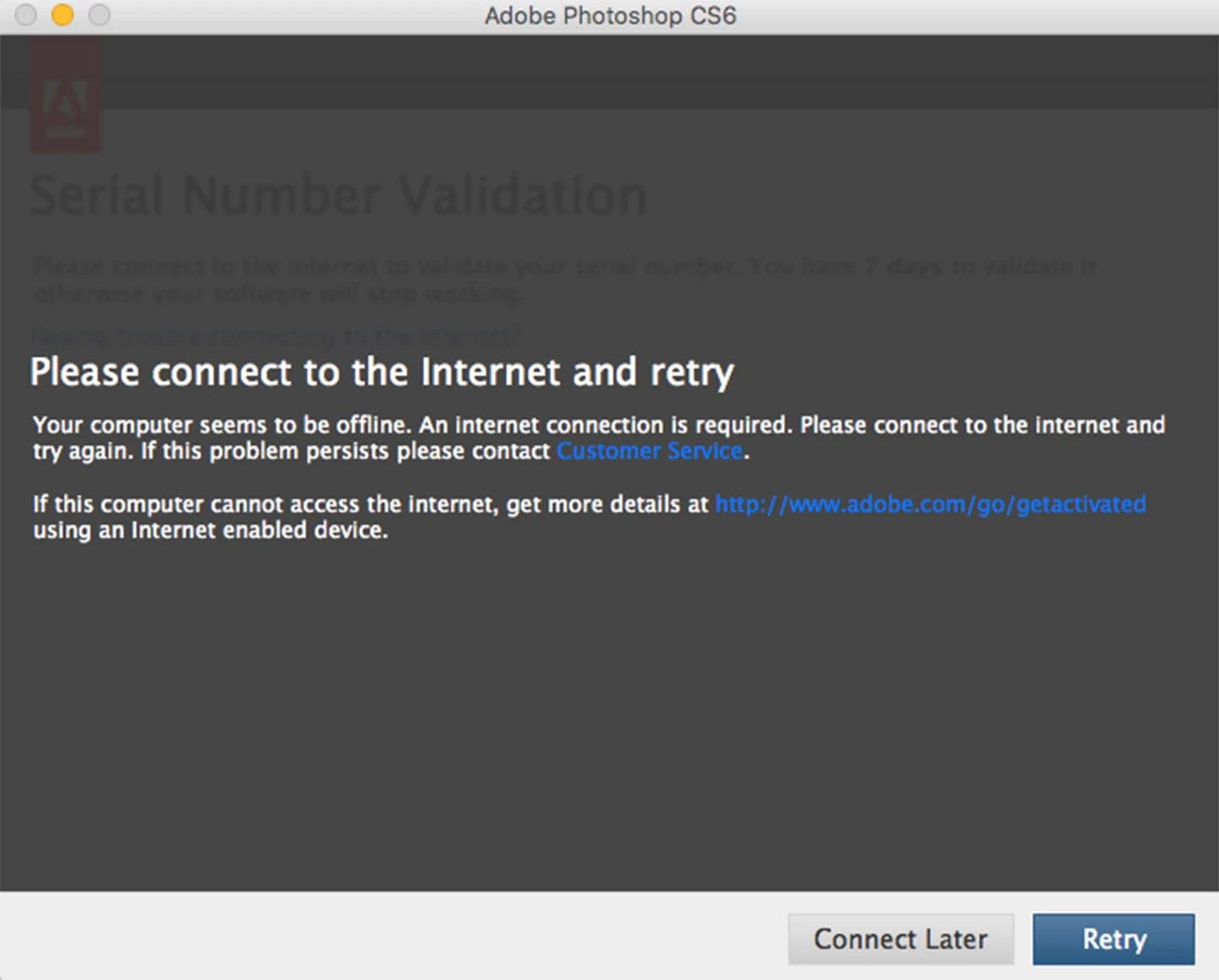
 

This time selecting the http://www.adobe.com/go/getactivated from this window

I reach the Offline Activation yet again and this time when I select “Generate a Response Code” I am invited to sign in to my Adobe account with my email and password.
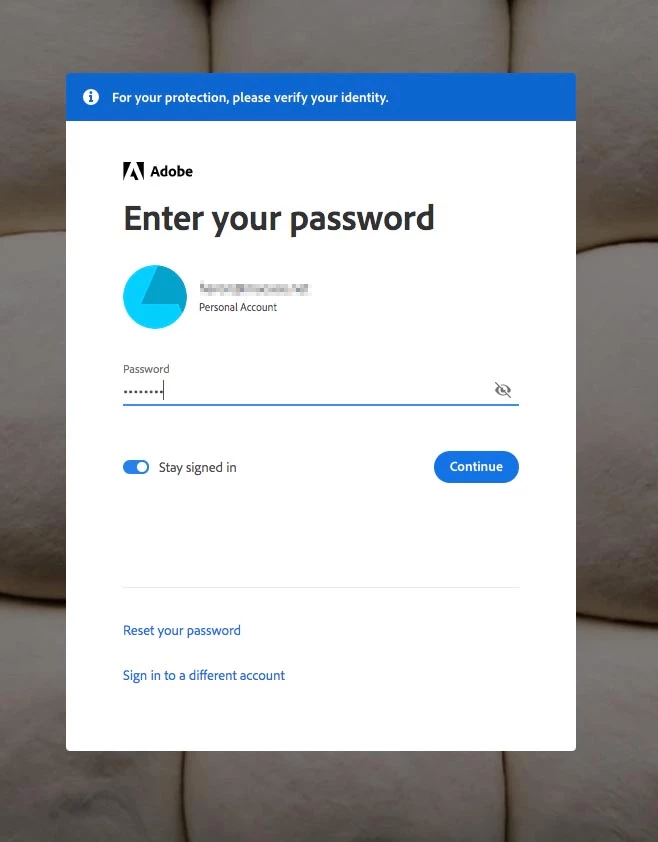


Once I've done that this window below opens – another I've seen many times.
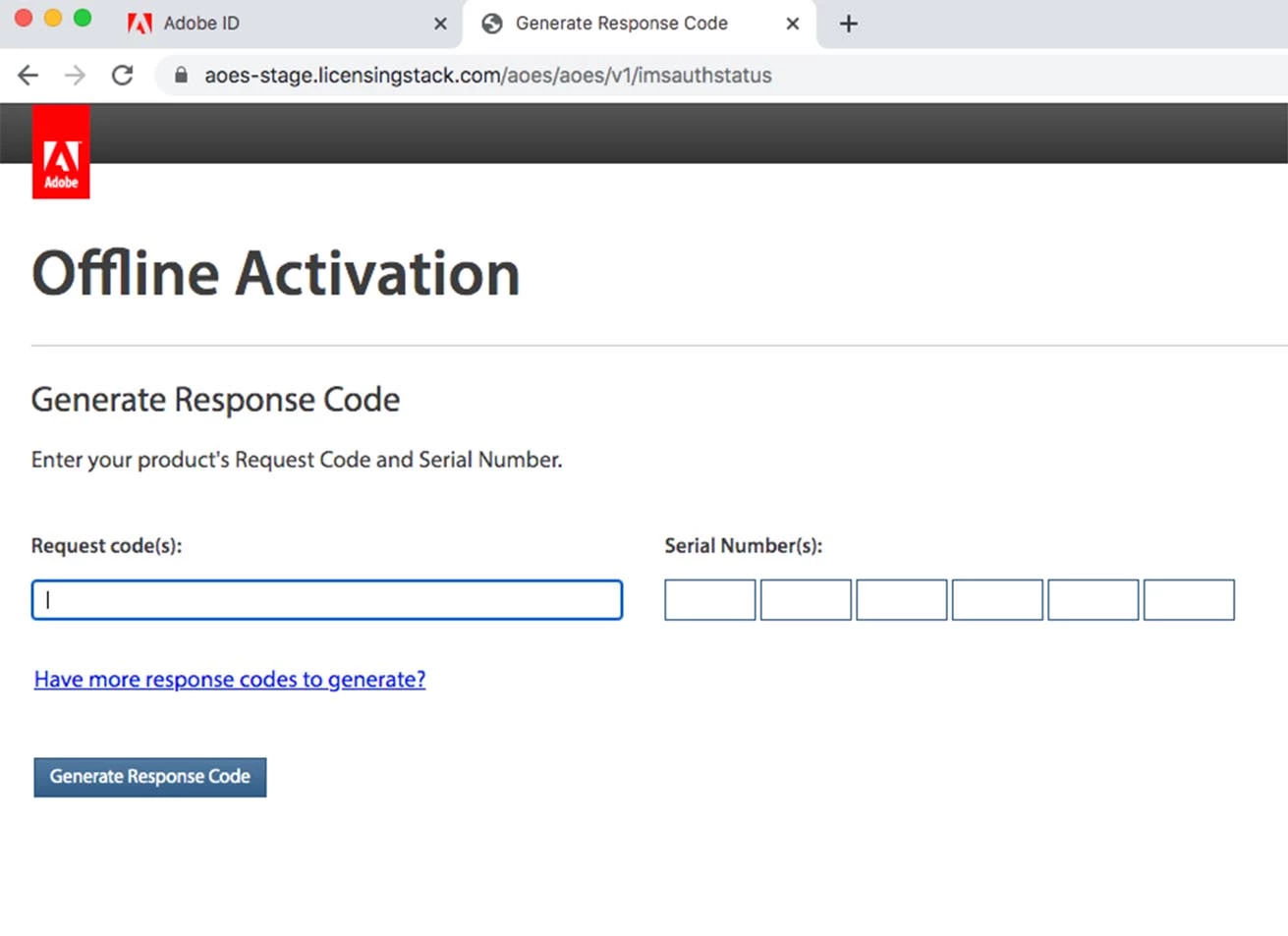
 

But on this occasion I come armed with my “Request Code” !!!


With a degree of optimism I input the “Request Code” and also my Photoshop “Serial Numbers” in the hope that this will allow me to generate the "Response Code" however my hopes are dashed yet again and instead I get this  .  .  .
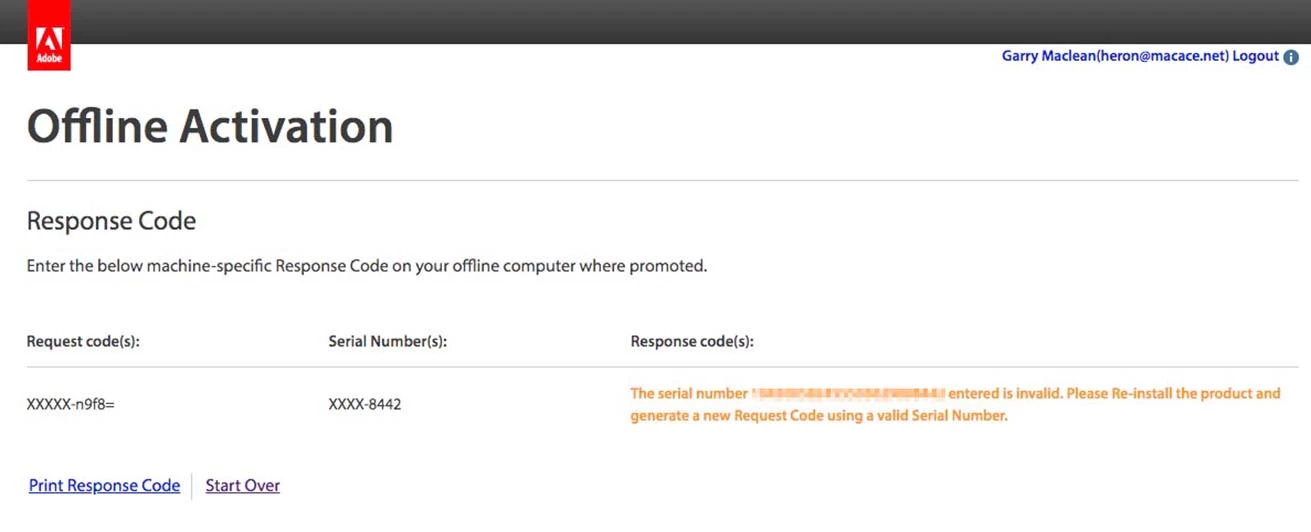


My disks are legitimate, they cost me a kings ransome back in the day, clearly no one would counterfeit disks and boxes to that level.


The Mac Product Key Finder hasn't just conjured up Serial Numbers for fun.


Adobe themselves have accepted the registration whilst at the same time recognising them as "Platform Mac" and "Version 13.0" and "Version 12.0" respectively.


Any assistance and/or advice gratefully received and welcome !

    This topic has been closed for replies.

    3 replies

    ProDesignTools
    Community Expert
    Community Expert
    January 18, 2023

    Hi Garry,


    Try reading through all the comments on this page and this page – especially those from David Miller – and see if they help.


    Inspiring
    January 18, 2023

    Hi Nancy,


    I'm just looking at this just now.


    Seems very interesting and at first scan very similar to my own experiences - and frustrations.


    I will report back.


    Many thanks again !


    Regards, Garry.

    Inspiring
    January 18, 2023

    I've discovered that I appear to have two Adobe accounts.


    Although my email address is shared by both, the passwords are different.


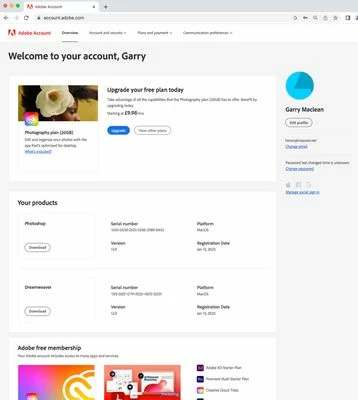
    When I sign in to https://account.adobe.com using an historic password - let's call it A-B-C - I can access my Adobe account and see my registered CS6 products as below.


    However when I'm going through all of the various procedures required for "activation", "request code", "response code" etc., etc., and arrive at my Adobe sign in window by that route, the password I've used to enter the https://account.adobe.com is incorrect.


    Bizarrely, in my recently updated password list I find I have TWO passwords for my Adobe accounts - no idea why - the normal one mentioned above and a different one entirely.


    I can only access the "activation", "request code", "response code" sign in when using the second password, lets's call it X-Y-Z.


    I'm wondering if using these different passwords with a shared email address might be causing a break down in communications for want of a better phrase and preventing the validation, activation processes ?


    Nancy OShea
    Community Expert
    Community Expert
    January 16, 2023


    ===========

    @Garry Maclean 

    Who did you purchase the software from?  Was it an Adobe authorized vendor? In the absence of a valid serial number, you're stuck.


    If it is genuine Adobe software, and you can find your serial number in your online account, the Creative Suite installers won't work on macOS Sierra, High Sierra or Mojave without terminal workarounds. See the help article below.

    https://helpx.adobe.com/creative-cloud/kb/install-creative-suite-mac-os-sierra.html


    In addition, your system and browser must support TLS 1.2 connections or higher for security reasons.  Without TLS 1.2, you can't connect to Adobe's activation servers.  More on that below.
    https://helpx.adobe.com/x-productkb/multi/eol-tls-support.html


    Also refer to this link about failed connections.

    https://helpx.adobe.com/x-productkb/policy-pricing/activation-network-issues.html


    Failing the above, you can use any plain code editor that's compatible with your OS to edit HTML & CSS files. 


    CODE EDITORS:
    -- Codespaces (free, browser-based) - https://github.com/features/codespaces
    -- Nova (Mac only, formerly called Coda) - https://nova.app/
    -- Pinegrow - https://pinegrow.com/
    -- Sublime Text - http://www.sublimetext.com/
    -- Visual Studio Code (free) - https://code.visualstudio.com/


    Modern Dreamweaver CC and Photoshop CC require a newer computer.  If you have access to Mac Big Sur, you can download & install the current Dreamweaver & Photoshop for a free 7 day trial, after which it automatically converts to a one year paid subscription plan unless you cancel.

    https://www.adobe.com/creativecloud/plans.html


    Photoshop Elements is also an affordable option (no subscription needed).  It's a lighter version of Photoshop CC without all the extra bells & whistles. 
    https://www.adobe.com/products/photoshop-elements.html

    https://www.adobe.com/products/photoshop-elements/tech-specs.html


    Hope that helps.


    Nancy O'Shea— Product User & Community Expert
    Inspiring
    January 16, 2023

    Hi Nancy,


    Many thanks for your extensive reply, greatly appreciated, it gives me something to work through  .  .  .  whilst there's still hope ;o)


    Sadly I'm afraid ten years ago is too long a time for me to recall were I bought the Adobe CS6 disks, I do know that the iMac and CS6 Installation Disks were all bought brand new at roughly the same time circa 2014 with an inheritance from my mother but I cannot remember even where I bought the iMac from far less the disks.


    The "Mac Product Key Finder" recovered/retrieved my serial numbers and Adobe accepted them both when I registered them - that was just 3 days ago on the 13th January - it also recognised them both as being "Platform MacOS" - "Versions 13.0" and "12.0" respectively.


    So hopefully it's safe to presume all is good regarding Disks & Serial Numbers ?


    The above screenshot shows my online account details page.


    Under both Photoshop and Dreamweaver there appears to be a "DOWNLOAD" option which I have not as yet explored as I have been using the Installation Disks up until now.


    I'll study and work through you advice and suggestions tomorrow Nancy, many thanks once again.


    Kind regards, Garry.


    Nancy OShea
    Community Expert
    Community Expert
    January 17, 2023

    That looks about right for CS6 product versions.

    Keep us posted on how things work out.


    Nancy O'Shea— Product User & Community Expert
    Inspiring
    January 16, 2023

    My apologies, I was unsure where exactly would be most appropriate for this to be posted, please feel free to move to wherever is considered the best option.  Kind regards, Garry.
