WESTMACMarketing
Participant
January 6, 2020
Answered

Greyed out Put and Get in File Manager Tool

  • January 6, 2020
  • 1 reply
  • 825 views

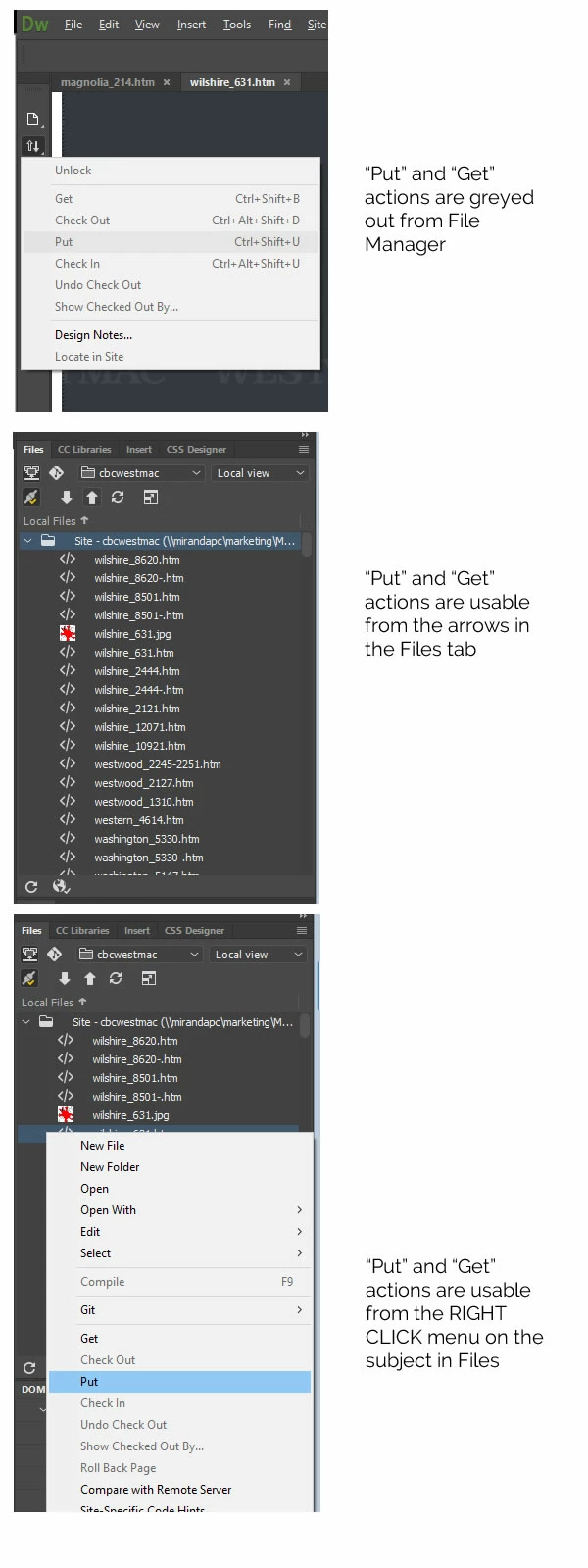
Put and Get actions are unusable from the left toolbar, File Manager tool. Put and Get are usable from the Files tab. I am trying to put a file on my server. Please see reference image below.  My FTP settings are connected since I have no problem uploading from the Files tab. I synchronized the server, no change. I disconnected and reconnected, no change. I can use "Put" and "Get" from the File Manager if I select Desktop instead of my server in the left hand drop down on the Files tab. I have the latest version of Adobe Dreamweaver 2020. It is January 6, 2020.


I think it could be a software issue, server settings issue, or something on my hardware. My co-worker works off of the same hard dive and he is able to use all "Put" and "Get" functions at all times. Please let me know if any of you have ideas or solutions!
This topic has been closed for replies.
Correct answer Nancy OShea

I'm guessing your site is not properly defined.


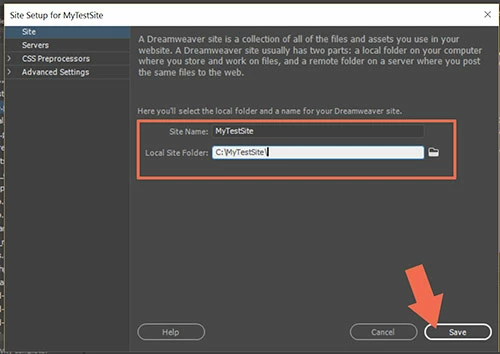
Go to Site > Manage sites.  You should have a local site folder defined on your primary hard drive where DW is installed.  For example, C:\MyTestSite.


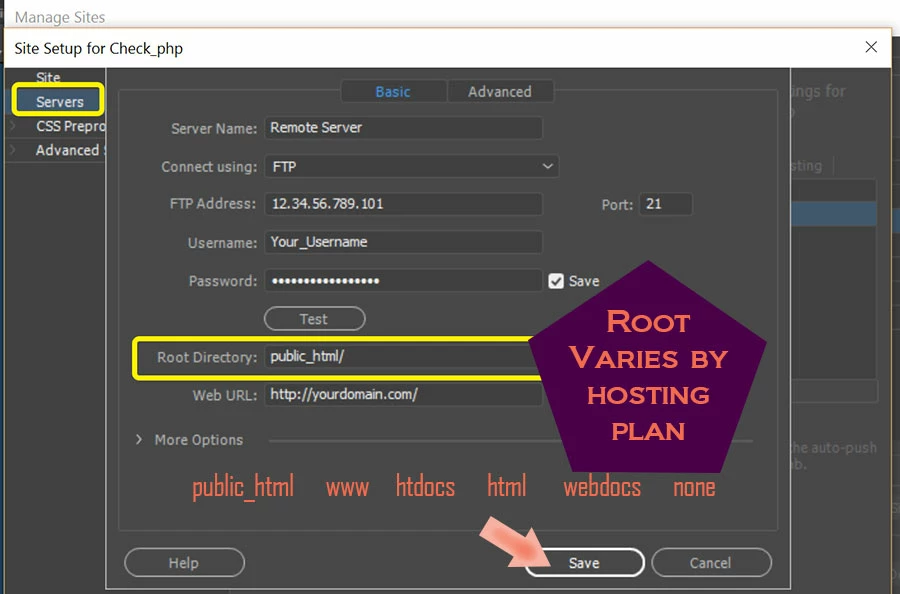
And your remote server's FTP credentials should be entered on Servers tab.


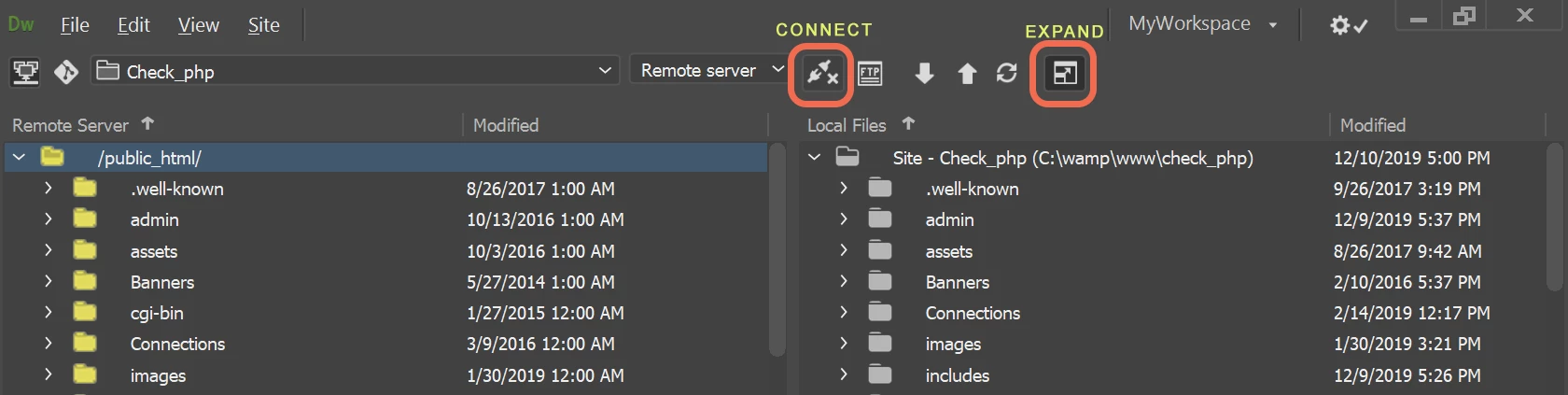
Expanding your Files Panel should allow you to display Remote and Local side-by-side like this. 


Once connected to remote, you should be able to click & drag files from local to remote panel. 


1 reply

Nancy OShea
Community Expert
Nancy OSheaCommunity ExpertCorrect answer
Community Expert
January 6, 2020

I'm guessing your site is not properly defined.


Go to Site > Manage sites.  You should have a local site folder defined on your primary hard drive where DW is installed.  For example, C:\MyTestSite.


And your remote server's FTP credentials should be entered on Servers tab.


Expanding your Files Panel should allow you to display Remote and Local side-by-side like this. 


Once connected to remote, you should be able to click & drag files from local to remote panel. 


Nancy O'Shea— Product User & Community Expert