Participant
January 14, 2017
Answered

Help! Need to connect to my website

  • January 14, 2017
  • 1 reply
  • 298 views

I have had a website using Dreamweaver CS4 but since my computer was upgraded I am unable to get my working files onto Dreamweaver, or connect to my internet website to get them there. When I open Dreamweaver, none of my files are there -- but I can find them one by one on my desktop when searching, at: C:/Users/User/Desktop/User/Desktop/User/Application%20Data/Adobe/Dreamweaver%20CS4/en_US/Configuration/ServerConnections/(my website address)/   with each of the files names after that.

I don't know how to define root files etc. as the help manuals suggest -- it was always just there to use nefore I was upgraded. Any ideas on how I can regain my files, and connect to my remote site to put and get?  thanks! Spider

This topic has been closed for replies.
Correct answer Nancy OShea

You have to define your site.  Go to Site > New Site and tell DW where you keep your site folder.  Ideally your site folder should be on your primary hard drive.

C:\YourSite

C:\Desktop\YourSite

We have no idea where you kept your files previously so you'll need to search your computer to locate the site folder.

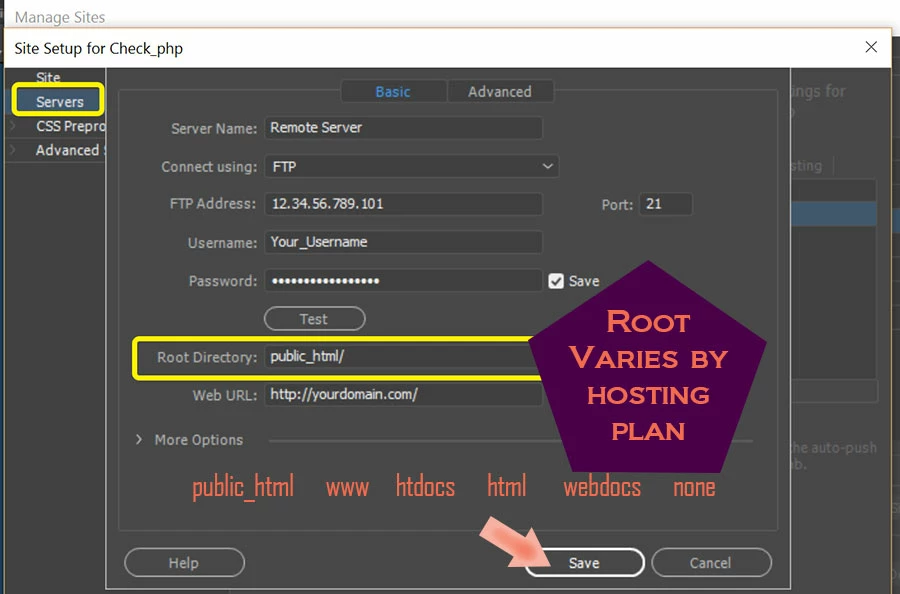
Failing that, you can define your site as above & designate a new site folder on your hard drive.  Then enter your FTP log-in credentials under the Servers tab.  If unsure what to use, contact your web host.

Once your site is defined, you can GET files from your remote server by clicking the Down Arrow in your Files Panel.

Nancy

1 reply

Nancy OShea
Community Expert
Nancy OSheaCommunity ExpertCorrect answer
Community Expert
January 14, 2017

You have to define your site.  Go to Site > New Site and tell DW where you keep your site folder.  Ideally your site folder should be on your primary hard drive.

C:\YourSite

C:\Desktop\YourSite

We have no idea where you kept your files previously so you'll need to search your computer to locate the site folder.

Failing that, you can define your site as above & designate a new site folder on your hard drive.  Then enter your FTP log-in credentials under the Servers tab.  If unsure what to use, contact your web host.

Once your site is defined, you can GET files from your remote server by clicking the Down Arrow in your Files Panel.

Nancy

Nancy O'Shea— Product User & Community Expert