


Inspiring
November 9, 2024
Question

Help with Flex HTML

  • November 9, 2024
  • 1 reply
  • 2564 views

Need some help with Flex.


Go here: Flex HTML link


I'm sure the guy that owns this site uses Flex html. . . When he adds the Los Angeles Dodgers for 2024, the 2020 LA Dodgers will move down to the next line automatically. . . . Does anyone now how to set something like that up? It doesn't have to be exact boxes that he has. .  I want something like this
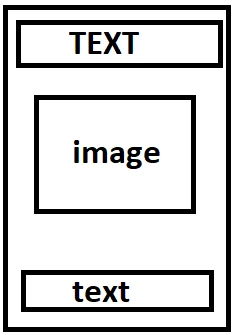
 

    This topic has been closed for replies.

    1 reply

    BenPleysier
    Community Expert
    Community Expert
    November 9, 2024
    quote

    I'm sure the guy that owns this site uses Flex html. . .


    By @jamedlock83


    Nope, the guy uses floats.


    The easiest way to do this is to use Bootstrap as show here


    This is the HTML. Copy and paste this into a new document to see the result.

    <!doctype html>
    <html lang="en">
    
    <head>
        <base href="/">
        <meta charset="UTF-8">
        <meta name="viewport" content="width=device-width, initial-scale=1, shrink-to-fit=no">
        <meta name="description" content="Untitled DocumentUntitled Document">
        <title>Untitled Document</title>
        <link rel="stylesheet" href="/bootstrap/5/css/bootstrap.min.css" />
    </head>
    
    <body>
        <div class="container mt-5">
            <div class="row row-cols-3 gy-4">
                <div class="col">
                    <div class="card">
                        <div class="card-body">
                            <h2 class="card-title text-center mb-4">Card title</h2>
                            <img class="card-img-top mb-4" alt="Card image cap">
                            <p class="card-text">Some quick example text to build on the card title and make up the bulk of the card's content.</p>
                        </div>
                    </div>
                </div>
                <div class="col">
                    <div class="card">
                        <div class="card-body">
                            <h2 class="card-title text-center mb-4">Card title</h2>
                            <img class="card-img-top mb-4" alt="Card image cap">
                            <p class="card-text">Some quick example text to build on the card title and make up the bulk of the card's content.</p>
                        </div>
                    </div>
                </div>
                <div class="col">
                    <div class="card">
                        <div class="card-body">
                            <h2 class="card-title text-center mb-4">Card title</h2>
                            <img class="card-img-top mb-4" alt="Card image cap">
                            <p class="card-text">Some quick example text to build on the card title and make up the bulk of the card's content.</p>
                        </div>
                    </div>
                </div>
                <div class="col">
                    <div class="card">
                        <div class="card-body">
                            <h2 class="card-title text-center mb-4">Card title</h2>
                            <img class="card-img-top mb-4" alt="Card image cap">
                            <p class="card-text">Some quick example text to build on the card title and make up the bulk of the card's content.</p>
                        </div>
                    </div>
                </div>
            </div>
        </div>
        <script src="/bootstrap/5/js/bootstrap.bundle.min.js"></script>
    </body>
    
    </html>


    The Bootstrap Card is a flexbox container:


    Wappler is the DMXzone-made Dreamweaver replacement and includes the best of their powerful extensions, as well as much more!
    Inspiring
    November 16, 2024

    I can't afford to use Wappler. . . This is what i'm seeing


    Legend
    November 16, 2024
    quote

    I can't afford to use Wappler. . . This is what i'm seeing


    By @jamedlock83


    You need to link the Bootstrap 5 css to your file, currently its only being linked to a local version, /bootstrap/5/css  etc, which you don't have access to.


    Search Google for a cdn hosted version of Bootstrap 5, copy the link and paste it into your file where the current link to the local version of Bootstrap 5 is or go to the official Bootstrap 5 website, l believe they also supply a hosted cdn link.


    Once the Bootstrap 5 css file is linked you should see the correct presentation in  your browser.