Inspiring
May 31, 2017
Answered

Help with my PHP email script

  • May 31, 2017
  • 1 reply
  • 607 views

Bear with me--this is my first website ever, and my first time using PHP.  I've done a good amount of reading in the interest of understanding all of this, and I think I'm pretty close to having it right, but for some reason my email script isn't working.

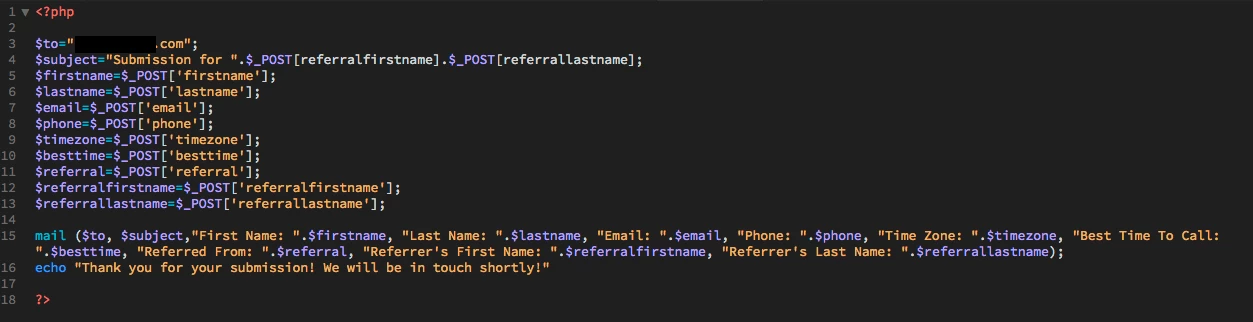
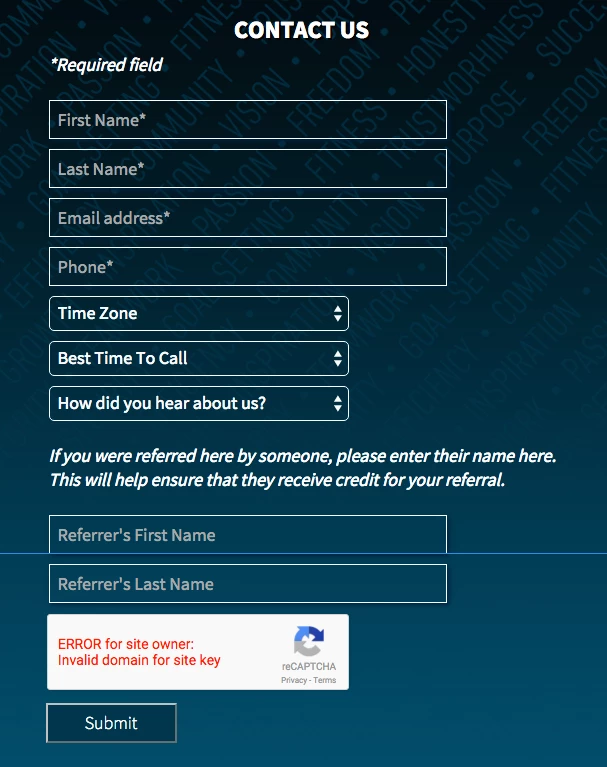
Screenshots of my script and the form that triggers it are below.

Basically, the PHP script gives me the echo I've coded, but no e-mail actually arrives in my inbox, and I'm not sure why (I've checked junkmail, and there's nothing there, either).

If you guys see any glaring errors in my code, I would appreciate it!

PS - I realize I haven't written security verifications in my PHP script ... for now I'm using DW's dedicated "email" and "phone" fields, and I'm limiting the name fields to 15 characters.  I'm also using a reCaptcha verification, as you can see (which works on my domain--these screenshots were taken in the localhost environment where the reCaptcha isn't authorized).  Just FYI.  Obviously open to feedback on that as well, but since I'm so new to this I'm trying to eat in small bites!

You guys rule, thanks in advance.
    This topic has been closed for replies.
    Correct answer EbaySeller

    Compile your message into one variable and pass that to the mail function. Ensure the mail function can send mail to you by running a simple test. If that works, then compile as I mentioned earlier. Mail should be sending the strings $to, $subject, $message. Your mail script is sending to, subject, and instead of message as one string you're trying to send all the other values as separate arguments. Mail is expecting one string for the message.

    mail("youremail@domain.com", "Test Email","This is a test to see if you receive an email");

    1 reply

    Nancy OShea
    Community Expert
    Community Expert
    May 31, 2017

    That's one piece of the puzzle.  Where's the rest of it?

    Pasting code directly into the forum is more convenient than posting screenshots of code.

    Nancy

    Nancy O'Shea— Product User & Community Expert
    Inspiring
    May 31, 2017

    Nancy, when you say, "where's the rest of it," what do you mean exactly?  That's the entire code of my email script.  Here it is, pasted:

    *****************

    <?php

    $to="info@mywebsite.com";

    $subject="Submission for ".$_POST[referralfirstname].$_POST[referrallastname];

    $firstname=$_POST['firstname'];

    $lastname=$_POST['lastname'];

    $email=$_POST['email'];

    $phone=$_POST['phone'];

    $timezone=$_POST['timezone'];

    $besttime=$_POST['besttime'];

    $referral=$_POST['referral'];

    $referralfirstname=$_POST['referralfirstname'];

    $referrallastname=$_POST['referrallastname'];

    mail ($to, $subject,"First Name: ".$firstname, "Last Name: ".$lastname, "Email: ".$email, "Phone: ".$phone, "Time Zone: ".$timezone, "Best Time To Call: ".$besttime, "Referred From: ".$referral, "Referrer's First Name: ".$referralfirstname, "Referrer's Last Name: ".$referrallastname);

    echo "Thank you for your submission! We will be in touch shortly!"


    ?>

    Nancy OShea
    Community Expert
    Community Expert
    May 31, 2017

    Where is the HTML <form> that goes with it?

    Nancy

    Nancy O'Shea— Product User & Community Expert