Not sure what it is you are trying to do but hover is not compatible with mobile devices, you need to trigger the dropdown menu using a click event if you are wanting to target mobile devices.
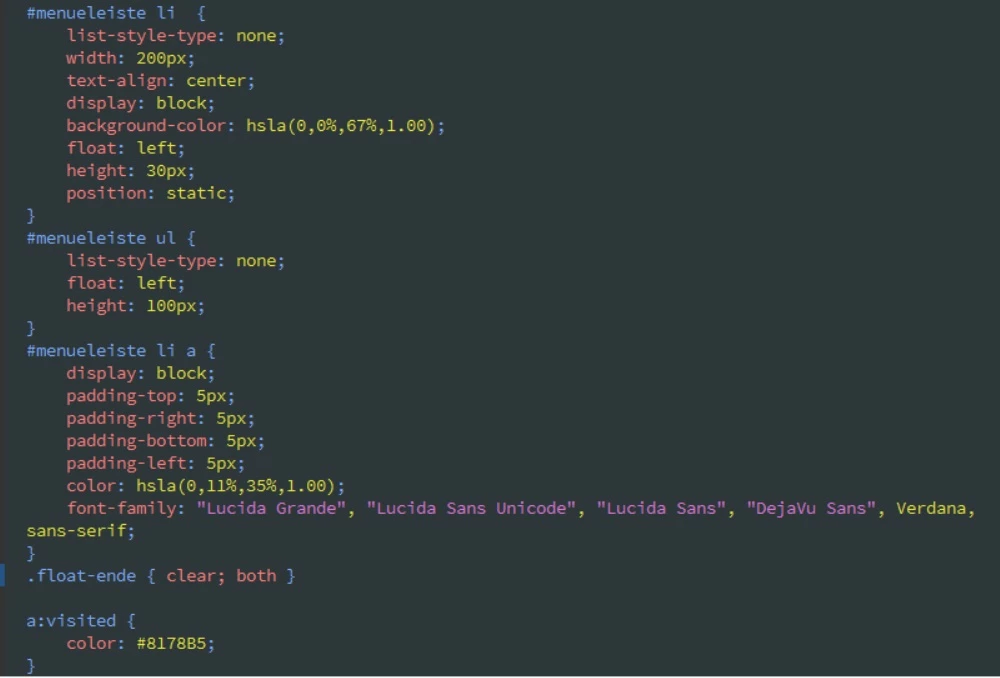
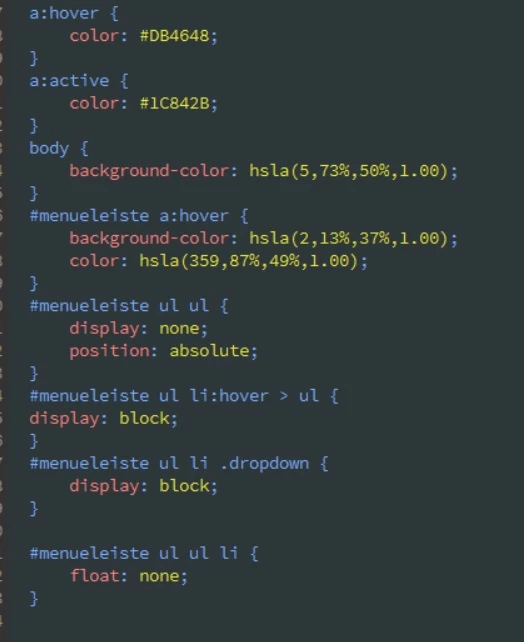
Below is a hover trigger event that works, based on your coding:
<!DOCTYPE html>
<html>
<head>
<meta charset="UTF-8" />
<title>CSS Hover Menu</title>
<style>
body {
background-color: #be3e2f;
}
#menueleiste {
background-color: #ababa9;
text-align: center;
width: 50%;
margin: 0 auto;
}
#menueleiste ul {
padding: 0;
margin: 0 auto;
display: inline-block;
}
#menueleiste li {
margin: 0;
padding: 0;
list-style: none;
display: block;
float: left;
position: relative;
}
#menueleiste li a {
display: block;
padding: 15px 25px 10px 25px;
color: #675757;
text-align: center;
}
#menueleiste ul ul {
display: none;
position: absolute;
background-color: #ababa9;
width: 200px;
padding: 5px 0;
}
#menueleiste ul ul li {
width: 200px;
}
#menueleiste ul li:hover > ul {
display: block;
}
#menueleiste ul ul li a {
padding: 0 25px 10px 25px;
text-align: left;
}
</style>
</head>
<body>
<div id="menueleiste">
<ul>
<li><a href="#">Home</a></li>
<li><a href="#">Blendeneinstellungen</a>
<ul>
<li><a href="#">Blende</a></li>
<li><a href="#">Fokus</a></li>
<li><a href="#">Scharfentiefe</a></li>
<li><a href="#">Brenwerte</a></li>
<li><a href="#">Belichtungszeit</a></li>
</ul>
</li>
<li><a href="#">Impressum</a></li>
</ul>
<br style="clear: both;">
</div>
</body>
</html>





 AdChoices