Participant
October 8, 2019
Answered

how can i change my website bottom field with dreamweaver

  • October 8, 2019
  • 2 replies
  • 321 views

Hello, friends, I want to add text to the bottom of my website but I couldn't, can I do it with Dreamweaver can you help? 
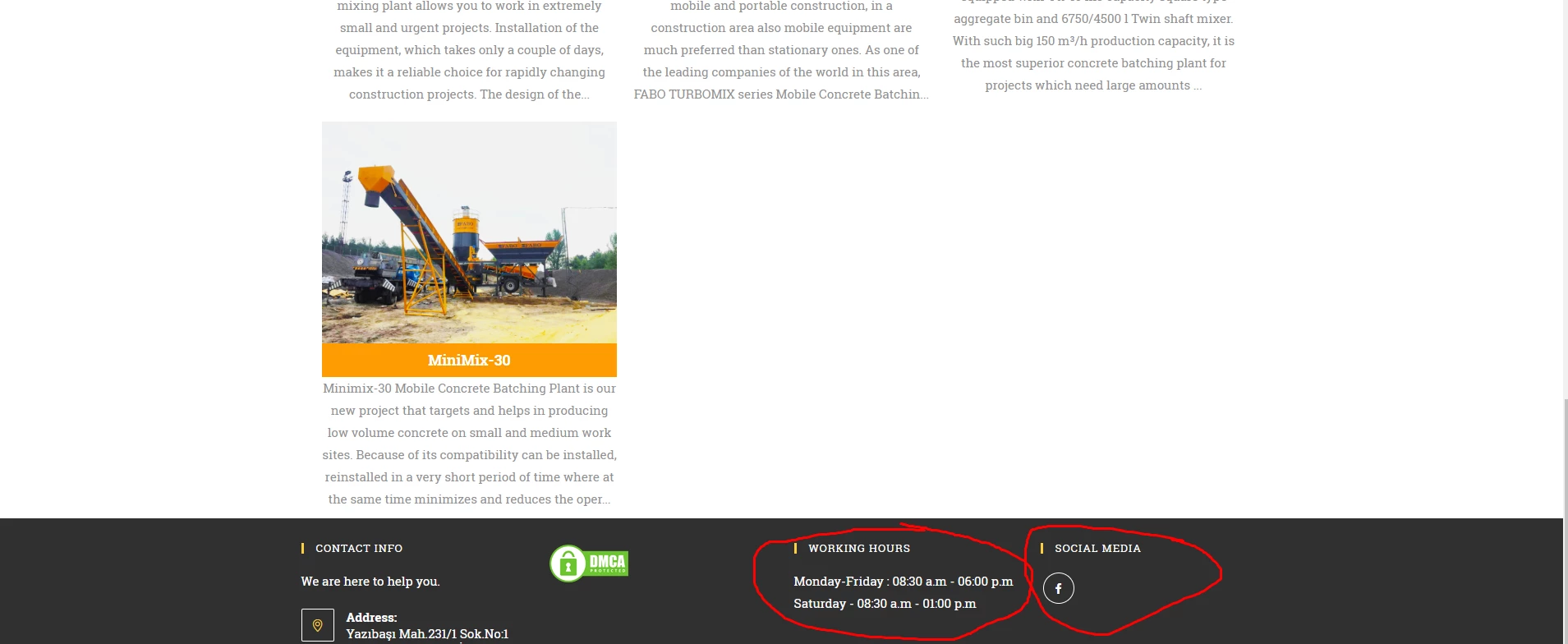


 mobileconcretebatchingplants.com

    This topic has been closed for replies.
    Correct answer BenPleysier

    At a guess, I would say that this is a WordPress site, in which case you cannot use Dreaweaver to edit the content.

    2 replies

    Nancy OShea
    Community Expert
    Community Expert
    October 8, 2019

    Do you know how to work with WordPress and more specifically WordPress child themes?  You will need good coding skills to change the text in your theme's footer.php file.   Although, it would be safer if you edit the footer from your WordPress admin panel.   Or find a different WP Theme that gives you greater customization.

    Nancy O'Shea— Product User & Community Expert
    atillakasAuthor
    Participant
    October 9, 2019
    I have solved problem, thank you for your help.
    BenPleysier
    Community Expert
    BenPleysierCommunity ExpertCorrect answer
    Community Expert
    October 8, 2019

    At a guess, I would say that this is a WordPress site, in which case you cannot use Dreaweaver to edit the content.

    Wappler is the DMXzone-made Dreamweaver replacement and includes the best of their powerful extensions, as well as much more!