


Participant
January 28, 2018
Question

How can I search for files in my Dreamweave project folder?

  • January 28, 2018
  • 2 replies
  • 468 views

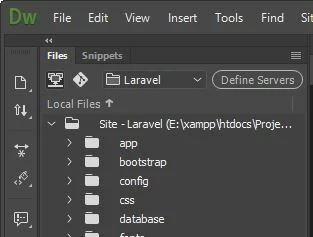
Is there a search function for to find files in the project folder? I am a laravel beginner and I find managing and finding files from within the project structure very  difficult manually. Is there a search function to get the file(s) I need?

Thank you
This topic has been closed for replies.

2 replies

magical_Skyline0D4A
Inspiring
January 28, 2018

Open your website and from the "window" menu at the top select "resources" ... if you do not immediately see all your files in folders, lick on the icon at the bottom right of the panel > "update"

Regards

rock1m1Author
Participant
January 29, 2018

Thank you all for your help. @Giordano I don't see resources under the Window menu at the top.

BenPleysier
Community Expert
Community Expert
January 28, 2018

rock1m1  wrote

Is there a search function for to find files in the project folder? I am a laravel beginner and I find managing and finding files from within the project structure very  difficult manually. Is there a search function to get the file(s) I need?

Short answer: No there is no search function for files.

Long answer: You can sort the list of files alphabetically, dates modified, size and type within each directory. If you are really desperate, go to File Explorer and do a search of your project files from there. If settings are correct, the chosen file will open in Dreamweaver. See How to set a default browser (or anything else) in Windows 10 | Digital Trends to set the correct program association.

Edit: This may also be of interest 3 PHP frameworks compared: Symfony, Laravel, and Yii | Opensource.com. I have used YII2 in the past and have found it to be quite fast and easy to learn.

Wappler is the DMXzone-made Dreamweaver replacement and includes the best of their powerful extensions, as well as much more!