Inspiring
December 27, 2017
Answered

How do I position my Div so my text shows up furthur down?

  • December 27, 2017
  • 1 reply
  • 391 views

This is so very frustrating!!

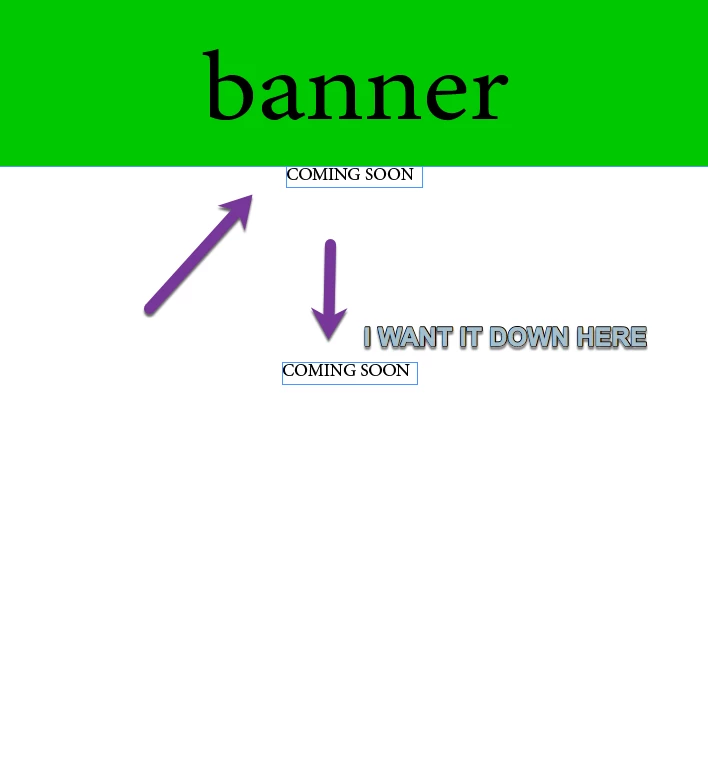
How do I make a div show up where I want it to show up. I want the Coming Soon text to show up where it should be... the center and under the banner where it can be read. In stead it's flush against the upper nav bar.

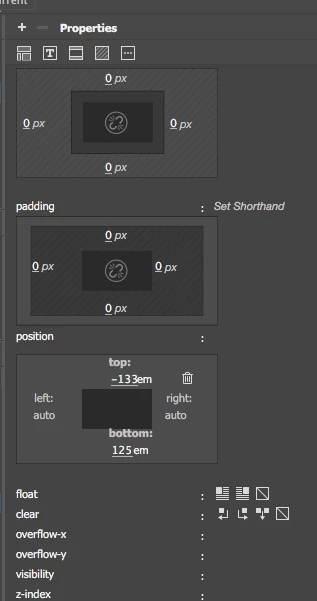
Should I be using the position tool in the properties panel for this?
This topic has been closed for replies.
Correct answer BenPleysier

Have a look ate the following. I never use the panels and do everything in code view.

<!doctype html>

<html>

<head>

<meta charset="utf-8">

<title>Untitled Document</title>

<style>

* { /* reset browser defaults */

/* this should be part of a larger reset code */

margin: 0;

padding: 0;

}

header.main {

background-color: lightgreen;

}

header.main h1 {

text-align: center;

font-size: 4em;

padding: 16px 0;

}

article.main h4 {

text-transform: uppercase;

text-align: center;

padding-top:  120px;

}

</style>

</head>

<body>

<header class="main"><h1>banner</h1> </header>

<article class="main"><h4>Coming Soon</h4> </article>

</body>

</html>

1 reply

BenPleysier
Community Expert
BenPleysierCommunity ExpertCorrect answer
Community Expert
December 27, 2017

Have a look ate the following. I never use the panels and do everything in code view.

<!doctype html>

<html>

<head>

<meta charset="utf-8">

<title>Untitled Document</title>

<style>

* { /* reset browser defaults */

/* this should be part of a larger reset code */

margin: 0;

padding: 0;

}

header.main {

background-color: lightgreen;

}

header.main h1 {

text-align: center;

font-size: 4em;

padding: 16px 0;

}

article.main h4 {

text-transform: uppercase;

text-align: center;

padding-top:  120px;

}

</style>

</head>

<body>

<header class="main"><h1>banner</h1> </header>

<article class="main"><h4>Coming Soon</h4> </article>

</body>

</html>

Wappler is the DMXzone-made Dreamweaver replacement and includes the best of their powerful extensions, as well as much more!
AnotherMeAuthor
Inspiring
December 27, 2017

I am not at the level of coding yet. I wonder if I ever will get there. I will check out your code and work with it.

Thank you.

Nancy OShea
Community Expert
Community Expert
December 28, 2017

You know what would be really helpful?    Draw a picture of what you want your layout to look like.  Include some notes about colors, backgrounds, typography and anything else you think is important.

Then do the same thing for Tablet size and another one for mobile size devices.    I use pencil and paper for rough mockups.   But you could use Photoshop.

Nancy O'Shea— Product User & Community Expert