Adriano_Alves
Inspiring
Oct 14, 2021 3:50 PM UTC
Answered

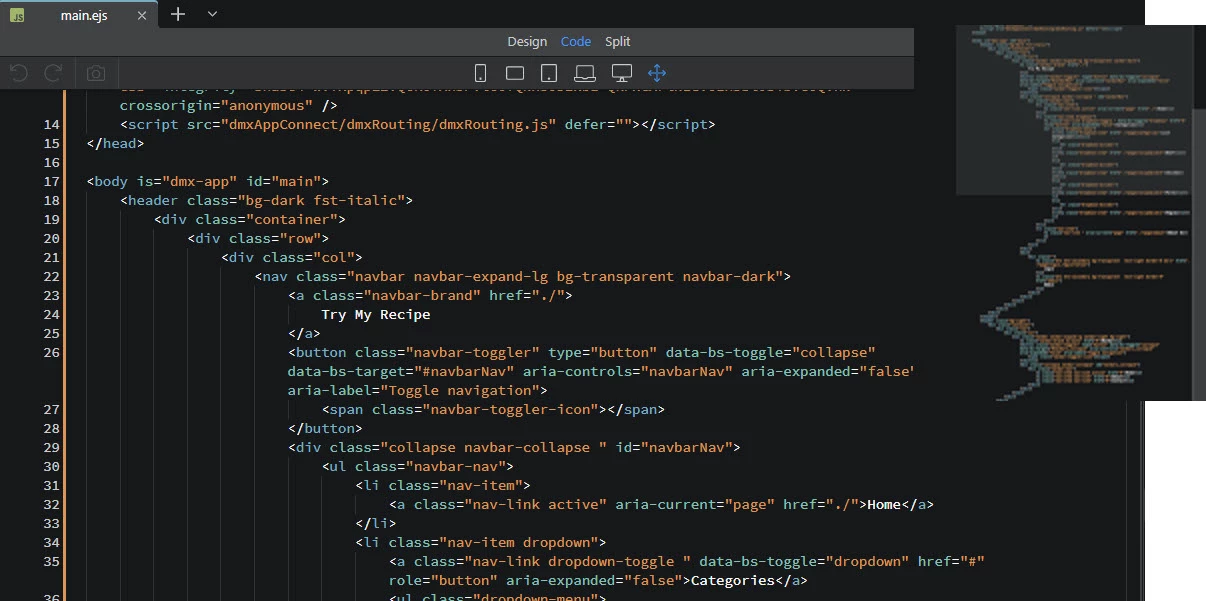
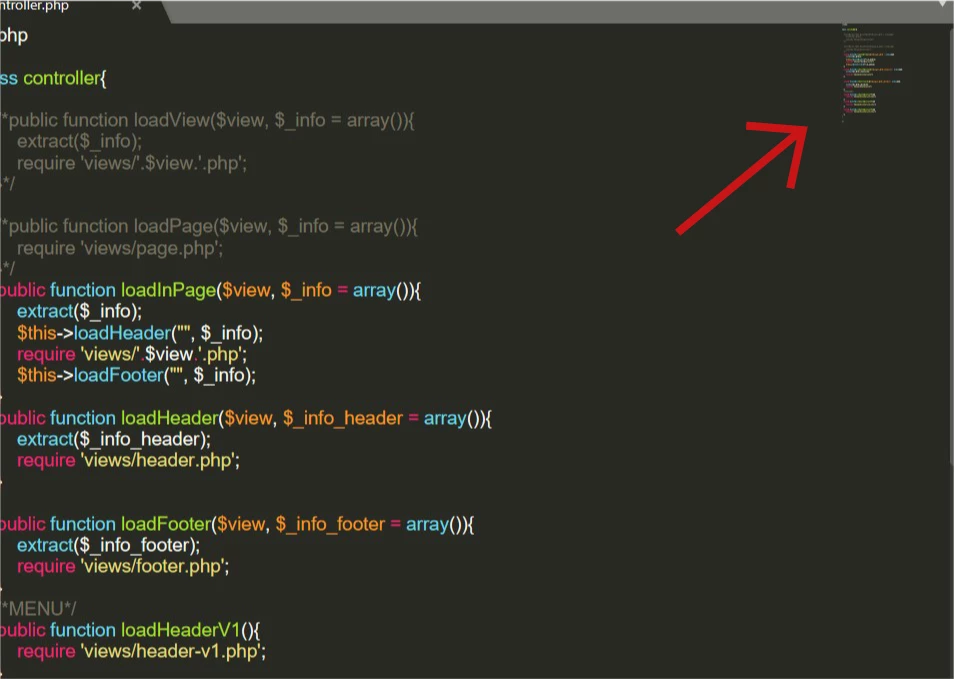
How to active the map code as a scrollbar code like the image?

How to active the map code as a scrollbar code like the image?

    This topic is closed to new replies. Start a new post to keep the conversation going.
    BenPleysier
    BenPleysierCorrect answer
    Community Expert
    Oct 14, 2021 11:30 PM UTC

    That is not possible with Dreamweaver. Most other code editors do have that facility, especially those that utilise the Monaco Code Editor like Visual Studio.


    Wappler is the DMXzone-made Dreamweaver replacement and includes the best of their powerful extensions, as well as much more!

    4 replies

    BenPleysier
    Community Expert
    BenPleysierCommunity ExpertCorrect answer
    Community Expert
    Oct 14, 2021 11:30 PM UTC

    That is not possible with Dreamweaver. Most other code editors do have that facility, especially those that utilise the Monaco Code Editor like Visual Studio.


    Translate
    Wappler is the DMXzone-made Dreamweaver replacement and includes the best of their powerful extensions, as well as much more!
    Adriano_Alves
    Inspiring
    Oct 15, 2021 10:05 AM UTC

    Thanks for answering. It's a pity this doesn't have that option 😞

    Translate
    Nancy OShea
    Community Expert
    Community Expert
    Oct 14, 2021 4:52 PM UTC

    I'm not sure what you're asking.  The image in top right of your screenshot is too small.

    If it helps, Code View options can be found in the View Menu.


    Translate
    Nancy O'Shea— Product User & Community Expert
    Adriano_Alves
    Inspiring
    Oct 15, 2021 10:03 AM UTC

    Unfortunately it didn't work 😞

    But thank you for try.

    In the image is just a thumbnail of the code using as scrollbar the code

    Translate