



Ezad
Inspiring
February 22, 2018
Answered

How to Add a Photo into a Div

  • February 22, 2018
  • 10 replies
  • 1805 views

Hello

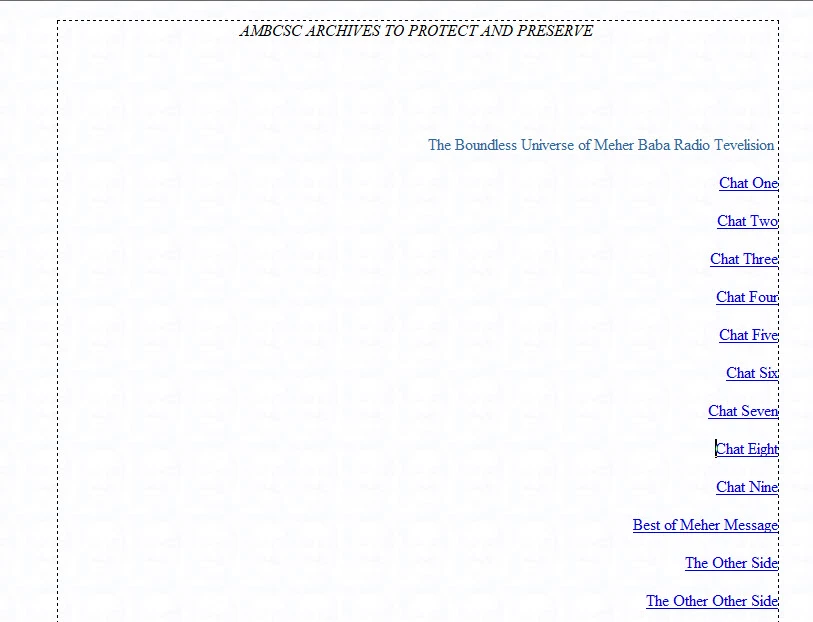
I forgot how to do this to insert an image into a Div area without pushing the text/links up/down out of wack.

I need to keep the area as we see below with all elements in place, as is, and then insert a photo to fill in the wide space in the middle area and to the left.

Thanks for any advise!
Dreamweaver CS6
    This topic is closed to new replies. Start a new post to keep the conversation going.
    Correct answer hans-g.

    Hello Ezad,

    as an addition: Do you think about something like this? >>> Text Umfliessen  If yes feel free to use my source code by "playing around" with the different parameters.

    Hans-Günter

    10 replies

    BenPleysier
    Community Expert
    Community Expert
    February 22, 2018
    Wappler is the DMXzone-made Dreamweaver replacement and includes the best of their powerful extensions, as well as much more!
    Ezad
    EzadAuthor
    Inspiring
    February 22, 2018

    The video only showed how to insert a photo.

    I need to know how to create a div within a div to hold the photo so as to not disturb the already positioned text and links.

    If I simply insert a photo the photo will push down and up the text to make room for the photo.

    I am attempting to add a photo without disturbing what is already there / the text and links.

    Thanks

    hans-g.
    hans-g.Correct answer
    Legend
    February 22, 2018

    Hello Ezad,

    as an addition: Do you think about something like this? >>> Text Umfliessen  If yes feel free to use my source code by "playing around" with the different parameters.

    Hans-Günter
