Participant
October 2, 2019
Answered

How to add my own code hint to Dreamweaver?

  • October 2, 2019
  • 2 replies
  • 286 views

How to add my own code hint to Dreamweaver?

I edit file CodeHints.xml but it won't work.


[Edited by moderator]

    This topic has been closed for replies.
    Correct answer Nancy OShea

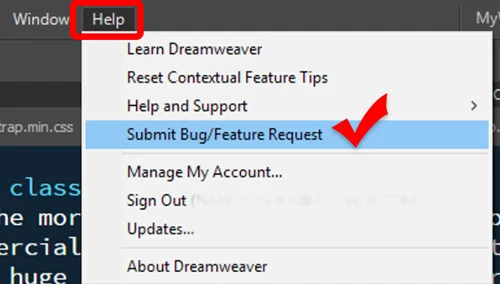
    Please File a Feature Request from your Help menu.


    2 replies

    Nancy OShea
    Community Expert
    Nancy OSheaCommunity ExpertCorrect answer
    Community Expert
    October 2, 2019

    Please File a Feature Request from your Help menu.


    Nancy O'Shea— Product User & Community Expert
    Jon Fritz
    Community Expert
    Community Expert
    October 2, 2019

    Looking at the CodeHints.xml file and seeing "MM" all over the place leads me to think it might be the file DW used for code hinting before Brackets was added. Most of the old program files from previous versions are still packaged in DW, even though it doesn't use them anymore. A lot of those files were created in the MacroMedia days (thus the MM everywhere).

    BACK-UP EVERYTHING BEFORE MODIFYING PROGRAM FILES

    If I had to venture a guess (I have not tested this in any way), I would look at the files found under C > Program Files > Adobe > Adobe Dreamweaver (your version) > www > thirdparty > CodeMirror > addon > hint

    CodeMirror is what Brackets uses for its code interface themes. It seems logical to me that those files might be the ones you're looking for.