October 31, 2018
Answered

How to Batch Insert Specific Line Breaks in Code (View)?

  • October 31, 2018
  • 3 replies
  • 777 views

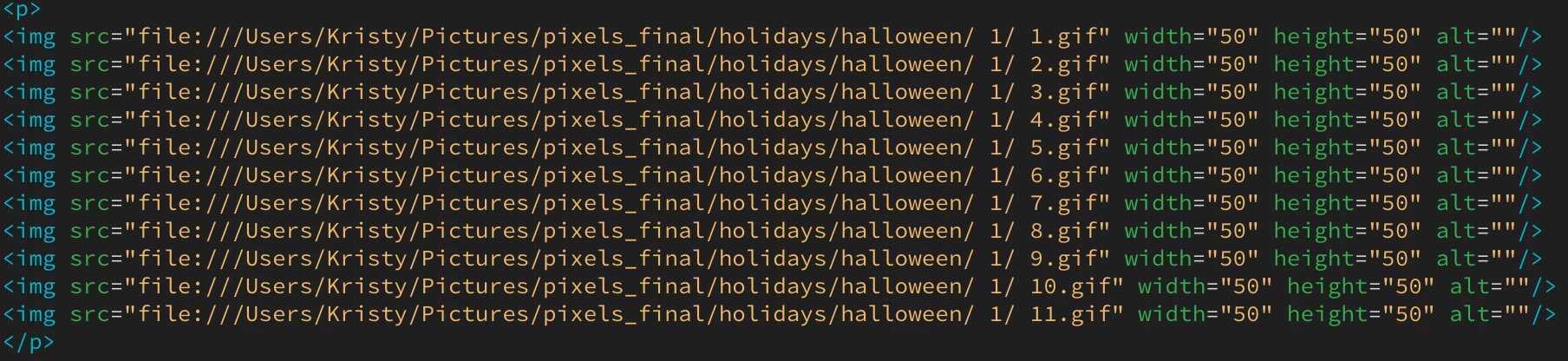
I'd like to insert a line break after <p>, before </p>, and after each <img> tag. Is there a way I could batch insert line breaks in these specific spots?

For example:

Unformatted:

Formatted, what I'm looking to achieve:
This topic has been closed for replies.
Correct answer B i r n o u

depending if you want to physically add a back return into the code, of if you want to only format the display of the code, you will have to apply different solution

1 if you want to change the code... search and replace using reg exp

search (<p[^+>]*>)|(<\/p>)|(<img[^+>]*>)

replace by $1$2$3<br>

2 if you want to display code format differently

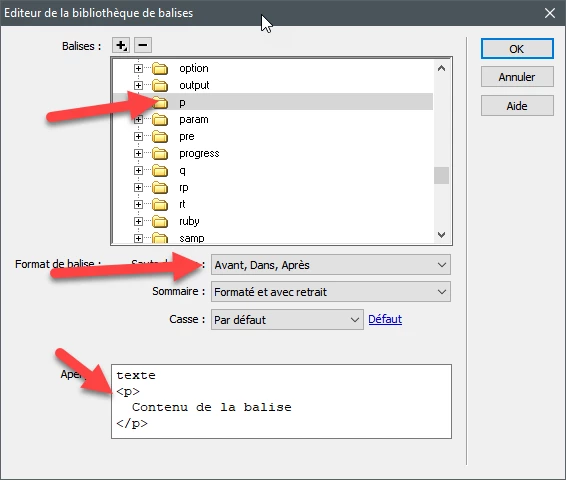
go on edition > bibliotheque de balises...

search for you concerned tag and edit the line retun pop up

3 replies

Legend
October 31, 2018

'bibliotheque de balises.' sounds soooo much better than 'Tag Library Editor'

Paul-M - Community Expert
Nancy OShea
Community Expert
Community Expert
October 31, 2018

But before you do any of that, please fix the file paths to images and rename images without spaces or special characters.

On the web, this is an invalid file name.

halloween/ 1/ 5.gif

Change it to this without spaces:

halloween/01/05.gif

Judging by the path to file:///Users/Kristy/..... on your computer, I'm guessing you are not working within a defined local site folder.  Or if you are, you have not saved and named your document.  To define a site, go to Site > New Site and give it a name and choose a folder on your hard drive.  For example, C:\MyTestSite\

Image paths should resolve to your site's images folder.

Nancy O'Shea— Product User & Community Expert
WolfShade
Legend
October 31, 2018

Good eye, Nancy.  I completely glossed over the path/name issues.

V/r,

^ _ ^

B i r n o u
B i r n o uCorrect answer
Legend
October 31, 2018

depending if you want to physically add a back return into the code, of if you want to only format the display of the code, you will have to apply different solution

1 if you want to change the code... search and replace using reg exp

search (<p[^+>]*>)|(<\/p>)|(<img[^+>]*>)

replace by $1$2$3<br>

2 if you want to display code format differently

go on edition > bibliotheque de balises...

search for you concerned tag and edit the line retun pop up

November 7, 2018

Thank you!

B i r n o u
Legend
November 7, 2018

you're welcome