


vanessah99475283
Known Participant
December 30, 2016
解決済み

How to change colour of "linked" word?

  • December 30, 2016
  • 返信数 2.
  • 661 ビュー

So I've successfully linked "About" to the about me page, so linking isn't the problem. But once I linked, the colour of my "about" changed from black (my original colour that i put as) to blue... How do i change it back?
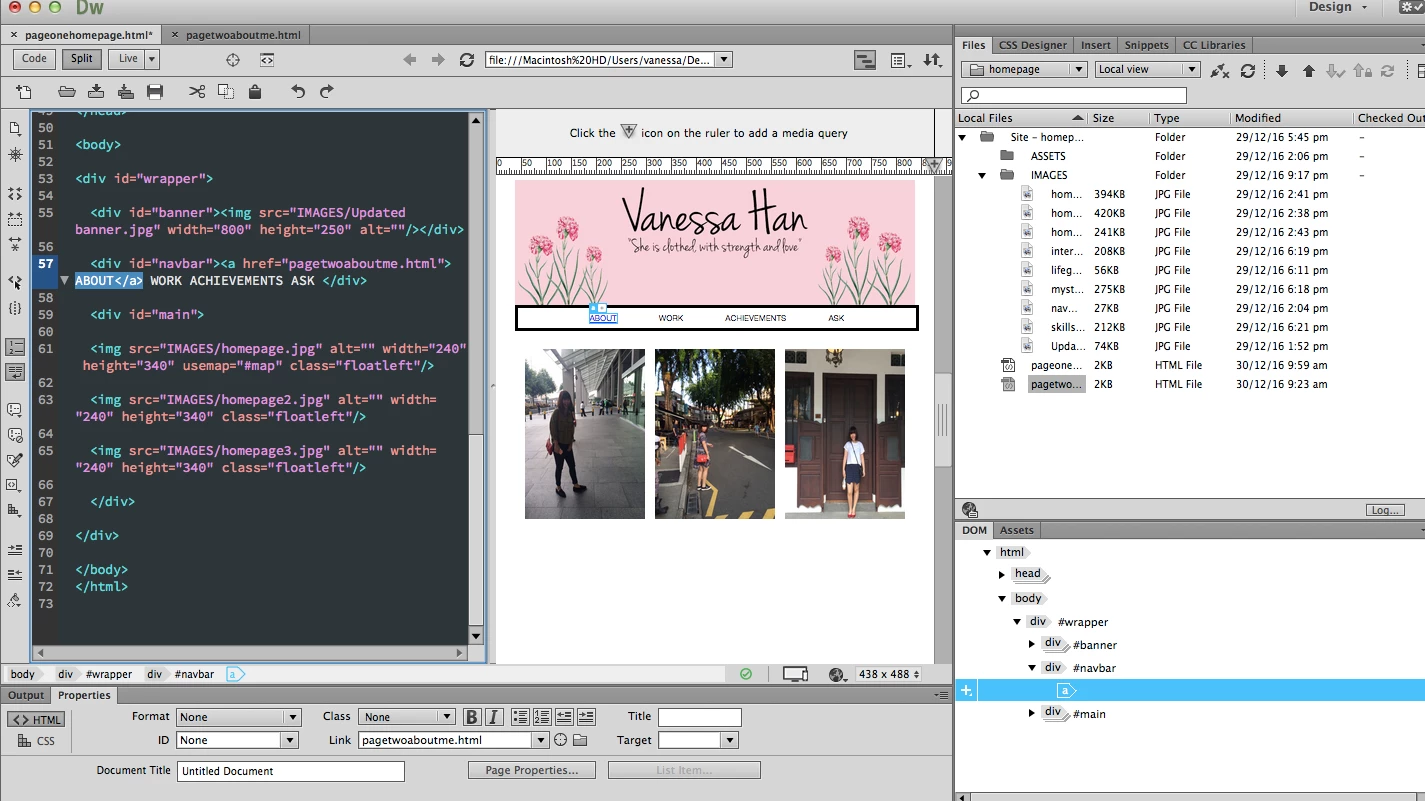

このトピックへの返信は締め切られました。
解決に役立った回答 Nancy OShea


A link is a CSS Pseudo-class.  The link properties change to denote a new link state.   For example:

a:link = an unvisited link (browser default color is blue).

a:visited = a visited link (browser default color is purple).

a:hover = on mouse over.

a:active = on click & hold.

a:focus = on tab key focus.

You define each link state in your global CSS file.   If undefined, browser default colors will be applied.

Nancy

返信数 2

Nancy OShea
Community Expert
Nancy OSheaCommunity Expert解決!
Community Expert
December 30, 2016


A link is a CSS Pseudo-class.  The link properties change to denote a new link state.   For example:

a:link = an unvisited link (browser default color is blue).

a:visited = a visited link (browser default color is purple).

a:hover = on mouse over.

a:active = on click & hold.

a:focus = on tab key focus.

You define each link state in your global CSS file.   If undefined, browser default colors will be applied.

Nancy

Nancy O'Shea— Product User & Community Expert
BenPleysier
Community Expert
Community Expert
December 30, 2016
Wappler is the DMXzone-made Dreamweaver replacement and includes the best of their powerful extensions, as well as much more!