Participant
Nov 3, 2020 10:08 PM UTC
Answered

How to change preview page's URL

On DW 5.5,  I was able to click "Preview in Chrome" and it would open my page with my full local server and path.

Example: HTTP://authoring.company.com/contact-us.html


Now on DW CC, when I click "Preview in Browser" > Google Chrome

it opens a "live" preview of my page with a generic URL: HTTP://127.0.0.1:5860/preview/app/index.html


The "live" feature is nice, but I would prefer to have my full URL path.


Is there any way to change this?


Thank you! 



    This topic is closed to new replies. Start a new post to keep the conversation going.
    Nancy OShea
    Nancy OSheaCorrect answer
    Community Expert
    Nov 4, 2020 1:20 AM UTC

    Upload files to your server and go to the URL in your browser's address bar.

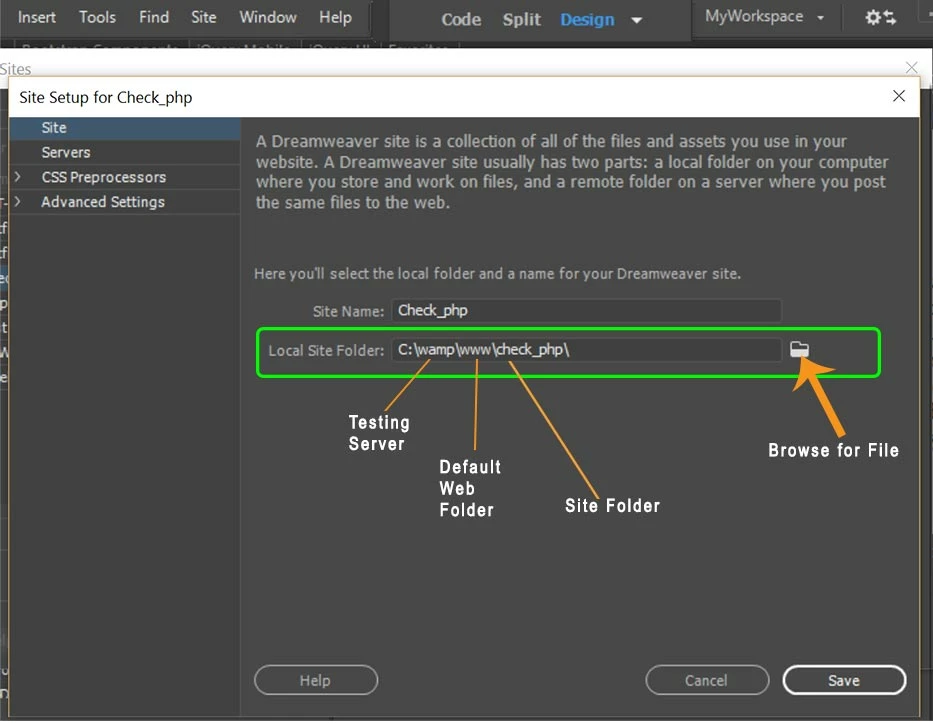
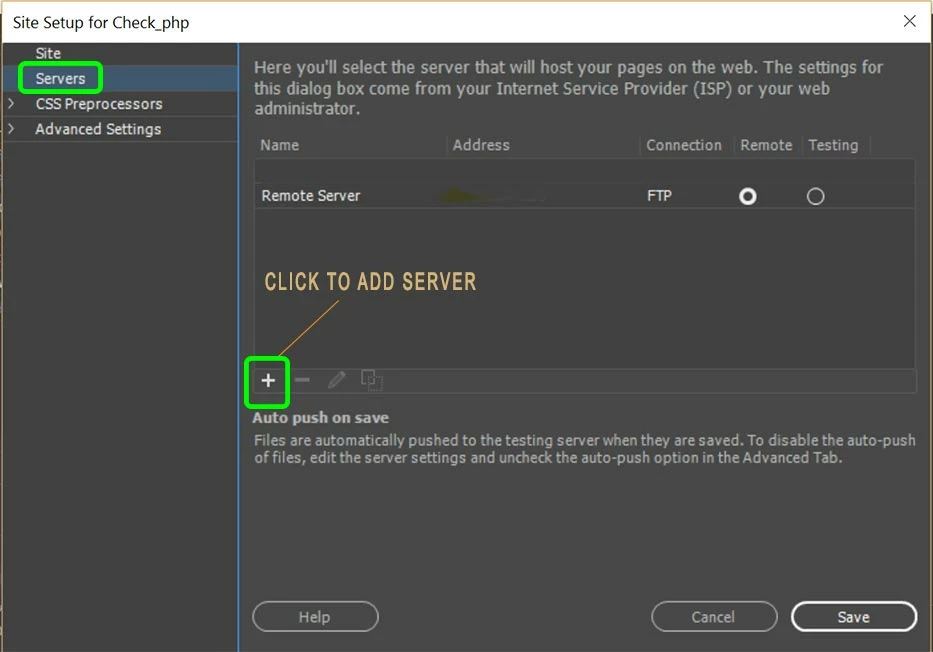
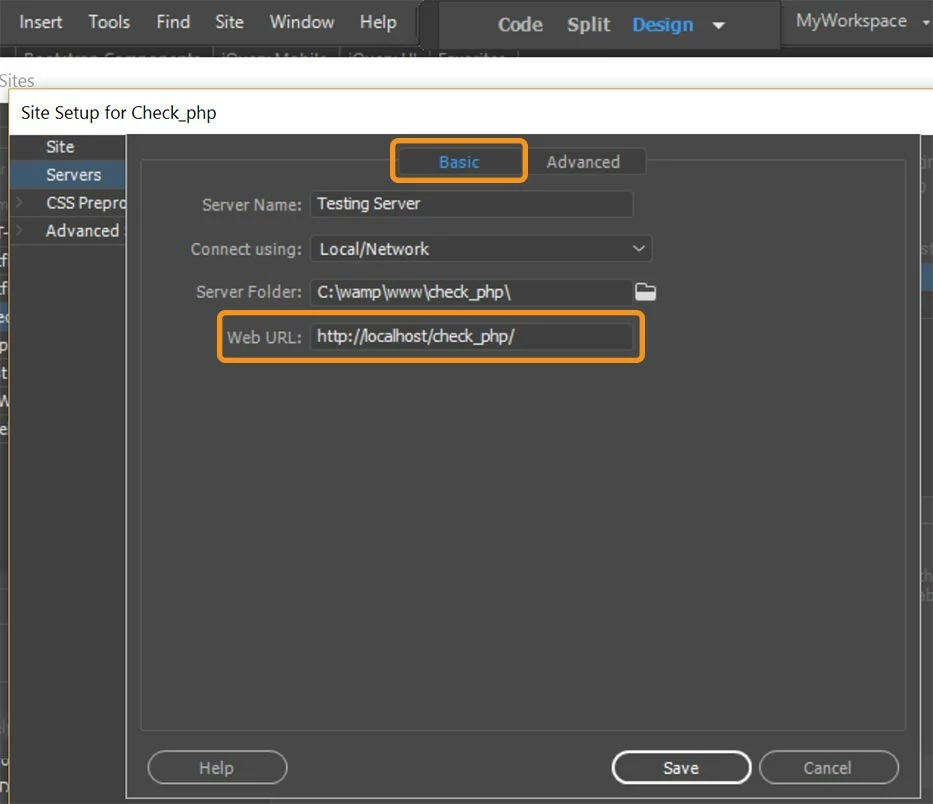
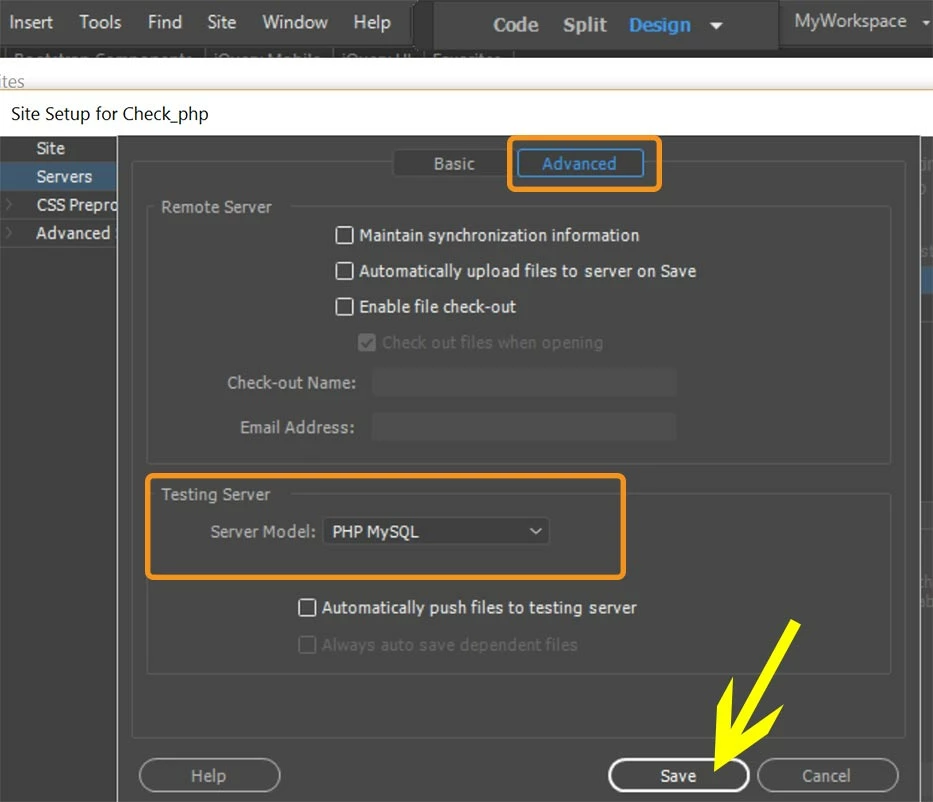
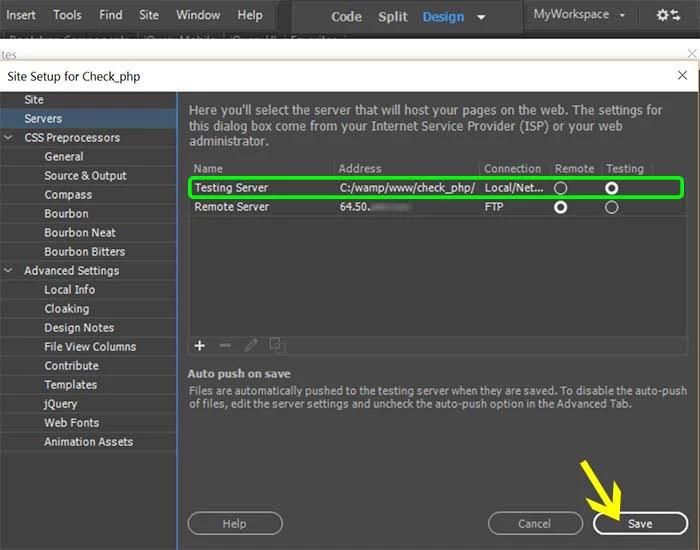
    DW does not preview remotely hosted files.  It can only preview what's on your local computer.  See screenshots.


    Local site:

    file:///folder/folder/filename.html


    Local Testing Server:

    localhost/folder/folder/filename.html


    Nancy O'Shea— Product User & Community Expert

    8 replies

    Nancy OShea
    Community Expert
    Community Expert
    Nov 3, 2020 11:10 PM UTC

    Right -click and select Open in Browser.  That's equivalent to the old Preview in Browser you're accustomed to. 

    Real-Time Preview doesn't play nice with my local testing server so I never use it.


    Translate
    Nancy O'Shea— Product User & Community Expert
    Participant
    Nov 4, 2020 1:13 AM UTC

    Thank you, Paul and Nancy!


    Right-click and select Open in Browser works, but the URL is the file path: file:///B:/contact-us.html.


    Is there any way to pull my local web server's domain so the URL becomes:  HTTP://authoring.company.com/contact-us.html?


    I saw some settings (in the screenshot below) and I was hoping it was possible. Maybe I miss-configured something?

    I know I can easily re-type the domain, but I feel like I lost a feature.


    Translate
    Nancy OShea
    Community Expert
    Nancy OSheaCommunity ExpertCorrect answer
    Community Expert
    Nov 4, 2020 1:20 AM UTC

    Upload files to your server and go to the URL in your browser's address bar.

    DW does not preview remotely hosted files.  It can only preview what's on your local computer.  See screenshots.


    Local site:

    file:///folder/folder/filename.html


    Local Testing Server:

    localhost/folder/folder/filename.html


    Translate
    Nancy O'Shea— Product User & Community Expert
    Legend
    Nov 3, 2020 10:41 PM UTC

    In preferences => real-time preview, select 'default to static browser preview'


    Translate
    Paul-M - Community Expert
    Participant
    Nov 3, 2020 10:32 PM UTC

    I should add that I saw a similar post: https://community.adobe.com/t5/dreamweaver/f12-no-longer-brings-up-with-url-quot-device-preview-quot-vs-page-title-in-browser/td-p/11049141?page=1


    But I don't see "Default to Static Browser Preview". 


    We're still using CC 2018 and I think this was a 2019 feature.


    Translate
    Legend
    Nov 3, 2020 10:43 PM UTC

    Earlier versions of Dreamweaver I think you can right click on the on file in the files panel and select preview in browser from the context menu, it should do the same thing.

    Translate
    Paul-M - Community Expert