Participant
June 16, 2017
Answered

How to change the text highlighting color in Dreamweaver?

Suppose when i write a one line of code

<img src = "img.jpg" />

After writing code when i click that line of code, the whole code highlights in yellowish type of color! I want to change the color and make its highlighting color as that of Dreamweaver 17.0! This yellowish highlighting came from 17.1!

This topic is closed to new replies. Start a new post to keep the conversation going.
BenPleysier
BenPleysierCorrect answer
Community Expert
June 16, 2017

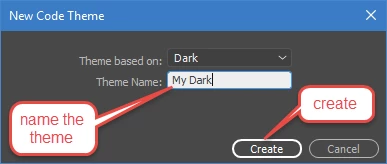
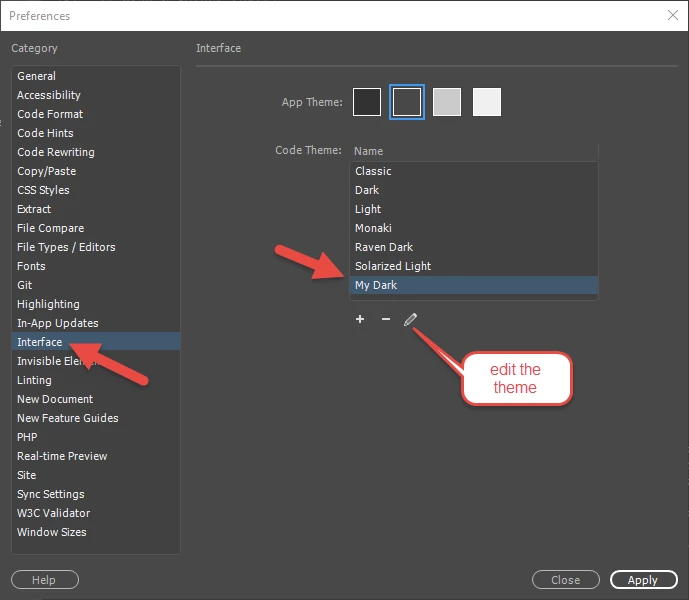
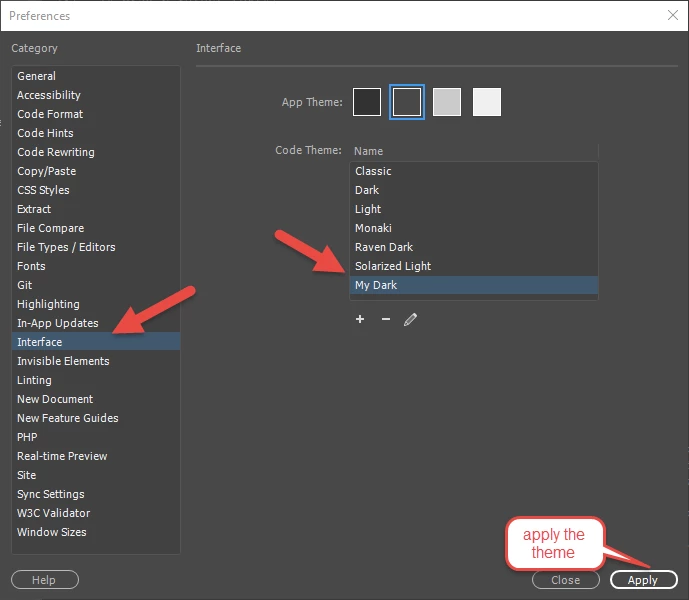
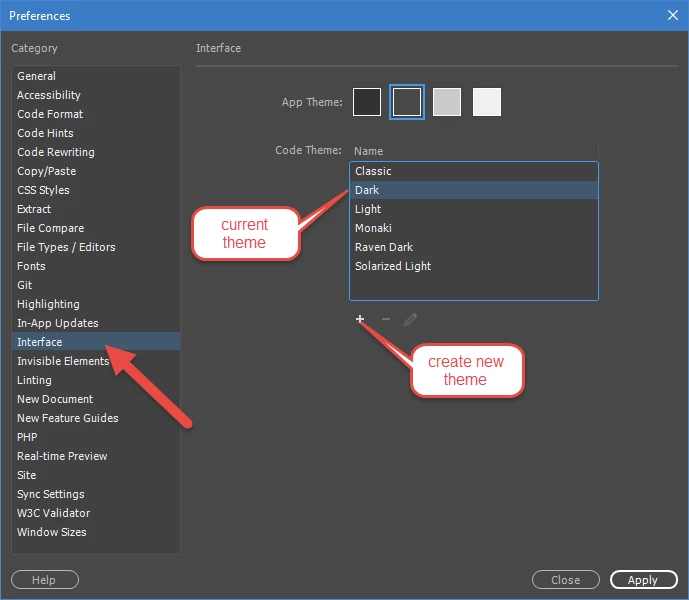
1. Hit Ctrl+U

2.

3.

4.

5.

6. save the file

7.

Wappler is the DMXzone-made Dreamweaver replacement and includes the best of their powerful extensions, as well as much more!

1 reply

BenPleysier
Community Expert
BenPleysierCommunity ExpertCorrect answer
Community Expert
June 16, 2017

1. Hit Ctrl+U

2.

3.

4.

5.

6. save the file

7.

Translate
Wappler is the DMXzone-made Dreamweaver replacement and includes the best of their powerful extensions, as well as much more!