
Inspiring
July 27, 2019
Answered

How to Display Width/Height of Images in the Files List

  • July 27, 2019
  • 3 replies
  • 2024 views

Hello:

In addition to the KB Size of my image files, I need to learn how to reveal the width and height of images that appear in the Local Files list, as shown in my screenshot. . .
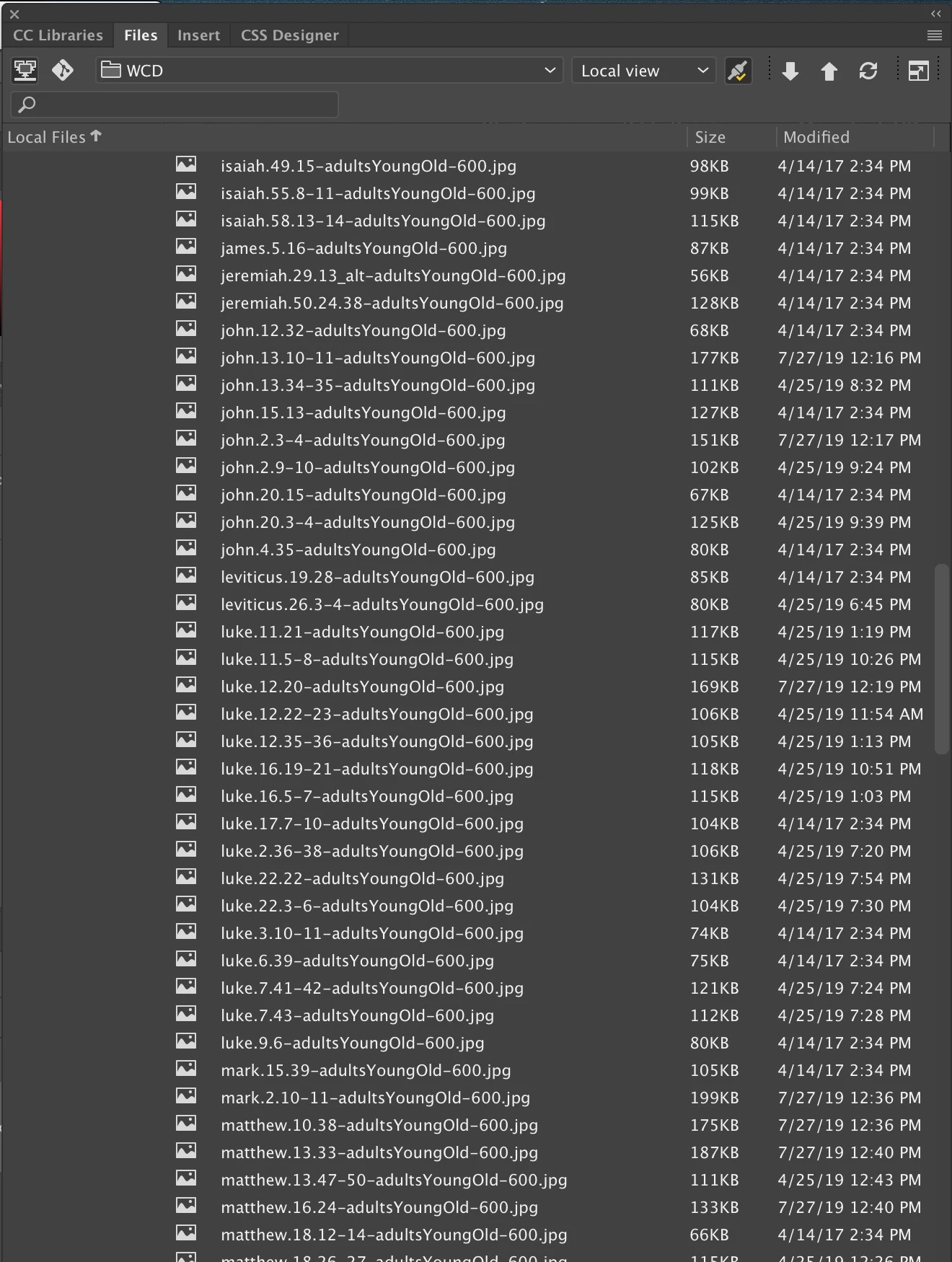
In CS6, I was able to open the assets file and, once I clicked something, the width and height of each image file was displayed. Can I again display those widths and heights values in CC19?

Thanks, in advance.

Warren

This topic has been closed for replies.
Correct answer Nancy OShea
  1. Go to Window menu and click on Toolbars.  Select Common.
  2. Go to Window menu and click on Assets.   Feel free to move the Assets panel and dock it to whichever panel group you like.

3 replies

wcampAuthor
Inspiring
July 31, 2019

Thank you, Nancy.

I wish I could tell that that worked. Sadly, I performed both tasks without seeing a change. I then quit and reloaded DW and realized that the Assets folder had disappeared with that reload!

For the last two minutes, I've attempted to follow your suggestions from the previous post without getting the Assets to appear anywhere on my screen.     (  ; - (

So I switched to "Developer" and reset the toolbar and chose Assets and it appeared. Unfortunately, the dimensions of that file remain 144 x 96. Can you suggest something else to attempt?

Must I use the Developer mode to get the Assets folder to appear at all times?

Wondering Warren

BenPleysier
Community Expert
Community Expert
July 31, 2019
Must I use the Developer mode to get the Assets folder to appear at all times?

If you have Assets ticked, it will appear

Wappler is the DMXzone-made Dreamweaver replacement and includes the best of their powerful extensions, as well as much more!
wcampAuthor
Inspiring
July 30, 2019

Nancy, I have a follow-up question after reviewing the accessible Assets folder's contents.

Is there a "refresh" or another step I need to take to reconcile the actual width/height dimensions with what's shown in the list?

I ask because numerous files in the Assets list that I can document in Photoshop as being exactly 600 x 400 pixels show as being 144 x 96 pixels, as revealed in this sample screenshot.

Thereafter, when I doubleclick the Asset's folder's 144 x 96 file, the image opens in Photoshop having the dimension of 600 x 400 pixels.

Please tell me what causes DW's incorrect valuation of numerous 600 x 400-pixel image files.

Thanks, Nancy.

Warren

Nancy OShea
Community Expert
Community Expert
July 31, 2019

Probably caused by caching.

Right click on an asset and select Refresh Site List.

If that doesn't do it, try Recreate Site List which could take a while.

Nancy O'Shea— Product User & Community Expert
BenPleysier
Community Expert
Community Expert
July 27, 2019

There is no difference now:

Wappler is the DMXzone-made Dreamweaver replacement and includes the best of their powerful extensions, as well as much more!
wcampAuthor
Inspiring
July 27, 2019

Hello, Ben:

Please tell me how you've done it.

I've attempted to get the Assets pane to appear in the Files list but cannot do it. Neither can I make those seven icons in your left column appear.

Thank you.

Warren

Nancy OShea
Community Expert
Nancy OSheaCommunity ExpertCorrect answer
Community Expert
July 28, 2019
  1. Go to Window menu and click on Toolbars.  Select Common.
  2. Go to Window menu and click on Assets.   Feel free to move the Assets panel and dock it to whichever panel group you like.
Nancy O'Shea— Product User & Community Expert