April 1, 2023
Answered

How to enable High DPI Scaling in Dreamweaver 23

  • April 1, 2023
  • 3 replies
  • 978 views

Indesign has High DPI scaling support in Preferences.

This is missing in Dreamweaver and my main menus are VERY small

Changing the scaling properties in the executable does not work. 

How do I get Dremaweaver to work on a 4K monitor.

    This topic has been closed for replies.
    Correct answer Nancy OShea

    Because unlike InDesign, Dreamweaver's team is tiny and has no resources.  DW is in minimal support status now with no new features planned.  It is what it is.


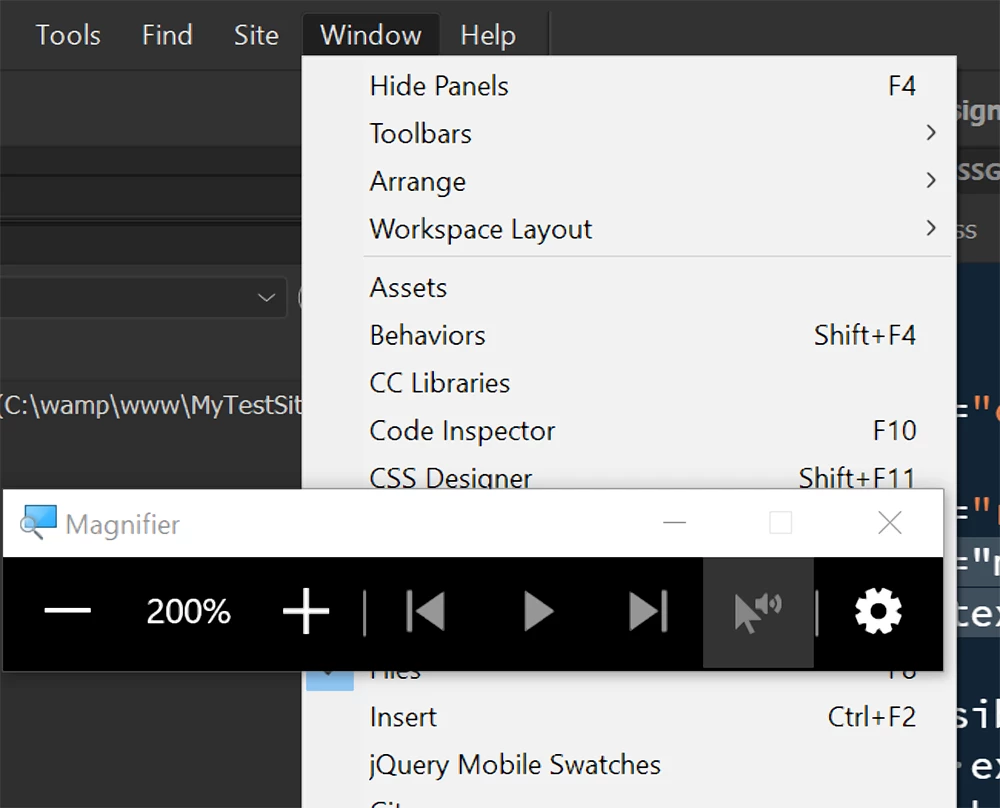
    In a pinch, you can use Windows Magnifier. 

    Hold down the Windows key and hit + sign.  Hit it again to increase magnification.


    3 replies

    Participant
    October 8, 2023

    I have just solved this on my new asus oled laptop. Right click the dreamweaver.exe file >properties>compatibility>change high dpi settings> choose overide high dpi scaling behaviour by > system or system enhanced 
    Works perfect.
    Simplz

    Nancy OShea
    Community Expert
    Community Expert
    April 1, 2023

    On Windows, go to Start Menu > Settings > System > Display. 

    Increase Font-sizes to 150% or higher.


    Nancy O'Shea— Product User & Community Expert
    April 1, 2023

    Many thanks, Nancy. 

    My settings like that are already 200%, 

    I wonder why Adobe does not fix this problem in the way that they added scaling support to InDesign. 

    Nancy OShea
    Community Expert
    Nancy OSheaCommunity ExpertCorrect answer
    Community Expert
    April 1, 2023

    Because unlike InDesign, Dreamweaver's team is tiny and has no resources.  DW is in minimal support status now with no new features planned.  It is what it is.


    In a pinch, you can use Windows Magnifier. 

    Hold down the Windows key and hit + sign.  Hit it again to increase magnification.


    Nancy O'Shea— Product User & Community Expert
    BenPleysier
    Community Expert
    Community Expert
    April 1, 2023

    You can try the following workaround to fix Dreamweaver display issues in Windows:
    1. Close Dreamweaver.
    2. Search for and locate the Dreamweaver.exe file. Right-click the file, and select Properties. Note: By default, Dreamweaver installs in C:\\Program Files\\Adobe\\Adobe Dreamweaver CC 2021 location.
    3. In the Compatibility tab, deselect Disable display scaling on high DPI settings. Enabling display scaling.
    4. Launch Dreamweaver CC 2021.


    If you still face issues with Dreamweaver display, you can try adjusting Windows display scaling options in Settings.

    I hope this helps!


    Wappler is the DMXzone-made Dreamweaver replacement and includes the best of their powerful extensions, as well as much more!
    April 1, 2023

    Very many thanks, for the details and screen captures, much appreciated. 🙂

    I had already tried that and that's what I meant when I said 

    "Changing the scaling properties in the executable does not work. "
    But I tried you setting and that did not solve the problem for me.

    Changing the settings in windows does not seem to work either . The font-size of the menus does not change. 

    How come Adobe fixed this issue in InDesign and aother CC applications, but not Dreamweaver. Very frustrating.


    BenPleysier
    Community Expert
    Community Expert
    April 1, 2023

    Once adopted by Adobe, Dreamweaver is no longer a favourite child. Time to go elsewhere. There are many options like VS Code (free of charge) and Wappler. I have long since gone for the latter.


    Wappler is the DMXzone-made Dreamweaver replacement and includes the best of their powerful extensions, as well as much more!