
Inspiring
March 14, 2020
Question

How to have multiple navigations on one line?

  • March 14, 2020
  • 1 reply
  • 241 views

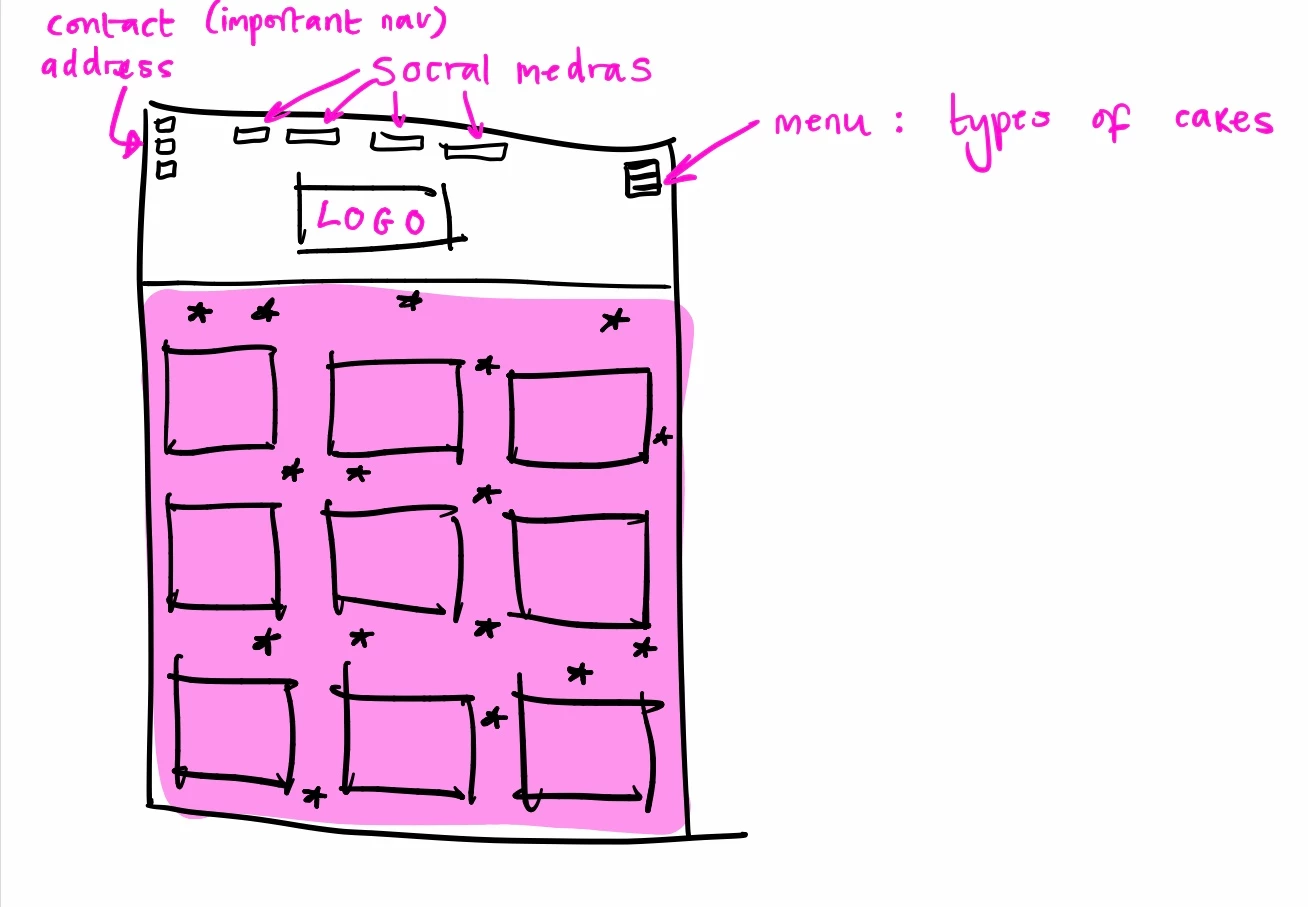
My only guess in how to do this is making the header a class and making that class position: relative and position each navigation manually that way? If there's a better way, or a proper way to do it please let me know! This is my plan for the layout 
    This topic has been closed for replies.

    1 reply

    Legend
    March 14, 2020


    You just need to include the child containers in one parent container and space them out appropriately, example:


    <!DOCTYPE html>
    <html lang="en">
    <head>
    <meta charset="UTF-8"> 
    <title>Single Line Navigation</title>
    <style>
    * {
    box-sizing: border-box;
    }
    .nav {
    display: flex;
    justify-content: space-between;
    width: 95%;
    margin: 0 auto;
    }
    .social_media {
    display: flex;
    }
    .social_media span {
    display: block;
    padding: 0 15px;
    }
    </style>
    </head>
    <body>
    	 
    <nav class="nav">
    <div class="contact_address">
    Contact Address
    </div>
    <!-- end contact address -->
    <div class="social_media">
    <span>Social Media</span>
    <span>Social Media</span>
    <span>Social Media</span>
    <span>Social Media</span>
    </div>
    <!-- end social media -->
    <div class="cake_types">
    Cake Types
    </div>
    <!-- end cake types -->
    </nav>
     
     </body>
     </html>