


Participant
October 6, 2023
Question

How to make the search/replace window floating?

  • October 6, 2023
  • 2 replies
  • 295 views

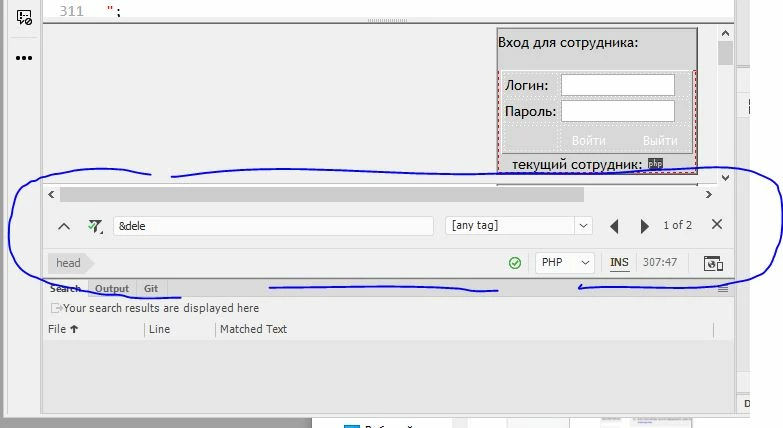
When you move to another file in another tab, this window disappears. Which is very inconvenient when processing files in bulk.

Where you can configure its constant display, saving the entered value for search, as in older versions (DW 2015 for example).

Thank you in advance for your attention to the issue.

    This topic has been closed for replies.

    2 replies

    Nancy OShea
    Community Expert
    Community Expert
    October 6, 2023

    Use Ctrl + Shift + F.  See screenshot.


    Nancy O'Shea— Product User & Community Expert
    B i r n o u
    Legend
    October 6, 2023

    https://www.youtube.com/watch?v=KBca3xf-j3o  lol

    first one has better sound qualities, but second one is better for memory

    https://www.youtube.com/watch?v=PGwPSPIhohk

    Community Expert
    October 6, 2023

    For several versions now, search and replace tools have been diversified.


    Today, in one side, there is a search tool specific to each document (Ctrl or Cmd + F) which docks at the bottom of the document window (and which to my knowledge cannot float, or dock elsewhere in the interface), but never mind, if you navigate between documents and return to the initial document where you launched a search, the window will refresh as it should. ... In other words, if you search for "foo" in one document and "bar" in another, the window is contextual to the document and will adapt itself according to the document you activate, and will refresh itself as expected... so it’s quite practical and usefull...


    And in an other side, if you now want to work with a floating palette, you'll need to use the new multi-file search (Ctrl or Cmd + Shift + F), which will give you the impression that you're back to the old DW search tool. Note, however, that this window also allows you to search in the active document only, but unlike the previous tool (describe above), the window is no longer context-sensitive, and works in tandem with the search results palette and wont refresh when you’ll focus on different documents.