Participant
February 16, 2019
Question

How to reduce the window width?

  • February 16, 2019
  • 2 replies
  • 375 views

How to reduce the window width?

Why is it reduced only to a certain width? There is a lot of useless space in it. In any code editor, this window can be reduced to a minimum.
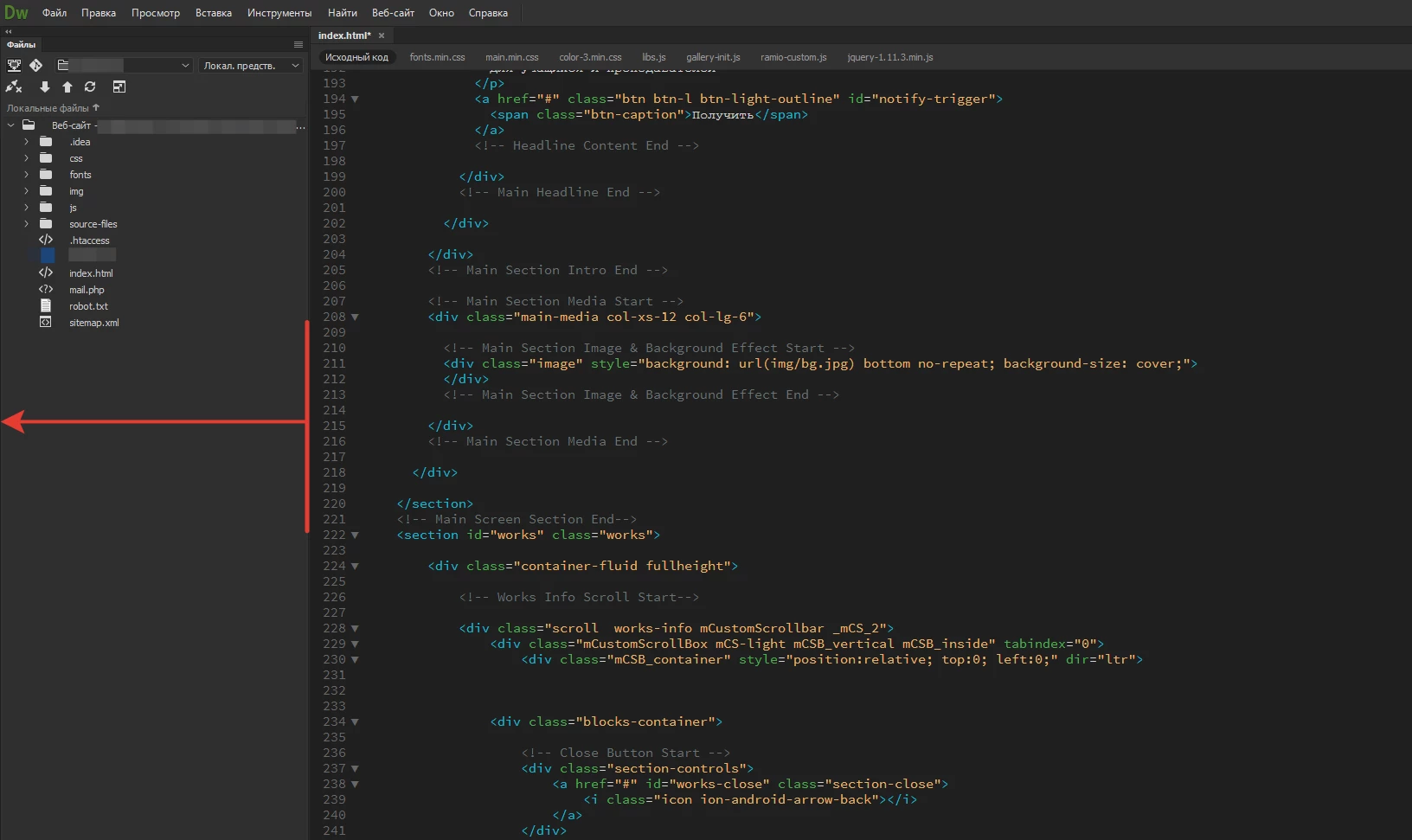

    This topic has been closed for replies.

    2 replies

    Legend
    February 18, 2019

    Are you using multiple displays? You can drag panels to a second display

    Paul-M - Community Expert
    Participant
    February 16, 2019

    And it's on an HD monitor.

    If the developers think it is correct, I suggest to make this useless fixed window even bigger

    Nancy OShea
    Community Expert
    Community Expert
    February 16, 2019

    Try a different Workspace or customize your own.  See screenshot.

    Nancy O'Shea— Product User & Community Expert
    Participant
    February 16, 2019

    Thanks for participating!

    However, the workspace does not solve the problem.

    You can, of course, completely hide this window.

    But when you access another file, you will need an additional mouse click to activate the file tree and click on the file itself.

    Therefore, the file tree must always be open.

    Why they have provided the minimization in the Brackets ???