
how to use and understand css from extract (is there documentation?)
I have been learning Photoshop and Dreamweaver over at the community college to bring my skills up to speed. But I saw a modern web template in Photoshop that I wanted to use to design a website.
1. Picked out the layout that I wanted to use.
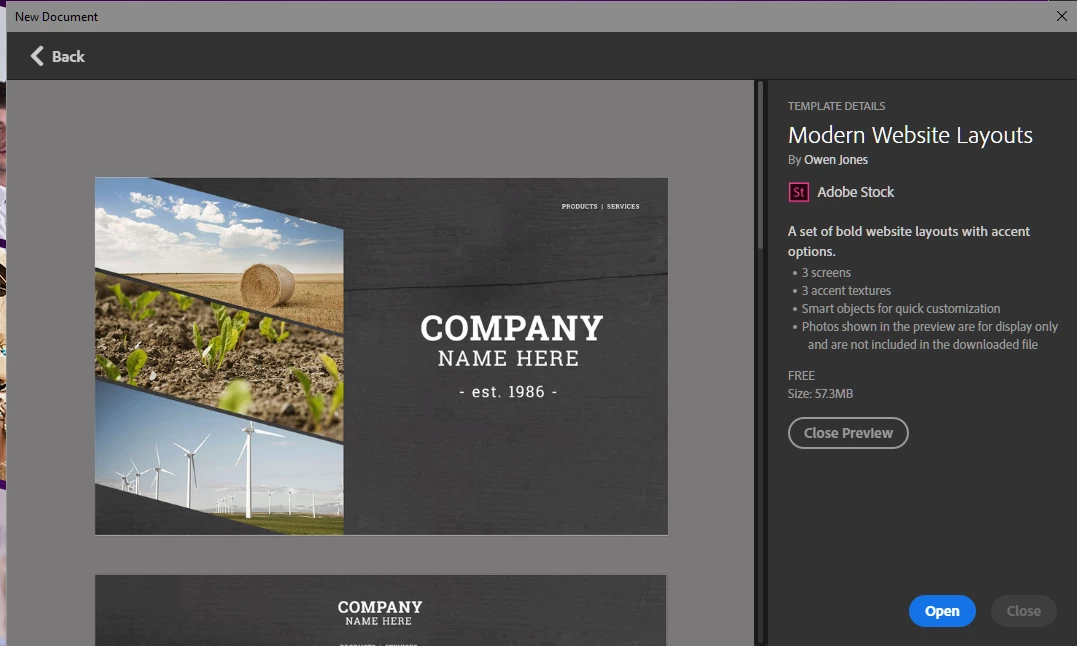
2. I made my quick changes to the graphics in the Photoshop file home page.

3. Created code to emulate the design.
<!doctype html>
2 <html>
3 <head>
4 <meta charset="utf-8">
5 <title>Untitled Document</title>
6 <link href="css/bootstrap-4.0.0.css" rel="stylesheet" type="text/css">
7 <style>
8 .container-fluid {
9 padding: 0px;
10 margin: 0px;
11 }
12 #body {
13 width: 1280px;
14 height: 800px;
15 background-image: url("images/Background_Options.png") no-repeat;
16 background-color: #630e87;
17 }
18 #section1 {
19 width: 555px;
20 height: 350px;
21 background-image: url("images/team1_555x350.png");
22 padding: 0px;
23 margin: 0px;
24 }
25 #section2 {
26 width: 555px;
27 height: 381px;
28 background-color:;
29 background: url("images/panther555x381.png") no-repeat;
30 padding: 0px;
31 }
32 #section3 {
33 width: 555px;
34 height: 348px;
35 background-color: #939598;
36 background: url("images/team2_555x348.png") no-repeat;
37 padding: 0px;
38 }
39 #article h1 {
40 width: 409px;
41 height: 46px;
42 font-family: RobotoSlab;
43 color: #ffffff;
44 font-size: 74.43px;
45 font-weight: 700;
46 line-height: 168.069px;
47 transform: scale(0.764, 0.766);
48 }
49 #article h2 {
50 width: 667px;
51 height: 37px;
52 font-family: RobotoSlab;
53 color: #ffffff;
54 font-size: 98.29px;
55 font-weight: 400;
56 line-height: 168.069px;
57 transform: scale(0.477, 0.478);
58 }
59 .float-right {
60 padding-top: 400px;
61 padding-right: 0px;
62 padding-bottom: 0px;
63 padding-left: 173px;
64 }
65 </style>
66 </head>
67
68 <body id="body" class="container-fluid">
69 <main class="float-right">
70 <h1>my company</h1>
71 <h2>Been in business</h2>
72 <h3>- est. 1986 - </h3>
73 </main>
74 <aside>
75 <section id="section1"> </section>
76 <div class="container row">
77 <section id="section2"> </section>
78 </div>
79 <section id="section3"> </section>
80 </aside>
81 </body>
82 </html>
83
but before I go to far I would like to know what controls the space between the masked images on the left side and how to reduce the spaces between them?




 AdChoices